Regex Rename

This allows for you to bulk rename both project and scene objects with regex filtering.
com.nomnom.regex-rename Unity Compatibility
Unity 6 Supported
2023.2 Supported
2023.1 Supported
2022.3 LTS Supported
2021.3 LTS Supported
2020.3 LTS Not tested
2019.4 LTS Not tested
Install via UPM
Add to Unity Package Manager using this URL
https://www.pkglnk.dev/regex-rename.git 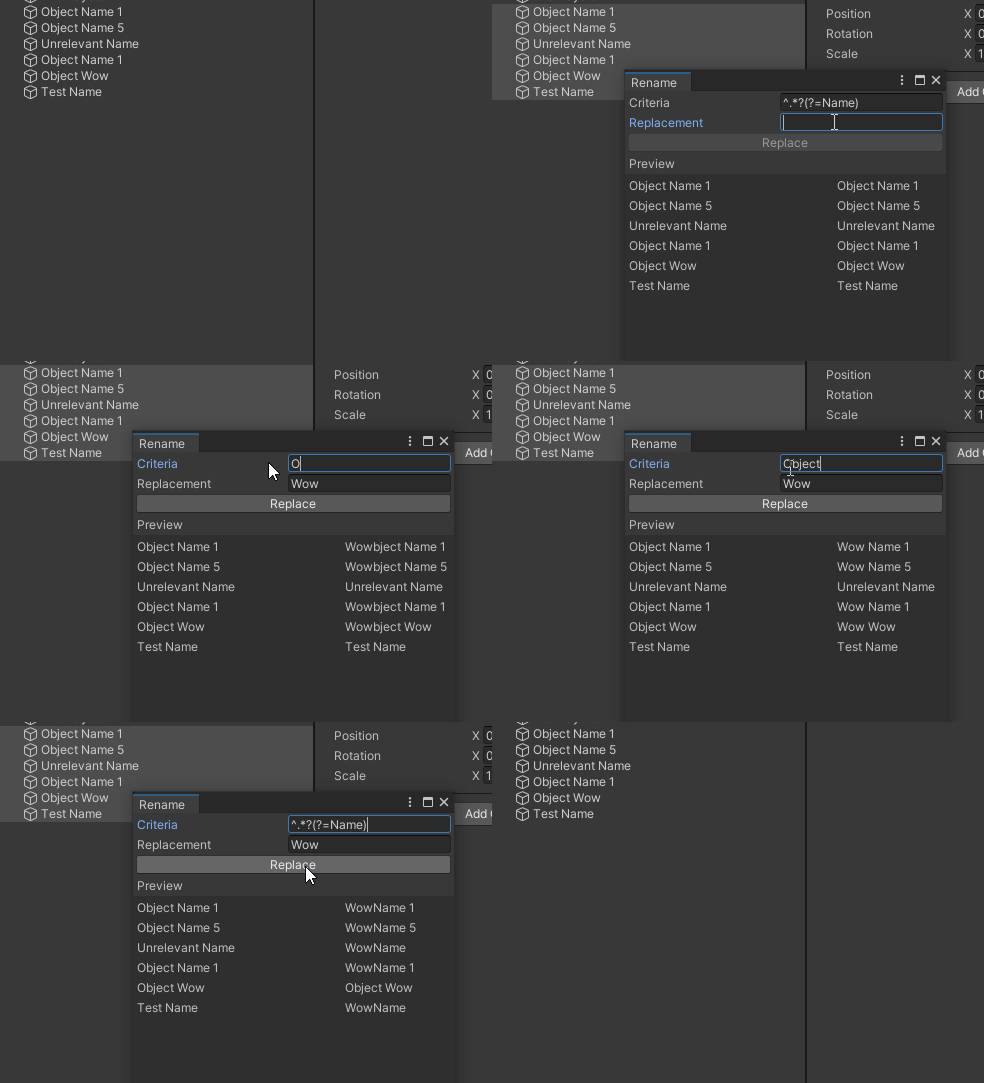
README Markdown
Copy this to your project's README.md
Style
Preview 
## Installation
Add **Regex Rename** to your Unity project via Package Manager:
1. Open **Window > Package Manager**
2. Click **+** > **Add package from git URL**
3. Enter:
```
https://www.pkglnk.dev/regex-rename.git
```
[](https://www.pkglnk.dev/pkg/regex-rename)README
Regex Rename
Select multiple scene objects or assets, and press F2 to open the new regex rename window.
Installation
- OpenUPM
openupm add com.nomnom.regex-rename
- Package Manager
- Add through git url
https://github.com/nomnomab/Regex-Rename.git
- Add through git url
Comments
No comments yet. Be the first!
Sign in to join the conversation
Sign In