Hierarchy Window Extensions

This aims to improve the usability of the hierarchy window.
com.nomnom.hierarchy-window-extensions Unity Compatibility
Unity 6 Supported
2023.2 Supported
2023.1 Supported
2022.3 LTS Supported
2021.3 LTS Supported
2020.3 LTS Not tested
2019.4 LTS Not tested
Install via UPM
Add to Unity Package Manager using this URL
https://www.pkglnk.dev/hierarchy-window-extensions.git 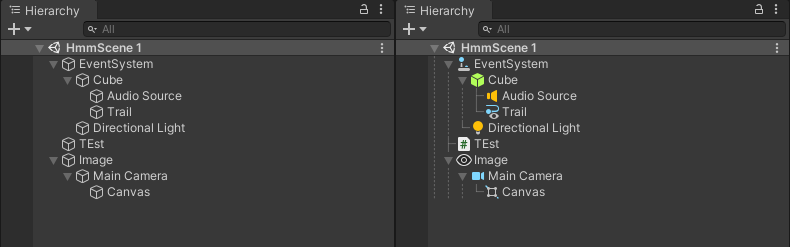
README Markdown
Copy this to your project's README.md
Style
Preview 
## Installation
Add **Hierarchy Window Extensions** to your Unity project via Package Manager:
1. Open **Window > Package Manager**
2. Click **+** > **Add package from git URL**
3. Enter:
```
https://www.pkglnk.dev/hierarchy-window-extensions.git
```
[](https://www.pkglnk.dev/pkg/hierarchy-window-extensions)Dependencies (1)
README
Hierarchy Window Extensions
This aims to improve the usability of the hierarchy window.
Installation
- OpenUPM
openupm add com.nomnom.hierarchy-window-extensions
- Package Manager
- Add through git url
https://github.com/nomnomab/Hierarchy-Window-Extensions.git
- Add through git url
Package Settings
- Parts of this package can be enabled/disabled via the preferences menu, located in
Edit/Preferences/Hierarchy Window Extensions
Current Enhancements
Custom Lines
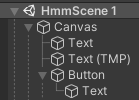
Object Aware Icons
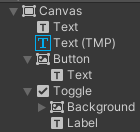
- The first-most component on an object will take priority
- If the object only has a single component, the transform is shown
- If it has more than a single component, the next component will be shown
- Canvas renderer components are ignored for UI so the elements can be seen more clearly
Multi-Object Prefab Creation
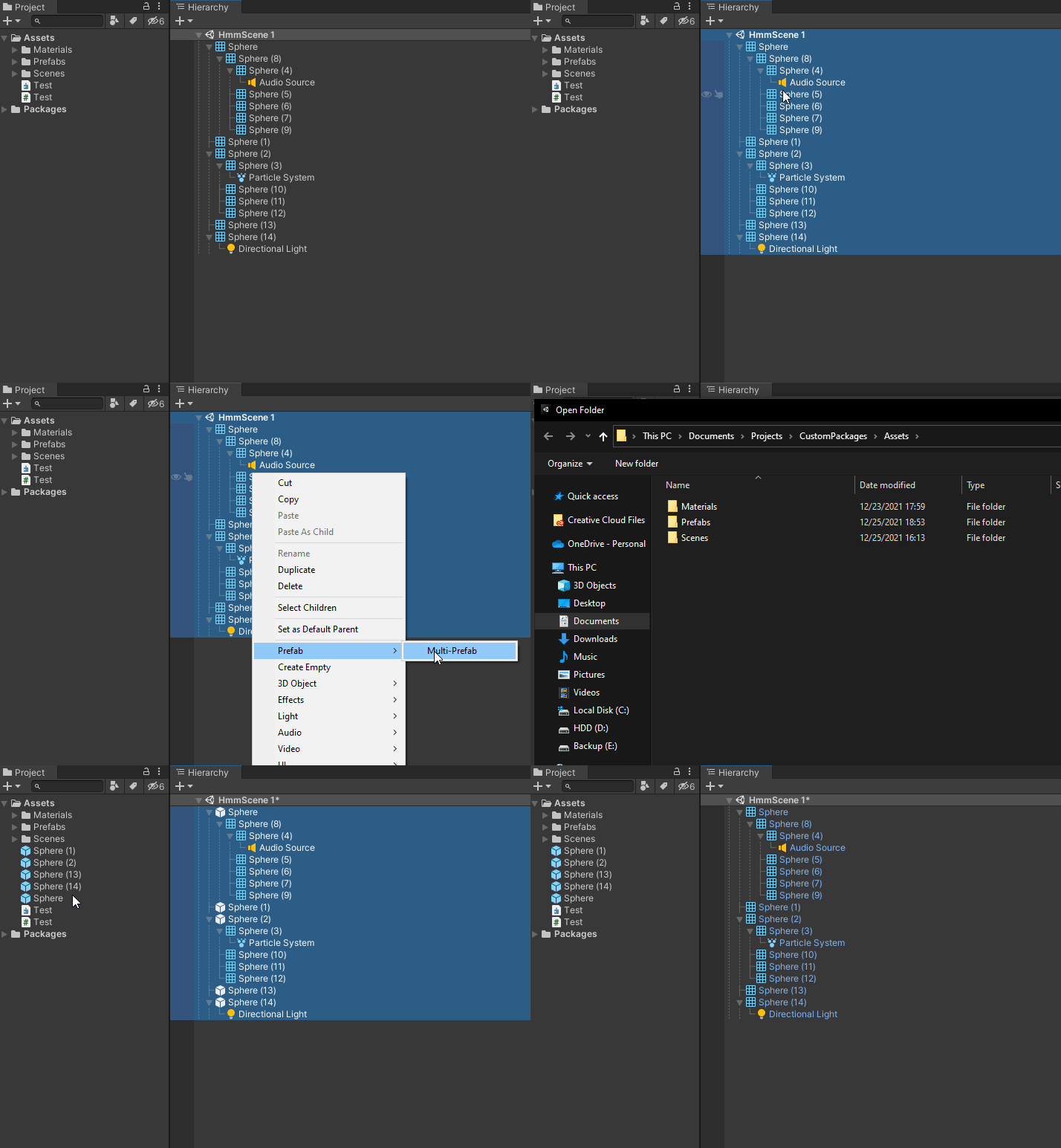
- Select multiple scene objects, right-click, and select
Prefab/Multi-Prefabto select a folder for the prefabs to be placed into
Comments
No comments yet. Be the first!
Sign in to join the conversation
Sign In