kPortals
A pre-calculated Portal visibility system for Unity.
com.ktools.portals 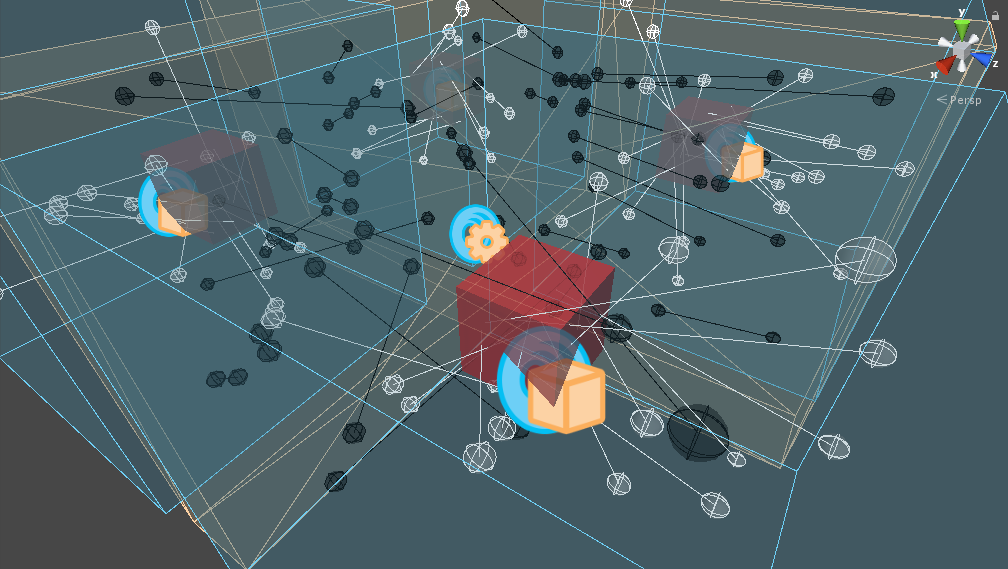
Install via UPM
Add to Unity Package Manager using this URL
https://www.pkglnk.dev/portals.git?path=Assets/kPortals README Markdown
Copy this to your project's README.md
Style
Preview 
## Installation
Add **kPortals** to your Unity project via Package Manager:
1. Open **Window > Package Manager**
2. Click **+** > **Add package from git URL**
3. Enter:
```
https://www.pkglnk.dev/portals.git?path=Assets%2FkPortals
```
[](https://www.pkglnk.dev/pkg/portals)README
kPortals
A pre-calculated Portal visibility system for Unity.
A visualization of baked visibility information.
kPortals is a pre-calculated Portal visibility system. It offers Manual, Automatic and Hybrid volume modes, where Manual mode gives the user ability to generate very aggressive culling, Automatic requires zero user setup but provides more conservative culling, and Hybrid provides a mixed solution. Bake time can be offset against visibility accuracy using parameters on the component.
Refer to the Wiki for more information.
Requirements
- Unity 2018.2.10f1 or higher
No comments yet. Be the first!