ML Classification

ML Classification enables real-time image classification in Unity using pre-trained neural networks. The package includes four optimized models (EfficientNet Lite 4, MobileNet v2, ShuffleNet v2, and SqueezeNet 1.1) that run efficiently on mobile, desktop, and console platforms. Built on NatML, it supports classification from textures, webcam feeds, and raw pixel data with minimal setup.
com.natsuite.ml.classification Install via UPM
Add to Unity Package Manager using this URL
https://www.pkglnk.dev/classification.git 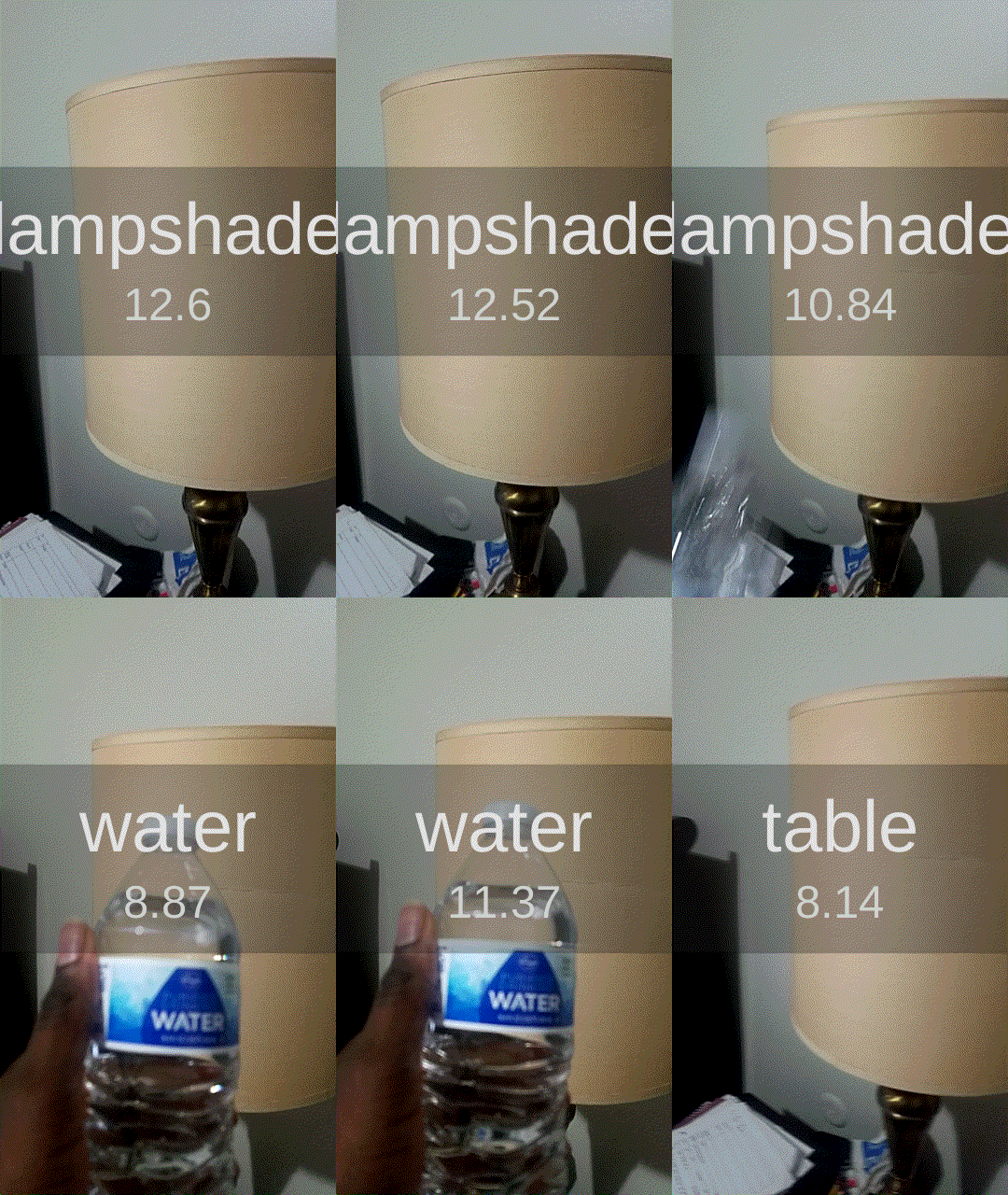
README Markdown
Copy this to your project's README.md

## Installation
Add **ML Classification** to your Unity project via Package Manager:
1. Open **Window > Package Manager**
2. Click **+** > **Add package from git URL**
3. Enter:
```
https://www.pkglnk.dev/classification.git
```
[](https://www.pkglnk.dev/pkg/classification)README
ML Classification
This is a library for classifying images in Unity Engine using NatML. The following ML models are included:
Setup Instructions
This package requires NatML, so make sure NatML is imported into your project. Then in your project's Packages/manifest.json file, add the following:
{
  "dependencies": {
    "com.natsuite.ml.classification": "git+https://github.com/natsuite/ML-Classification"
  }
}
Classifying an Image
First, assign one of the included models (in the ML folder) to an MLModelData field in your script:
using NatSuite.ML;
using NatSuite.ML.Vision;

public class Classifier : MonoBehaviour {

    public MLModelData modelData; // Assign this in the Inspector
}
Then create a classification predictor:
void Start () {
    var model = modelData.Deserialize();
    var predictor = new MLClassificationPredictor(model, modelData.labels);
}
Finally, classify an image:
Texture2D image = ...;
var (label, confidence) = predictor.Predict(image);
You cal also classify a WebCamTexture or create an image feature directly from pixel data.
Requirements
- Unity 2019.2+
- NatML 1.0+
Supported Platforms
- Android 7.0 Nougat or newer (API level 24+)
- iOS 13+
- macOS 10.15+
- Windows 10 64-bit
Quick Tips
- See the NatML documentation.
- Join the NatSuite community on Discord.
- See NatML on Unity Forums.
- Contact us at hi@natsuite.io.
Comments
No comments yet. Be the first!
Sign in to join the conversation
Sign In