GCPRefresh
Unity Editor extension to refresh the GCP auth token in .upmconfig.toml
com.kagekirin.unitygcprefresh 
Install via UPM
Add to Unity Package Manager using this URL
https://www.pkglnk.dev/unitygcprefresh.git README Markdown
Copy this to your project's README.md

## Installation
Add **GCPRefresh** to your Unity project via Package Manager:
1. Open **Window > Package Manager**
2. Click **+** > **Add package from git URL**
3. Enter:
```
https://www.pkglnk.dev/unitygcprefresh.git
```
[](https://www.pkglnk.dev/pkg/unitygcprefresh)Dependencies (1)
README
GCPRefresh for Unity
A Unity Editor extension to run gcloud auth every n minutes to refresh the ~/.upmconfig.toml with an updated GCP auth token.
Installation
Add the following registry to Unity's scoped registries, and this package to the dependencies.
{
  "scopedRegistries": [
    {
      "name": "OpenUPM",
      "url": "https://package.openupm.com",
      "scopes": [
        "com.kagekirin"
      ]
    }
  ],
  "dependencies": {
    "com.kagekirin.unitygcprefresh": "0.0.7"
  }
}
Setup
After installing GCPRefresh, you will need to set up the Google Cloud Artifact Registry
for which to automatically refresh the auth token.
The menu is under Project Settings / GCPRefresh.
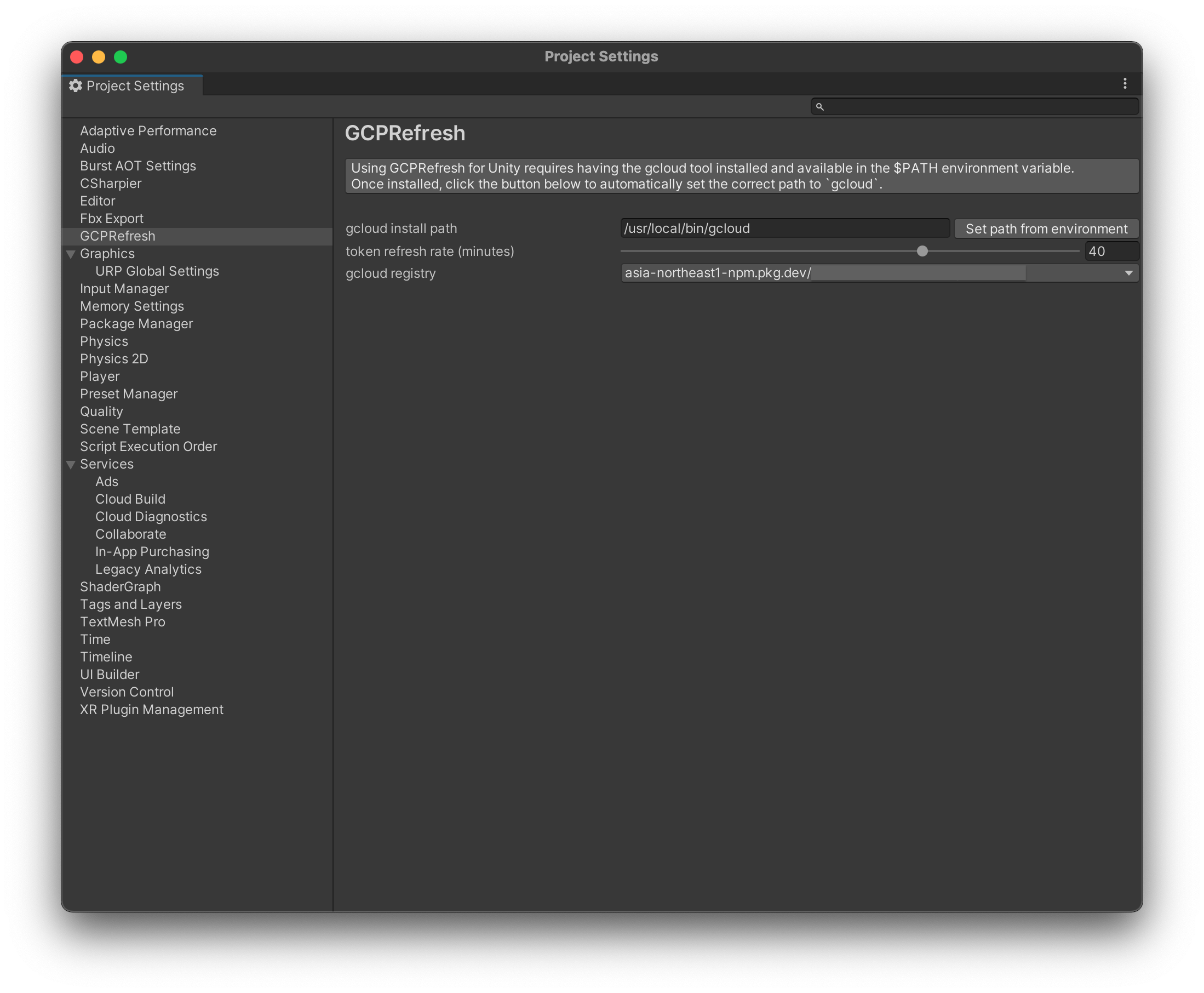
Automatically refreshing the GCP auth token
You might have noticed the new entry GCP / Refresh GCP Token in the menu bar.
This opens the window below:
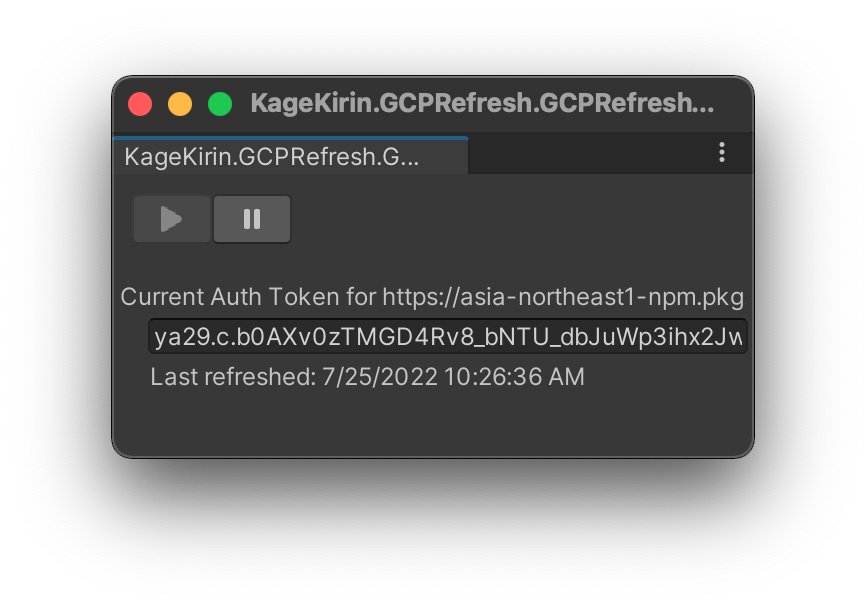
Clicking on the Start button will directly refresh the token, and then enter a waiting phase depending on the refresh rate in the Project Settings.
Clicking on the Stop button will stop the automatic refreshing process.
No comments yet. Be the first!