CSharpier for Unity Editor
Unity Editor extension to run CSharpier before recompiling C# source files
com.kagekirin.unitycsharpier 
Install via UPM
Add to Unity Package Manager using this URL
https://www.pkglnk.dev/unitycsharpier.git README Markdown
Copy this to your project's README.md

## Installation
Add **CSharpier for Unity Editor** to your Unity project via Package Manager:
1. Open **Window > Package Manager**
2. Click **+** > **Add package from git URL**
3. Enter:
```
https://www.pkglnk.dev/unitycsharpier.git
```
[](https://www.pkglnk.dev/pkg/unitycsharpier)README
CSharpier for Unity
A Unity Editor extension to run dotnet csharpier on changed C# source files in /Assets before compiling them.
C# source files inside the /Packages folder are not getting touched, as they might not writable.
⚡ Getting Started
CSharpier for Unity requires CSharpier to be installed.
Given a valid .NET installation, this can be done on the command line with:
dotnet tool install -g csharpier
🔧 Add OpenUPM registry
The following registry must be added to Unity's Packages/manifest.json .scopedRegistries[]:
{
    "name": "OpenUPM",
    "url": "https://package.openupm.com",
    "scopes": [
        "com.kagekirin"
    ]
}
🔨 Add package to project
Add com.kagekirin.unitycsharpier to the Packages/manifest.json .dependencies{}:
"dependencies": {
    "com.kagekirin.unitycsharpier": "1.1.16",
}
▶ Running and Settings
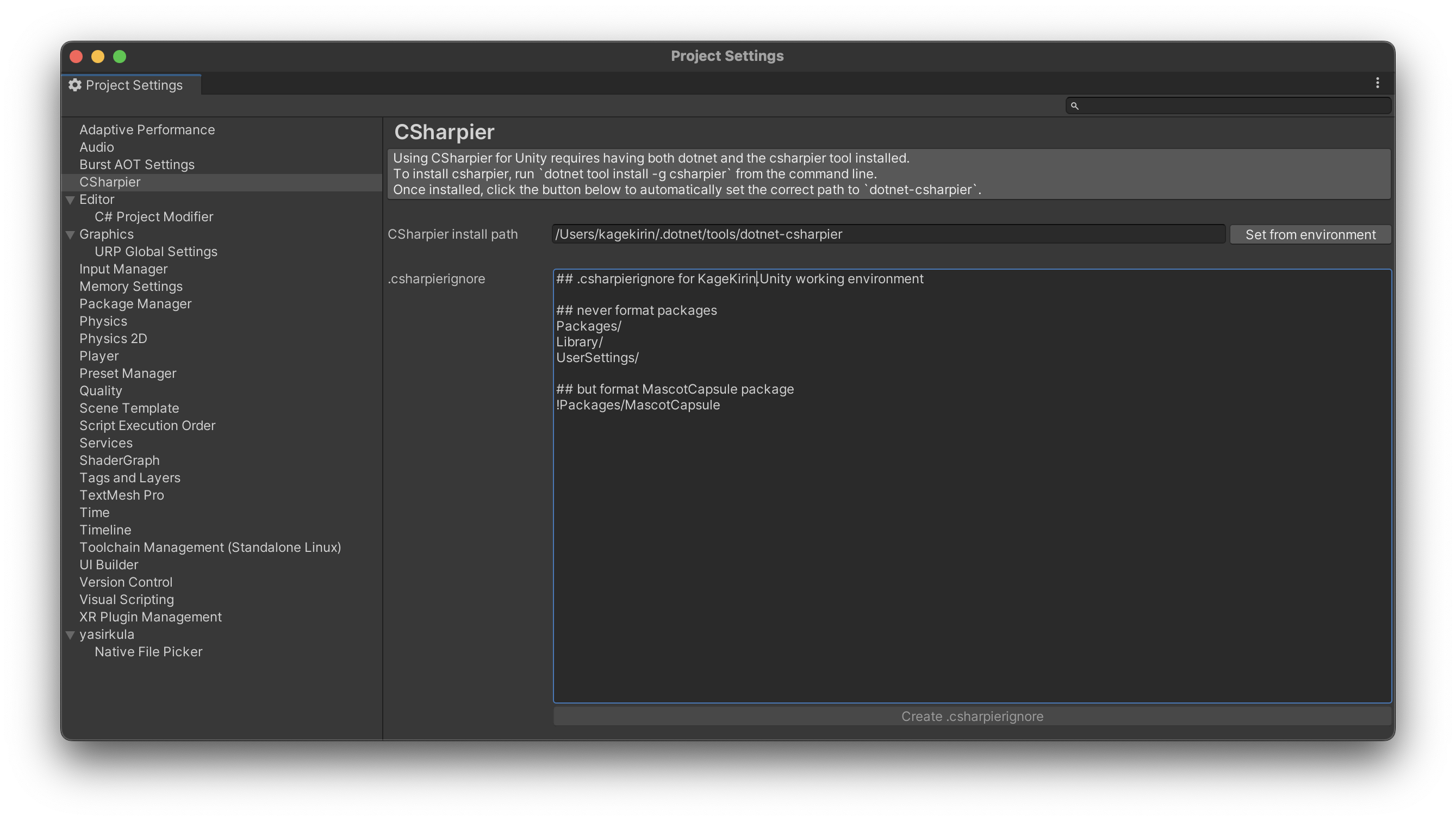
The only important setting to configure is the execution path for dotnet-csharpier,
which can be done automatically in the Project Settings > CSharpier menu.
CSharpier's formatting behaviour can be configured through the following files located at the root of your Unity project:
.csharpierignore: which defines which files/patterns to ignore (or not ignore).csharpierrc.yaml: which defines settings such as characters per line, tab width, and usage of tab character.
NOTE: the .csharpierignore displayed in the menu is currently read-only,
in such that changes are NOT reflected back to the file.
🤝 Collaborate with My Project
Please refer to COLLABORATION.md
No comments yet. Be the first!