Progress Bar
Simple and robust progress bar components for Unity uGUI.
com.annulusgames.ugui-progress-bar Install via UPM
Add to Unity Package Manager using this URL
https://www.pkglnk.dev/ugui-progress-bar.git?path=Assets/UnityProgressBar README Markdown
Copy this to your project's README.md
Style
Preview 
## Installation
Add **Progress Bar** to your Unity project via Package Manager:
1. Open **Window > Package Manager**
2. Click **+** > **Add package from git URL**
3. Enter:
```
https://www.pkglnk.dev/ugui-progress-bar.git?path=Assets%2FUnityProgressBar
```
[](https://www.pkglnk.dev/pkg/ugui-progress-bar)Dependencies (1)
README
Unity Progress Bar
Simple and robust progress bar components for Unity uGUI.
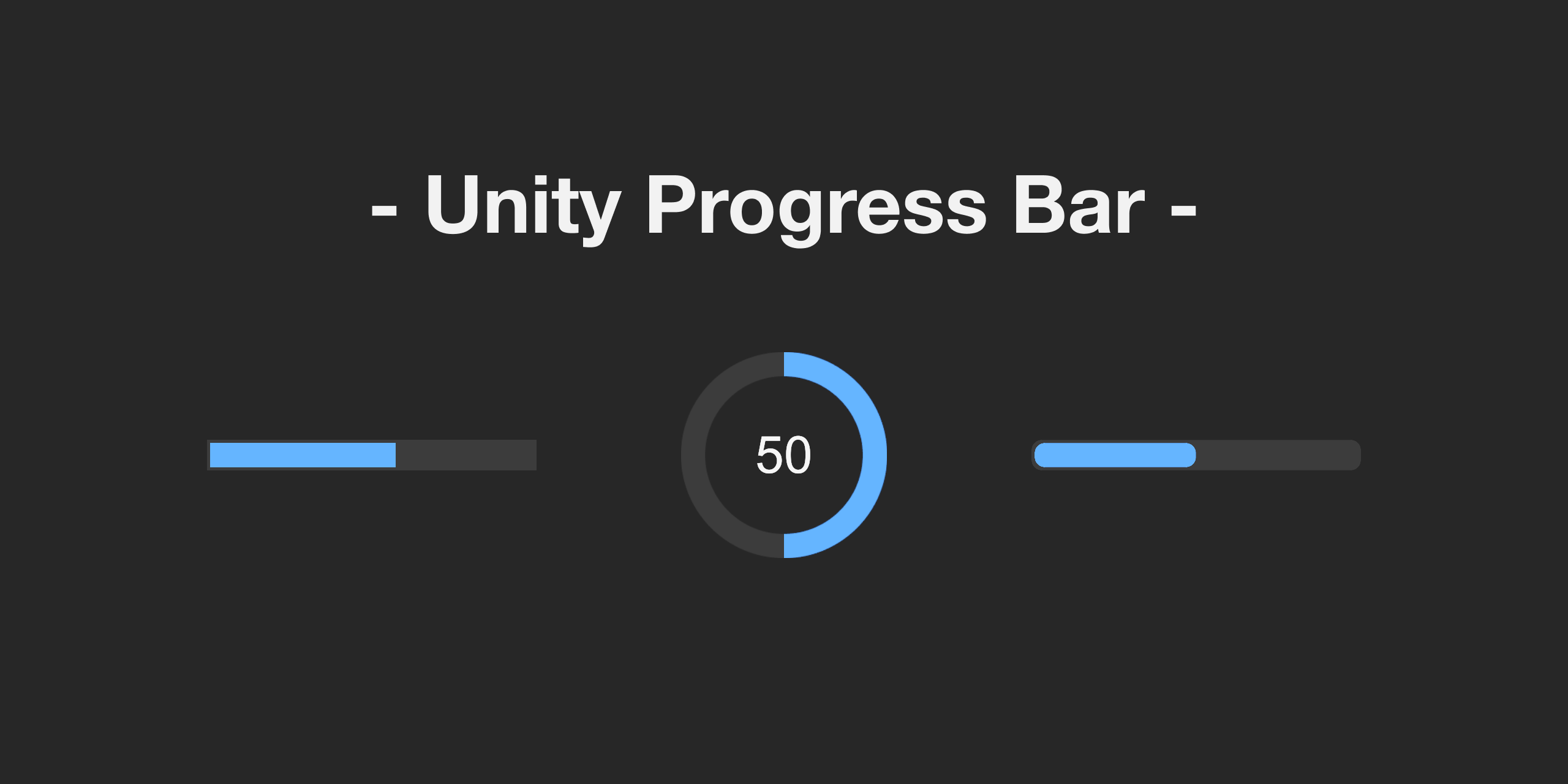


Unity Progress Bar is a library that adds a ProgressBar component to Unity UI (uGUI). It is designed to be simple and easy to use, avoiding unnecessary complexity, and allows for easy creation of custom progress bars by inheriting from ProgressBarBase.
Setup
Requirements
- Unity 2019.1 or later
- Unity UI 1.0.0 or later
Installation
- Open the Package Manager from Window > Package Manager.
- Click the "+" button > Add package from git URL.
- Enter the following URL:
https://github.com/AnnulusGames/UnityProgressBar.git?path=Assets/UnityProgressBar
Alternatively, open Packages/manifest.json and add the following to the dependencies block:
{
    "dependencies": {
        "com.annulusgames.ugui-progress-bar": "https://github.com/AnnulusGames/UnityProgressBar.git?path=Assets/UnityProgressBar"
    }
}
Usage
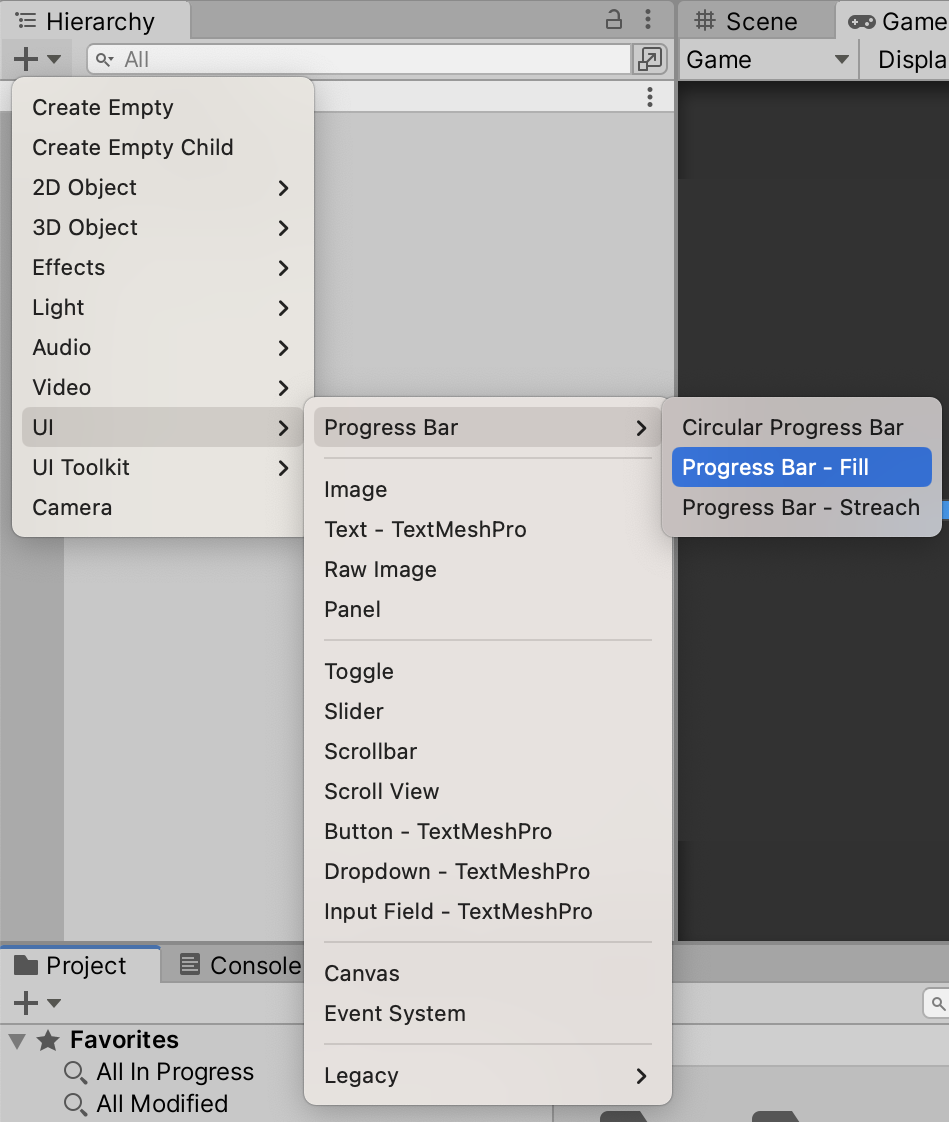
Once Unity Progress Bar is installed, you can create a Progress Bar from the Create menu.
Properties
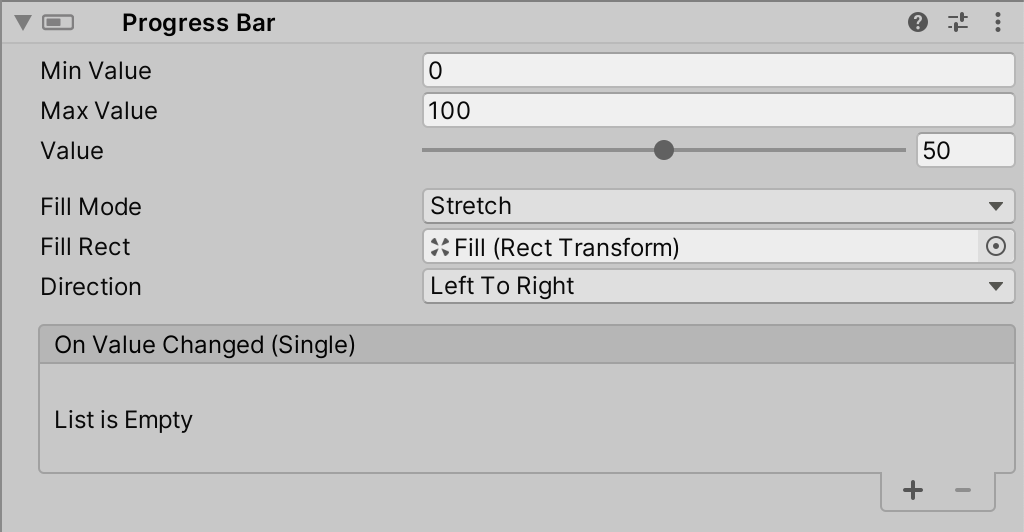
| Property | Description |
|---|---|
| Min Value | Minimum value of the progress bar |
| Max Value | Maximum value of the progress bar |
| Value | Current value of the progress bar |
| Fill Mode | Specifies how the fill is displayed |
| Fill Image | (Only for FillMode.FillAmount) Image used for the fill portion |
| Fill Rect | (Only for FillMode.Stretch) RectTransform used for the fill portion |
| Direction | (Only for FillMode.Stretch) Direction in which the fill is stretched |
| On Value Changed | Event executed when the value changes |
License
Comments
No comments yet. Be the first!
Sign in to join the conversation
Sign In