Spline Road Utils
A set of editor and runtime utilities to build roads with unity splines
com.elrod.splineroadutils 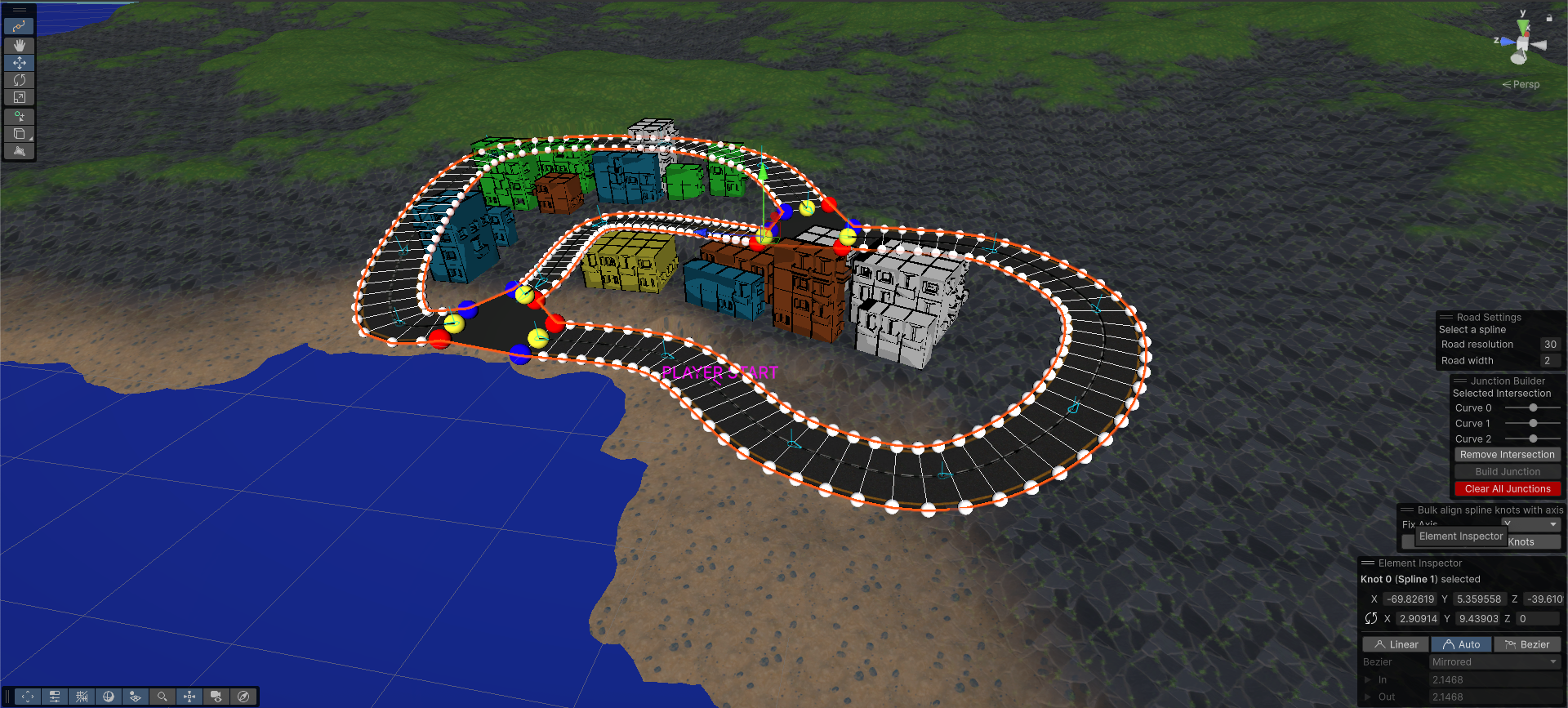
Install via UPM
Add to Unity Package Manager using this URL
https://www.pkglnk.dev/splineroadutils.git README Markdown
Copy this to your project's README.md

## Installation
Add **Spline Road Utils** to your Unity project via Package Manager:
1. Open **Window > Package Manager**
2. Click **+** > **Add package from git URL**
3. Enter:
```
https://www.pkglnk.dev/splineroadutils.git
```
[](https://www.pkglnk.dev/pkg/splineroadutils)Dependencies (2)
README
Spline Road Utils
This package contains a set of utilities to generate a road network starting from Unity Splines and connect them through junctions.
It is basically an implementation of this tool with some additional features I needed for my projects.
Original Features
- Multi spline road mesh generation
- Junction mesh generation
- Dynamic UV-Mapping
Additional Features
- Selective junction removal - To remove a single junction or all junctions from a road network
- Overridable resolution for each road segment - to specify a different mesh density for a specific road segment
- Overridable width for each road segment - to reduce and increase the size of a specific road segment
- Spline alignment along a specific asset - to ensure that all spline knots are properly facing a specific direction
- Terrain to spline mesh conformation - to ensure a terrain adapts to accomodate the road without overlapping
Requirements
- Unity 6000.0+
Note it may work on previous unity versions too. I simply did not test them yet
Installation
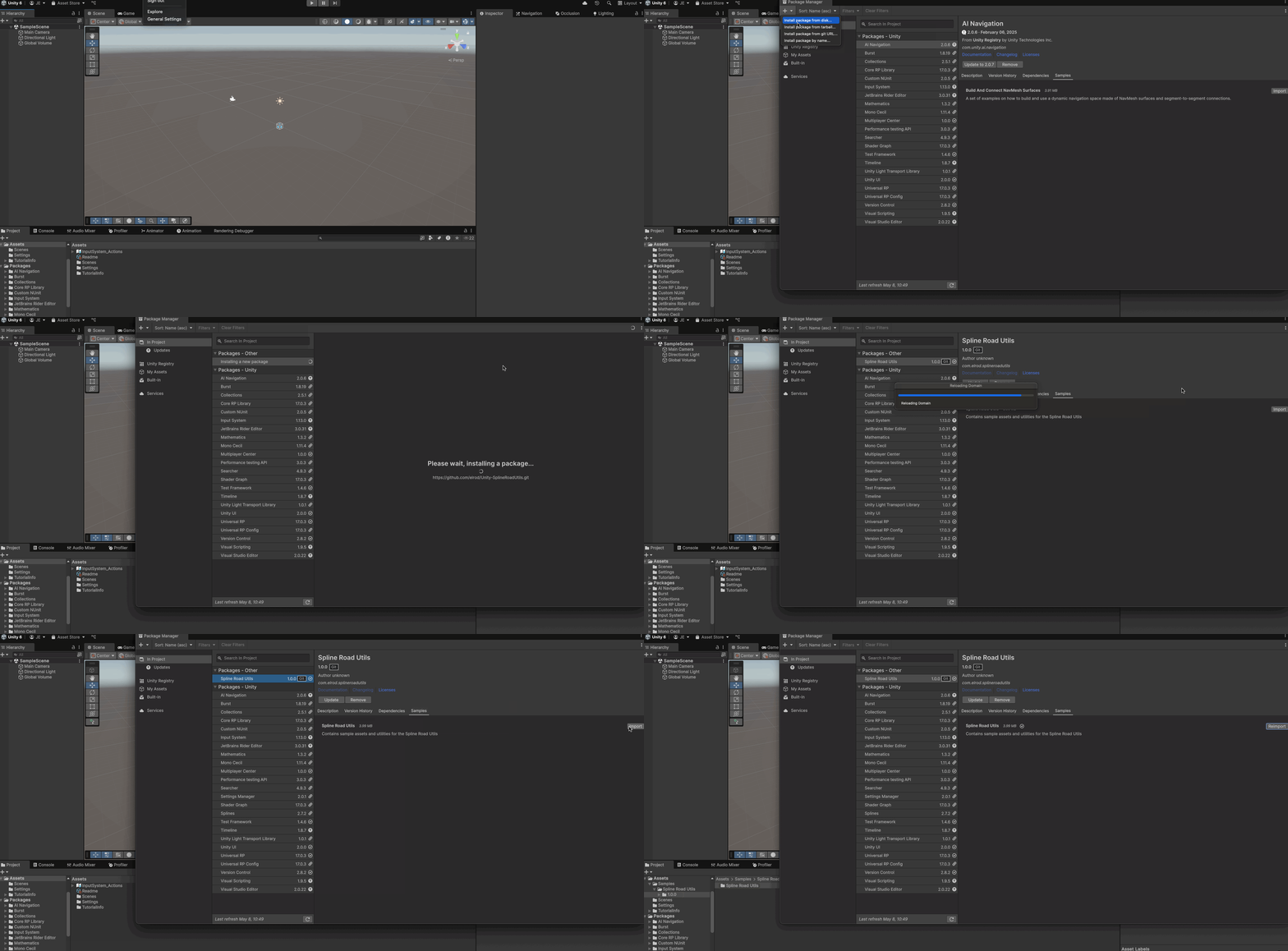
- Open Unity
- Click on Windows -> Package Manager
- Click on + -> Install package from git URL
- Paste this repo URL
- Click on Install
Optional
- Install Samples from the Sample tab of the package
Samples contain a Demo Scene and a prefab of the RoadNetworkBuilder that you may want to use as a starting point to build your own road network
Usage
Quick Start
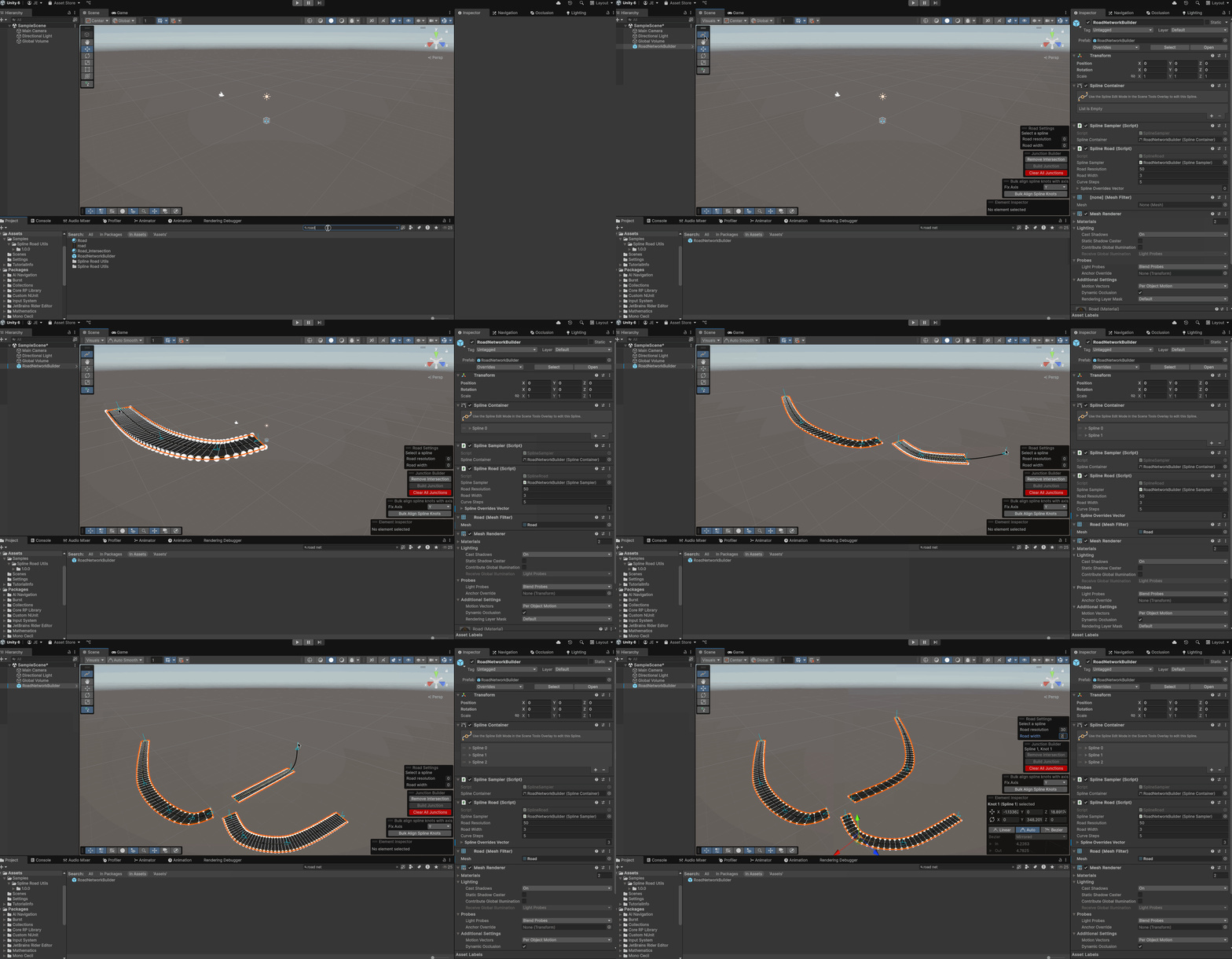
- Drag the
RoadNetworkBuilderprefab into your scene and reset its position - Activate the spline tool and draw a spline normally do generate the road
- Create multiple roads by clicking the Create Spline button in the scene toolbar
- Adjust a single road segment resolution and width by tweaking the Road Resolution and Road width parameters in the Road Settings overlay with a spline selected
Creating and deleting a junction
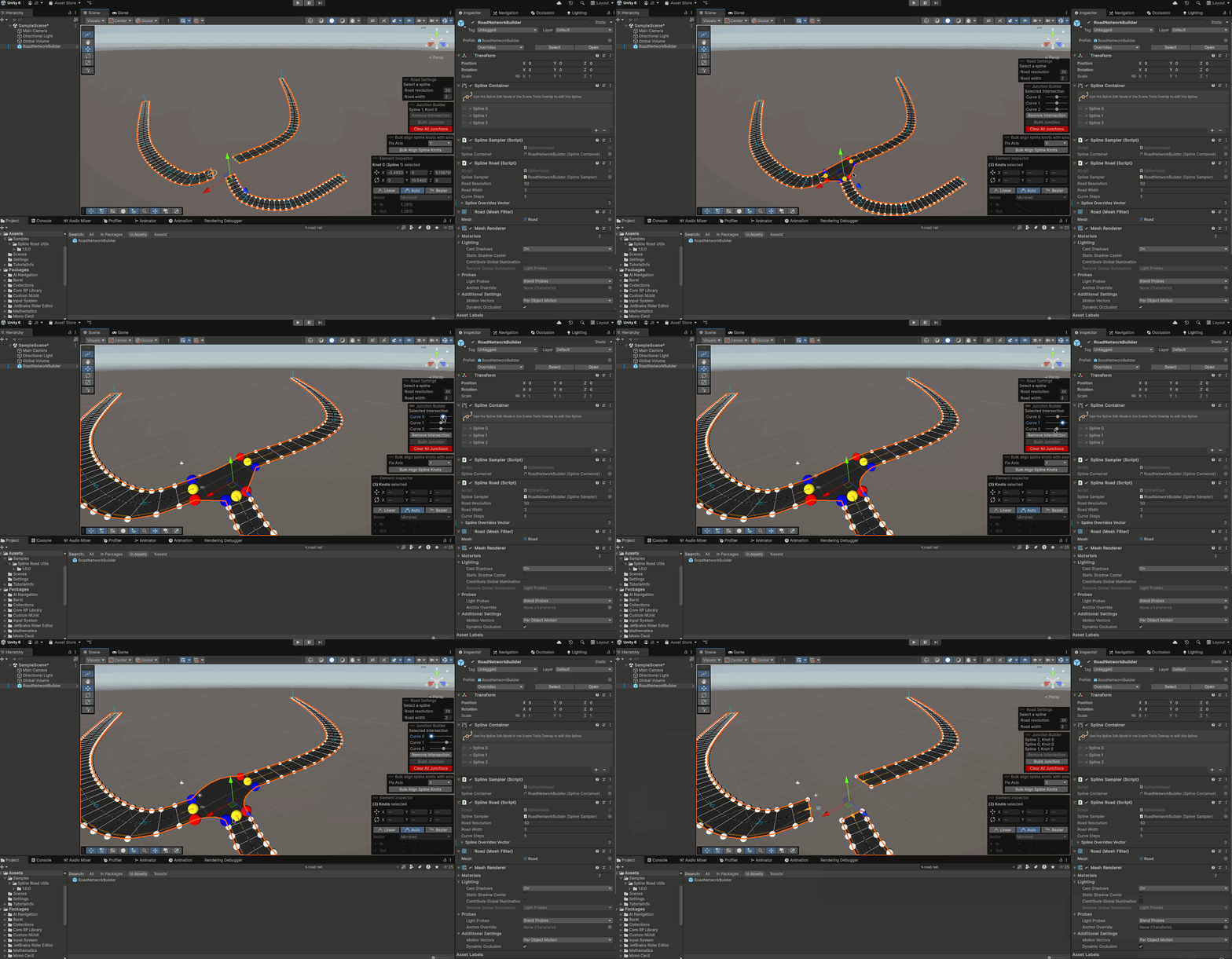
- Ctrl or Cmd + Click to select all the nodes from the spline you wish to connect
- Click the
Build Junctionbutton to create a junction - Adjust all edges curvature by tweaking the curve sliders with a junction selected
- To remove a junction just click the
Remove Intersectionbutton with one of the knots belonging to the instersection selected - Use the
Clear All Junctionsbutton to clear all the intersections in the current road network.
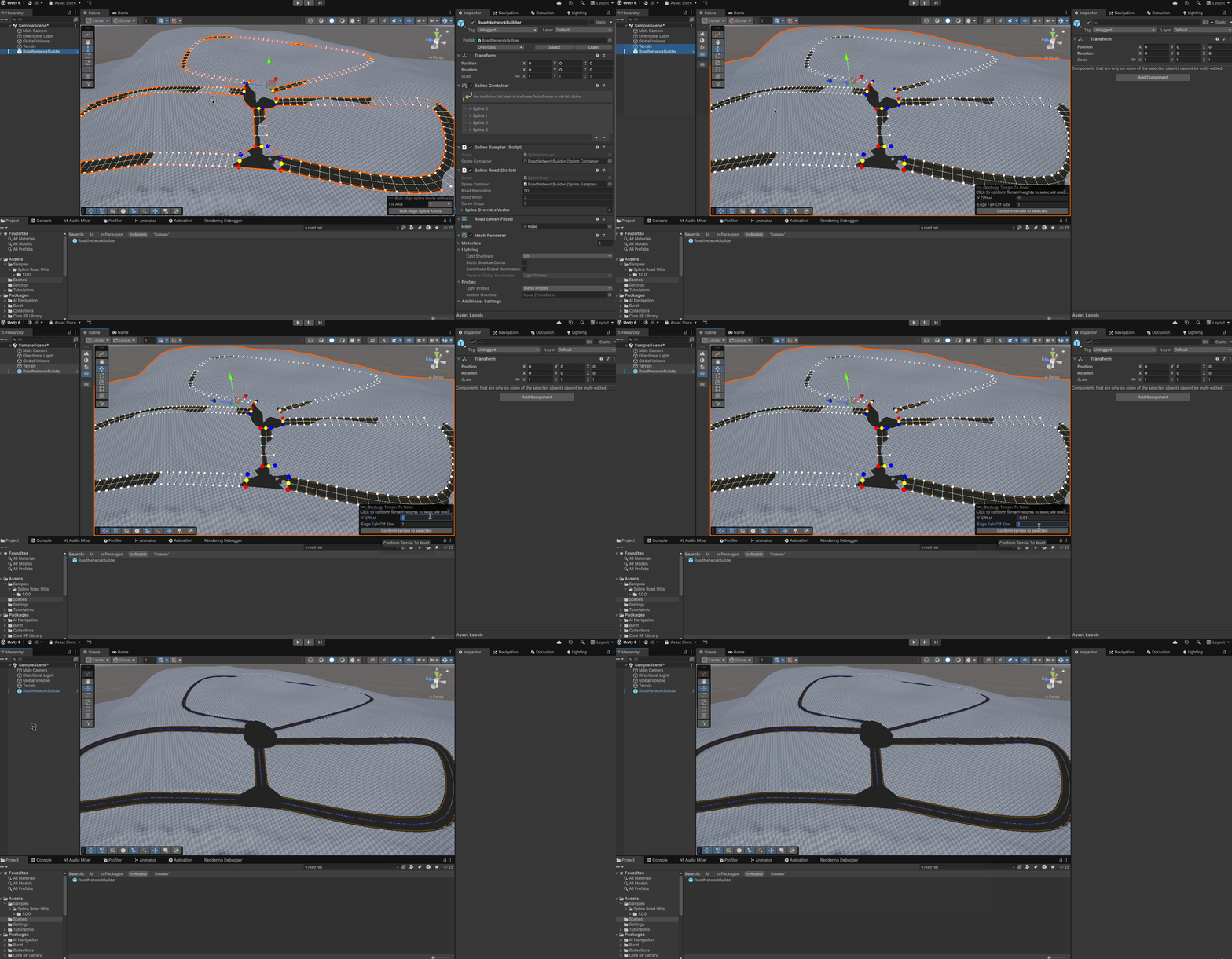
Conform terrains to the road network
This feature allow to conform the terrain below the road network so that it does not overlap with it.
- Ctrl or Cmd + Click the road network and the terrain game objects to select them simoultaneously
- On the
Conform Terrain To Roadoverlay set a desired Y-offset for the terrain and an edge falloff smoothness value - Click conform to terrain to modify the terrain
Align road system with an axis
If you wish you can force all splines knots to align with an axis to correct unwanted rotations
- Select the road network game object
- Select an aligment axis (tipically you want to align roads on the Y axis)
- Click on
Bulk Align Spline Knots
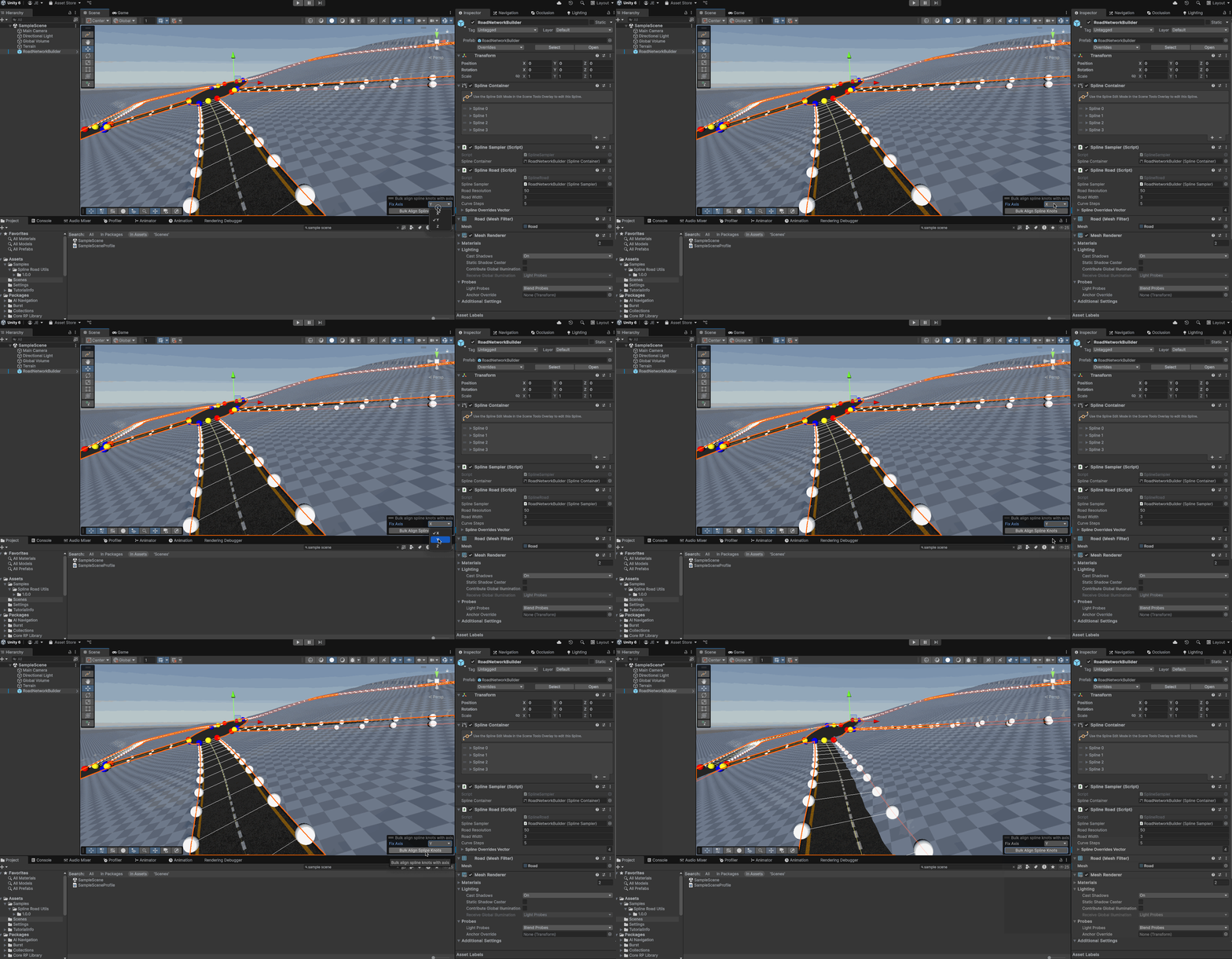
NOTE: you may want to conform terrain with the roads again after changing the road aligment
No comments yet. Be the first!