FRP Popups
FRP Popups is a flexible popup management system for Unity that handles displaying, hiding, and navigating between stacked popups. It features an intuitive API with automatic pooling for performance, parameter passing support, and customizable transition timing. Perfect for UI-heavy games requiring complex popup hierarchies without manual state management.
com.fredericrp.popups 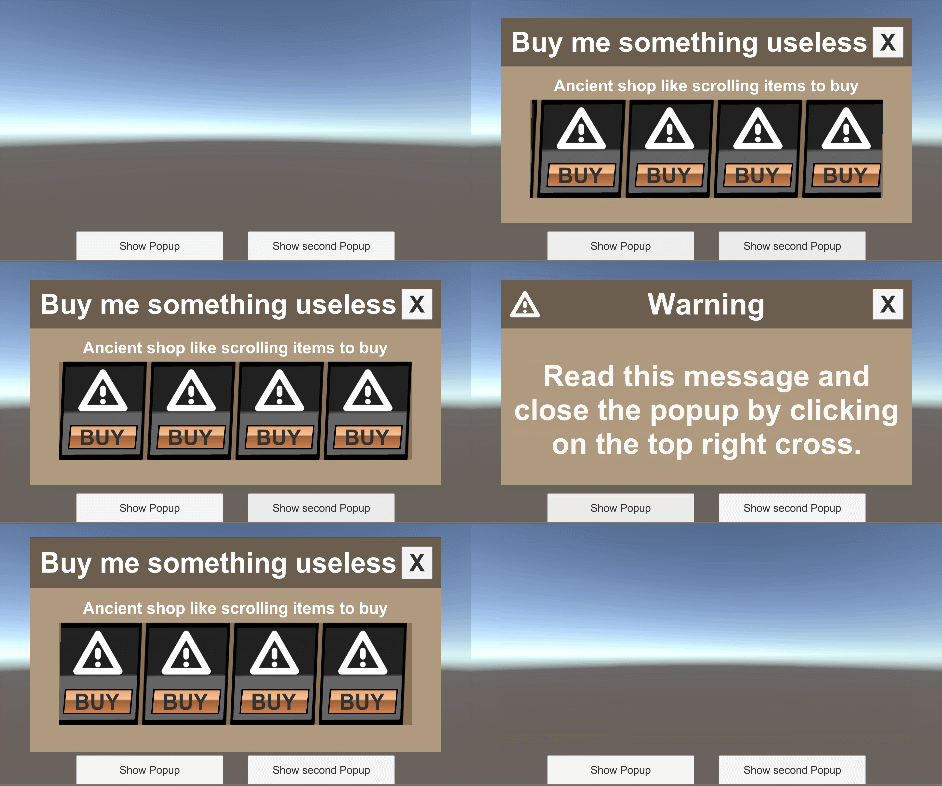
Install via UPM
Add to Unity Package Manager using this URL
https://www.pkglnk.dev/popups.git README Markdown
Copy this to your project's README.md

## Installation
Add **FRP Popups** to your Unity project via Package Manager:
1. Open **Window > Package Manager**
2. Click **+** > **Add package from git URL**
3. Enter:
```
https://www.pkglnk.dev/popups.git
```
[](https://www.pkglnk.dev/pkg/popups)Dependencies (3)
Used By (1)
README

Popups
Pile up popups and pop them out as you want. The popup manager allows to show and hide popups, and handle going back and forth between opened popups.
Usage
Basics
Follow these steps to have a complete system:
- Add the PopupHandler prefab into a Canvas and change its RectTransform to choose where popups will all be located.
- Add the popup prefab and choose an Id.
- For each popup, create a PopupDescriptor using the Create / FredericRP / Popup Descriptor menu item and input the popup Id that you chose in the object pool.
- To show a popup, call the below code with the correct descriptor.
Popups have to be added in an ObjectPool for fast and efficient instantiating.
Showing a popup hides any popup that was opened. Closing a popup re opens the previously shown popup so you can pile up popups without keeping a list nor path through them all.
[SerializeField]
PopupDescriptor popup = null;

// [...]

PopupHandler.ShowPopup(popup);
You can close all popups including the hidden ones by calling:
PopupHandler.CloseAllPopups();
Advanced
Every popup should have the PopupBase component at its root. It allows to get parameters specified when showing a popup. If you need specific parameters, you can inherit from this class.
When showing a new popup, the system also checks the parameters. If the popup and the parameters are identical to the one already displayed, it does not do anything. Otherwise, it creates and show the new popup.
You can have a specific pool for your popups. The pool id is specified in the PopupHandler behaviour.
You also can add a time duration between popup hiding/showing to have a smooth effect between them. The default is set to 0.2 seconds.
No comments yet. Be the first!