Flex UI
Flexbox components for Unity GUI using the Yoga layout engine. Provides a single FlexLayout component that brings modern flexbox layout capabilities to Unity UI with live edit-mode updates, multi-platform support, and seamless integration with existing anchor and layout element systems.
com.gilzoide.flex-ui 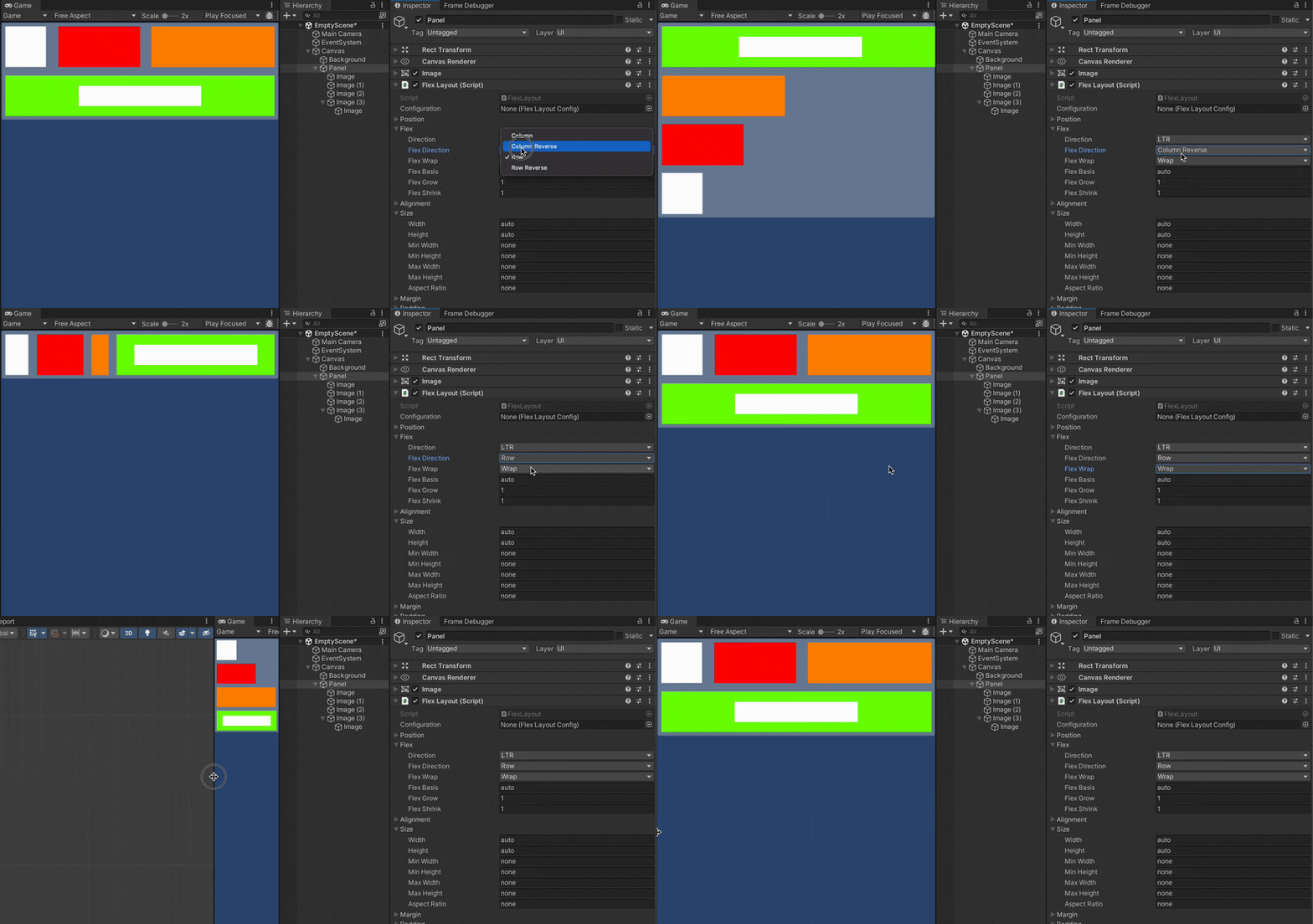
Install via UPM
Add to Unity Package Manager using this URL
https://www.pkglnk.dev/flex-ui.git README Markdown
Copy this to your project's README.md

## Installation
Add **Flex UI** to your Unity project via Package Manager:
1. Open **Window > Package Manager**
2. Click **+** > **Add package from git URL**
3. Enter:
```
https://www.pkglnk.dev/flex-ui.git
```
[](https://www.pkglnk.dev/pkg/flex-ui)README
Flex UI

Flexbox support for Unity UI using the Yoga layout engine.
Features
- Supported platforms: Windows, Linux, macOS, iOS, tvOS, visionOS, Android and WebGL
- There is a single component you need: FlexLayout
- Live updates in edit mode.
FlexLayoutonly lays out children that also have aFlexLayoutcomponent, so you can still use anchors and other Layout Elements where necessary.- Set additional layout engine configurations per object using FlexLayoutConfig assets.
How to install
This package is available on the openupm registry and can be installed using the openupm-cli:
openupm add com.gilzoide.flex-ui
Otherwise, you can install directly using the Unity Package Manager with the following URL:
https://github.com/gilzoide/unity-flex-ui.git#1.2.4
How to use
- Add a
FlexLayoutcomponent to the UI object that will layout its descendants (children, grandchildren, etc...) - Add
FlexLayoutcomponents to the descendants that will be layed out by the rootFlexLayouts. - Configure the layout properties as necessary and see all changes live in edit mode.
- Enjoy 🍾
All properties can be set in the Inspector as well as by code and the layout will be automatically refreshed. You can set several values in code and the layout will be calculated only once per frame.
To learn more about the properties supported by FlexLayout, check out the Yoga documentation in the "Properties" section: https://yogalayout.dev/docs
You can also set the layout engine configurations by creating FlexLayoutConfig assets and setting them to FlexLayout's "Configuration" property.
These configurations include toggling of experimental features and controlling how Yoga rounds floating point values using the "Point Scale Factor" property.
Comments
No comments yet. Be the first!
Sign in to join the conversation
Sign In