AppMachina Analytics
AppMachina Analytics SDK for Unity — Rust-powered analytics core with thin C# wrapper. iOS, Android, and WebGL.
com.appmachina.analytics 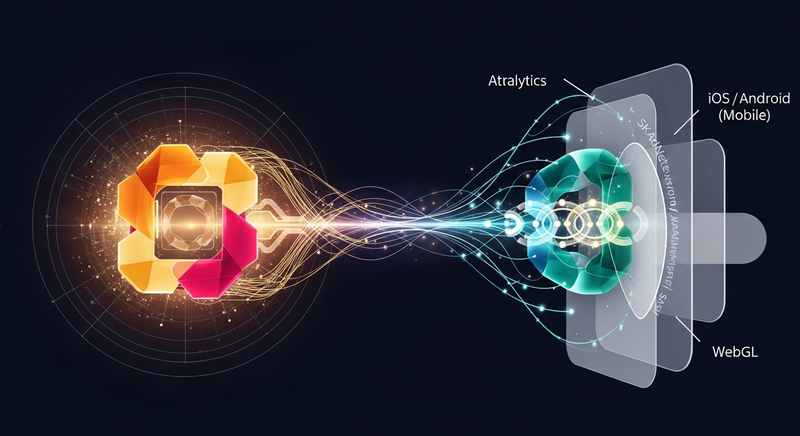
Install via UPM
Add to Unity Package Manager using this URL
https://www.pkglnk.dev/appmachina-analytics.git README Markdown
Copy this to your project's README.md

## Installation
Add **AppMachina Analytics** to your Unity project via Package Manager:
1. Open **Window > Package Manager**
2. Click **+** > **Add package from git URL**
3. Enter:
```
https://www.pkglnk.dev/appmachina-analytics.git
```
[](https://www.pkglnk.dev/pkg/appmachina-analytics)README
AppMachina Analytics SDK for Unity
Rust-powered analytics SDK for Unity — iOS, Android, and WebGL.
Installation
Unity Package Manager (UPM)
Add to your Packages/manifest.json:
{
  "dependencies": {
    "com.appmachina.analytics": "https://github.com/appmachina/appmachina-sdk-unity.git#v2.1.6"
  }
}
Or via Unity Editor: Window > Package Manager > + > Add package from git URL:
https://github.com/appmachina/appmachina-sdk-unity.git#v2.1.6
Quick Start
using AppMachina.Unity;
using System.Collections.Generic;

// Initialize (once, e.g. in your first scene's Awake)
AppMachinaSDK.Initialize(new AppMachinaConfig
{
    AppId = "your-app-id",
    Environment = AppMachinaEnvironment.Production,
    AutoTrackAppOpen = true,
    AutoTrackDeepLinks = true
});

// Track events
AppMachinaSDK.Track("button_clicked", new Dictionary<string, object>
{
    ["button"] = "signup",
    ["screen"] = "onboarding"
});

// Screen views
AppMachinaSDK.Screen("MainMenu");

// Identify users
AppMachinaSDK.Identify("user-123");

// Set user properties
AppMachinaSDK.SetUserProperties(new Dictionary<string, object>
{
    ["plan"] = "premium",
    ["level"] = 42
});

// Set user properties (only if not already set)
AppMachinaSDK.SetUserPropertiesOnce(new Dictionary<string, object>
{
    ["first_seen"] = "2026-03-24"
});

// Group association
AppMachinaSDK.Group("org-456", new Dictionary<string, object>
{
    ["name"] = "Acme Corp"
});
Standard Events
Use the StandardEvents class for canonical event names and typed helpers:
// Purchase
AppMachinaSDK.Track(StandardEvents.Purchase,
    StandardEvents.PurchaseEvent(9.99, "USD", "premium_upgrade"));

// Level complete
AppMachinaSDK.Track(StandardEvents.LevelComplete,
    StandardEvents.LevelCompleteEvent("world_3", 42, 185.5));

// Search
AppMachinaSDK.Track(StandardEvents.Search,
    StandardEvents.SearchEvent("blue sword", resultCount: 12));

// Login
AppMachinaSDK.Track(StandardEvents.Login,
    StandardEvents.LoginEvent("google"));
Commerce
The Commerce class provides typed helpers for e-commerce events:
// Track a purchase
Commerce.TrackPurchase(
    price: 9.99,
    currency: "USD",
    productId: "premium_monthly",
    transactionId: "txn_abc123"
);

// Track a subscription
Commerce.TrackSubscription(
    price: 4.99,
    currency: "USD",
    productId: "premium_monthly",
    period: "monthly",
    transactionId: "sub_xyz789",
    isTrial: true
);

// Track add to cart
Commerce.TrackAddToCart("sword_01", "Blue Sword", 2.99, 1, "weapons");
Deep Links
Deep links are auto-tracked by default. To handle them manually:
DeepLinksModule.OnDeepLinkReceived += (DeepLinkData data) =>
{
    Debug.Log($"Deep link: {data.RawUrl}");
    Debug.Log($"Path: {data.Path}");

    // Attribution data is auto-extracted
    if (data.Attribution?.UtmSource != null)
        Debug.Log($"Campaign: {data.Attribution.UtmSource}");
};
Parse a URL without tracking:
var data = DeepLinksModule.ParseUrl("myapp://shop/item?id=123&utm_source=meta");
iOS: App Tracking Transparency (ATT)
#if UNITY_IOS
if (ATTModule.IsAvailable())
{
    ATTModule.RequestTracking((status) =>
    {
        if (status == AppMachinaATTStatus.Authorized)
        {
            var idfa = ATTModule.GetIDFA();
            AppMachinaSDK.SetConsent(analytics: true, advertising: true);
        }
        else
        {
            AppMachinaSDK.SetConsent(analytics: true, advertising: false);
        }
    });
}
#endif
iOS Build Setup
Add a AppMachinaSettings asset via Assets > Create > Layers > Settings to configure:
- ATT usage description (the prompt shown to users)
- SKAdNetwork IDs (17 defaults included)
- URL schemes for deep linking
- Associated domains for Universal Links
The AppMachinaPostBuildProcessor automatically modifies Info.plist and links required frameworks (AppTrackingTransparency, AdSupport, AdServices, StoreKit) during build.
iOS: SKAdNetwork (SKAN)
SKAN conversion values are auto-configured from remote config. Manual usage:
#if UNITY_IOS
SKANModule.Register();
SKANModule.UpdateConversionValue(42);

// SKAN 4.0
SKANModule.UpdatePostbackConversionValue(
    fineValue: 42,
    coarseValue: SKANCoarseValue.High,
    lockWindow: false
);
#endif
Android
Google Advertising ID
Auto-collected on init. Respects limit-ad-tracking. Manual access:
#if UNITY_ANDROID
AndroidModule.GetAdvertisingId((gaid, isLimited) =>
{
    Debug.Log($"GAID: {gaid}, limited: {isLimited}");
});
#endif
Install Referrer
Auto-collected on first launch. Manual access:
#if UNITY_ANDROID
AndroidModule.GetInstallReferrer((result) =>
{
    Debug.Log($"Source: {result.UtmSource}");
    Debug.Log($"Campaign: {result.UtmCampaign}");

    // Track as event properties
    AppMachinaSDK.Track("install_referrer", result.ToEventProperties());
});
#endif
Consent Management
// Grant all
AppMachinaSDK.SetConsent(analytics: true, advertising: true, thirdPartySharing: true);

// Analytics only (no ads, no sharing)
AppMachinaSDK.SetConsent(analytics: true, advertising: false, thirdPartySharing: false);
Debug Overlay
Enable an in-game overlay showing SDK state, queue depth, and recent events:
// Toggle via code
AppMachinaSDK.EnableDebugOverlay();
AppMachinaSDK.DisableDebugOverlay();
Flush and Shutdown
Events are flushed automatically on a timer and on app background. Manual control:
// Flush now
AppMachinaSDK.Flush();

// Shutdown (also called automatically on Application.quitting)
AppMachinaSDK.Shutdown();
Error Handling
AppMachinaSDK.OnError += (message) =>
{
    Debug.LogWarning($"AppMachina SDK error: {message}");
};
Configuration Reference
| Property | Default | Description |
|---|---|---|
AppId |
required | Your AppMachina app ID |
Environment |
Development |
Development, Staging, or Production |
BaseUrl |
https://in.appmachina.com |
Ingest endpoint override |
EnableDebug |
false |
Verbose console logging |
FlushIntervalMs |
30000 |
Auto-flush interval (ms) |
FlushThreshold |
20 |
Events queued before auto-flush |
MaxQueueSize |
10000 |
Max events before dropping |
MaxBatchSize |
20 |
Events per HTTP batch |
AutoTrackAppOpen |
true |
Auto-fire app_open on init |
AutoTrackDeepLinks |
true |
Auto-fire deep_link_opened |
Requirements
- Unity 2021.3 LTS or later
- iOS 13.0+ / Android API 21+
- IL2CPP build (iOS requires it; Android recommended)
Architecture
This SDK uses a shared Rust core compiled to native libraries:
- iOS: Static library (
.a) linked via__InternalP/Invoke - Android: Shared library (
.so) per ABI via P/Invoke - WebGL: WASM binary loaded via JavaScript bridge (
AppMachinaWebGL.jslib)
The Rust core handles event queuing, serialization, persistence, retry, and batching. The C# wrapper provides Unity-specific integrations (lifecycle, coroutine-based networking, platform APIs).
Comments
No comments yet. Be the first!
Sign in to join the conversation
Sign In