XML Documentation Generator
>-
com.laicasaane.xml-doc-generator 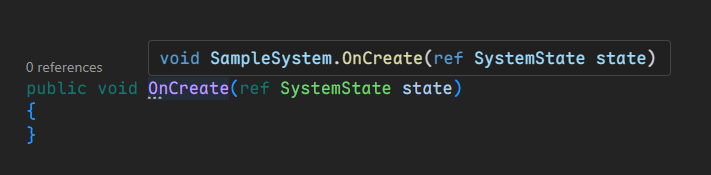
Install via UPM
Add to Unity Package Manager using this URL
https://www.pkglnk.dev/xml-doc-generator.git?path=Packages/com.laicasaane.xml-doc-generator README Markdown
Copy this to your project's README.md

## Installation
Add **XML Documentation Generator** to your Unity project via Package Manager:
1. Open **Window > Package Manager**
2. Click **+** > **Add package from git URL**
3. Enter:
```
https://www.pkglnk.dev/xml-doc-generator.git?path=Packages%2Fcom.laicasaane.xml-doc-generator
```
[](https://www.pkglnk.dev/pkg/xml-doc-generator)README
Unity XML Documentation Generator
Both Unity and VSTU have yet supported XML Documentation for UPM packages^1 thus there was no API documentation to display in quick info popup within IDEs (Visual Studio, VSCode, etc).
This tool was created to offer a simple workaround for the time being, until the 1st party officially rectifies this situation.
Expected results
- Before having XML documentation:
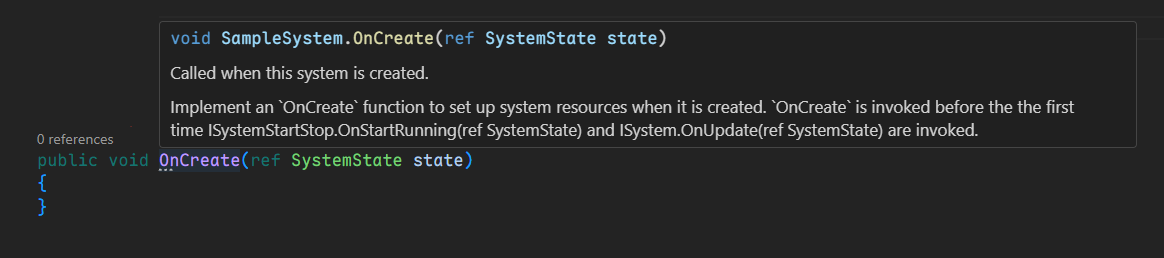
- After:
Installation
Requirements
- Unity 2022.3 or later
Unity Package Manager
Open menu
Window->Package Manager.Click the
+button at the top-left corner, then chooseAdd package from git URL....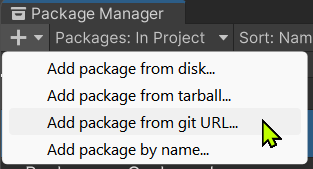
Enter the package URL
https://github.com/laicasaane/UnityXmlDocGenerator.git?path=/Packages/com.laicasaane.xml-doc-generator#1.0.5
OpenUPM
- Install OpenUPM CLI.
- Run the following command in your Unity project root directory:
openupm add com.laicasaane.xml-doc-generator
Usage
Generate XML Documentation
Use the menu Tools > XML Documentation > Generate.
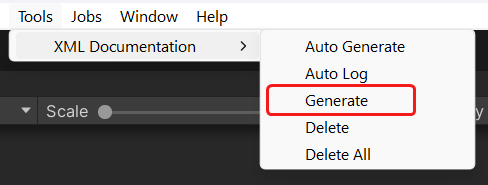
This will generate a csc.rsp file into each the folder containing an asmdef file,
within the Library/PackageCache directory.
The contents of this file should look like this:
-doc:./Library/XmlDocumentationGenerated/<ASMDEF_NAME>.xml
-nowarn:419
-nowarn:1570
-nowarn:1572
-nowarn:1573
-nowarn:1574
-nowarn:1584
-nowarn:1587
-nowarn:1591
-nowarn:1658
Because Unity will delete all files within Library/ScriptAssemblies on every domain reload,
the XML documentation files cannot be permanently stored there.
As a result, they must be generated into the Library/XmlDocumentationGenerated,
then copied over to the Library/ScriptAssemblies on domain reload.
[!NOTE] Original
csc.rspfiles within theLibrary/PackageCachedirectory will be renamed to.csc-rsp-backupbefore new contents are appended to them.
[!NOTE] Additional
.XMLDOC_CSC_RSP_GENERATEDfiles will be generated into the same folder to indicate that thecsc.rspfile has been modified by this tool, and to prevent subsequent executions from modifying it again.
Auto Generate on Domain Reload
By default, when a UPM package is installed, updated or uninstalled, we must invoke
Tools > XML Documentation > Generate again.
Because modified files within Library/PackageCache will be reverted to their original
state, while local added files will be deleted.
Automatic generation can be achieved by enabling the menu option Tools > XML Documentation > Auto Generate.
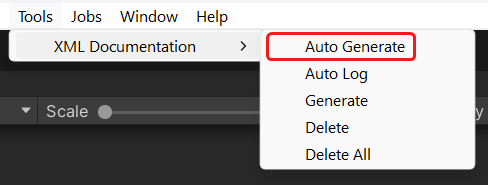
[!NOTE] Additionally, there is the menu option
Tools > XML Documentation > Auto Logto notify when the XML documentation files are automatically generated on domain reload.
[!NOTE] Any XML file locates at
Library/XmlDocumentationGeneratedwill be copied toLibrary/ScriptAssemblieseven ifAuto Generateis disabled.
Delete csc.rsp files
Use the menu Tools > XML Documentation > Delete.
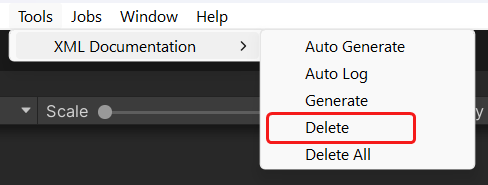
This will delete all generated files within the Library/PackageCache directory
and revert the original csc.rsp files if any were modified by this tool.
However, the Library/XmlDocumentationGenerated directory will be kept intact.
Delete everything
Use the menu Tools > XML Documentation > Delete All.
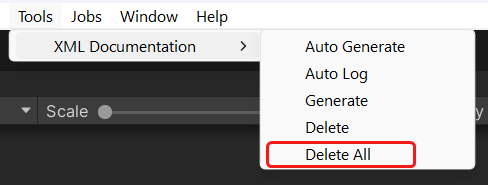
It works the same as Delete but also deletes the Library/XmlDocumentationGenerated directory.
Credits
- Emad on GameDev StackExchange^2
No comments yet. Be the first!