TLabWebView
Plug-in to use Android's web browser component (WebView / GeckoView) as uGUI (Texture2D)
com.tlabaltoh.webview 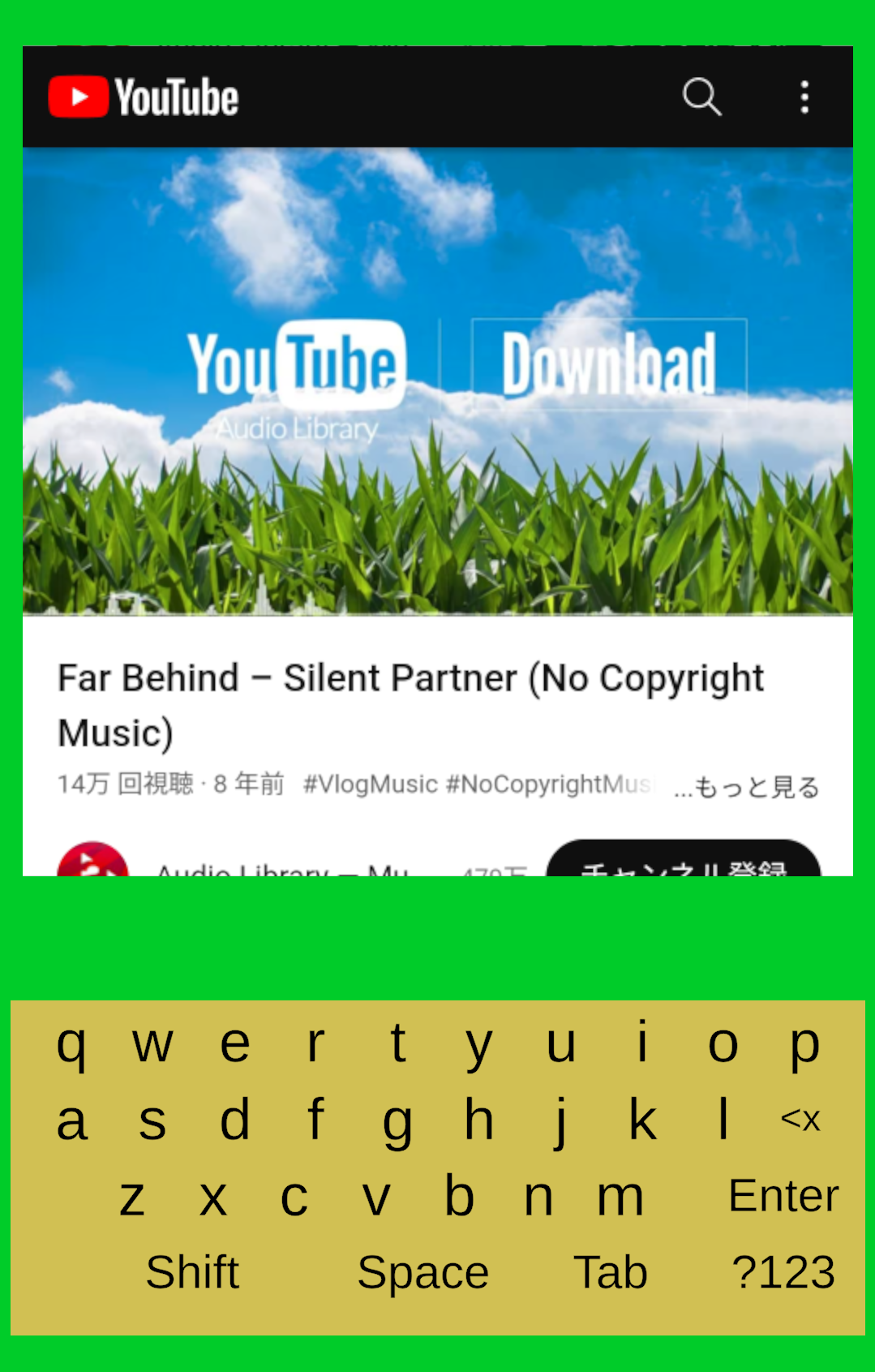
Install via UPM
Add to Unity Package Manager using this URL
https://www.pkglnk.dev/webview.git README Markdown
Copy this to your project's README.md

## Installation
Add **TLabWebView** to your Unity project via Package Manager:
1. Open **Window > Package Manager**
2. Click **+** > **Add package from git URL**
3. Enter:
```
https://www.pkglnk.dev/webview.git
```
[](https://www.pkglnk.dev/pkg/webview)README
TLabWebView
A Unity plugin that enables the use of Android’s web browser component (WebView / GeckoView) as a uGUI (Texture2D). This plugin makes it possible to implement a 3D web browser (3D WebView) within Unity.
- Keyboard Input
- Touch Interaction
- File download (include blob, data url)
- Resize
- Run Javascript
- Support for multiple instances running concurrently
- Support for multiple browser engines
- Support for multiple rendering method
-
HardwareBudder: implemented using a low-level feature of Android. Best performance -
ByteBuffer: Easy access to frames, since the results are obtained as byte arrays on the C# side. High stability. This option is used by default. -
Surface: Direct rendering to Android'sSurfaceclass, used for active use of features such asCompositionLayers
-
Document is here
Snippets is here
The Java plugin source code is here

Unity version this plugin supports
- Unity 2021
- Unity 2022
- Unity 6000 (Only
WebViewtested, Not yet tested inGeckoView.)
Graphics api this plugin supports
- OpenGLES
- Vulkan
Screenshot
Screenshot run on Android 13, Adreno 619
VR sample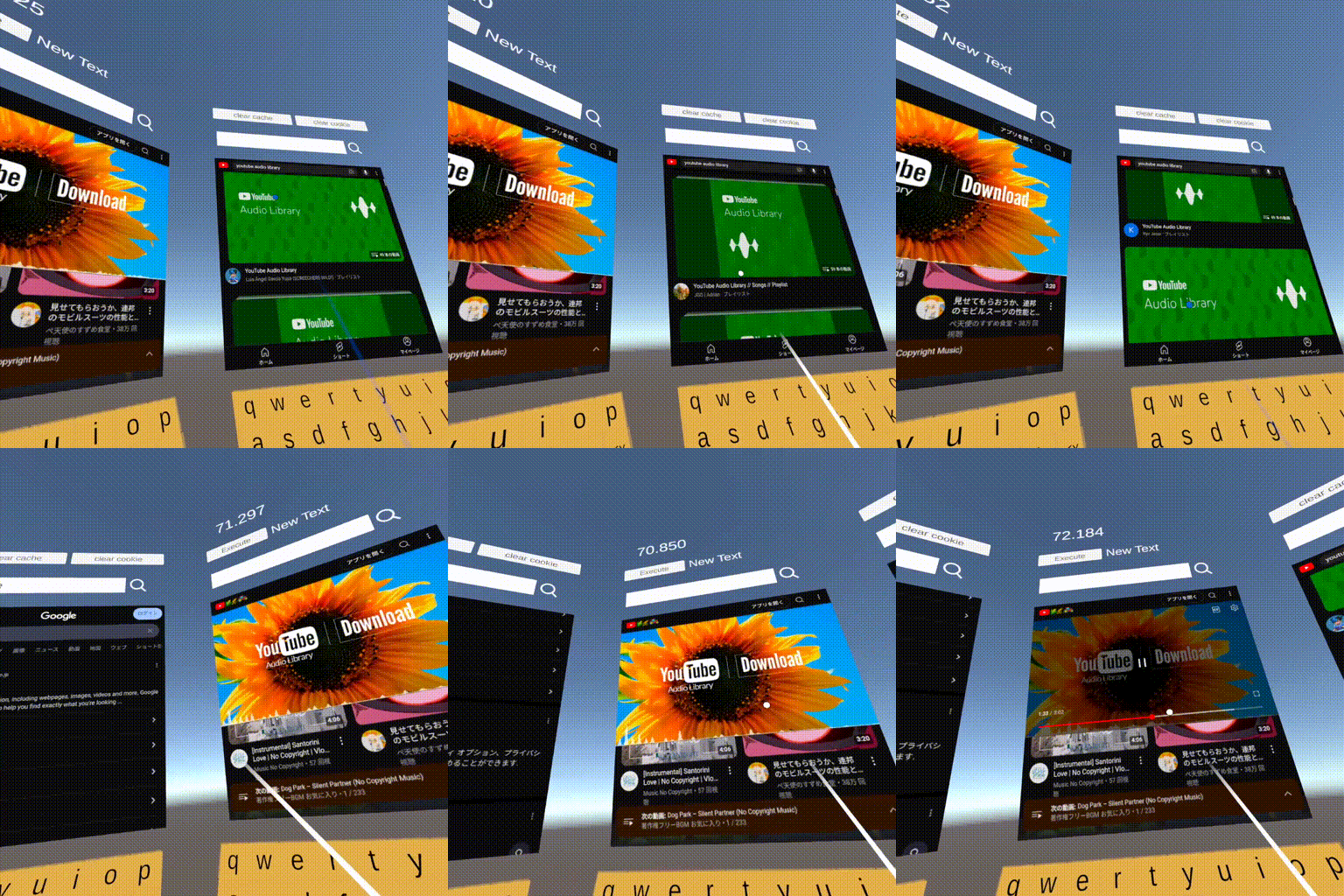
Operating Environment
| OS | Android 10 ~ 14 |
| GPU | Qualcomm Adreno 505, 619 |
| Unity | 2021.3 |
Getting Started
Requirements
- TLabVKeyborad
v1.0.1+
Installing
Please see here
Submodule
Clone this repository with the following command
git clone https://github.com/TLabAltoh/TLabWebView.git
or
git submodule add https://github.com/TLabAltoh/TLabWebView.git
UPM
add package from git URL ...
https://github.com/TLabAltoh/TLabWebView.git#upm
For App-Store compatibility
When you publishing your app that using this plugin. Sometimes you get bellow warning.
Unsafe SSL override in WebViews
Your application may contain an unsafe implementation of the WebView's onReceivedSslError() method with a call to `handler.proceed() with insufficient validations. This may cause the WebView to ignore SSL certificate validation errors, making the application vulnerable to man-in-the-middle attacks.
Security and trust
onReceivedSslError
your app is using an unsafe implementation of
WebviewClient.onReceivedSslErrorhandler
Than, please switch repository's branch to app store compatible version.
add package from git URL ...
https://github.com/TLabAltoh/TLabWebView.git#appstore-compatible-upm
Please note that this version will not be able to load insecure websites (URL starting with http://).
Set Up
Please see here
- Build Settings
| Property | Value |
|---|---|
| Platform | Android |
- Project Settings
| Property | Value |
|---|---|
| Color Space | Linear |
| Minimum API Level | 26 |
| Target API Level | 30 (Unity 2021), 31 ~ 32 (Unity 2022) |
- Add the following symbols to Project Settings --> Player --> Other Settings (to be used at build time)
UNITYWEBVIEW_ANDROID_USES_CLEARTEXT_TRAFFIC
UNITYWEBVIEW_ANDROID_ENABLE_CAMERA
UNITYWEBVIEW_ANDROID_ENABLE_MICROPHONE
- Scene
Please add the BrowserManager to any GameObject (maybe EventSystem is best).
If you want to use GeckoView as a browser engine.
Please create a Plugins folder in your Assets folder and create files in it. And please set the BrowserContainer.browser to GeckoView instead of WebView. Also GeckoView needs Android 13 ~ (API level 33 ~). Please set tartget level to API level 33 in the Project Settings.
- gradleTemplate.properties
org.gradle.jvmargs=-Xmx**JVM_HEAP_SIZE**M
org.gradle.parallel=true
# android.enableR8=**MINIFY_WITH_R_EIGHT**
unityStreamingAssets=**STREAMING_ASSETS**
**ADDITIONAL_PROPERTIES**
android.useAndroidX=true
# android.enableJetifier=true
- mainTemplate.gradle
    ...

    dependencies {
        implementation "androidx.annotation:annotation-jvm:1.9.1"

        def collection_version = "1.4.3"
        implementation "androidx.collection:collection:$collection_version"

        def lifecycle_version = "2.6.1"
        implementation "androidx.lifecycle:lifecycle-viewmodel-ktx:$lifecycle_version"
        implementation "androidx.lifecycle:lifecycle-viewmodel-compose:$lifecycle_version"
        implementation "androidx.lifecycle:lifecycle-livedata-ktx:$lifecycle_version"
        implementation "androidx.lifecycle:lifecycle-runtime-ktx:$lifecycle_version"
        implementation "androidx.lifecycle:lifecycle-runtime-compose:$lifecycle_version"
        implementation "androidx.lifecycle:lifecycle-viewmodel-savedstate:$lifecycle_version"
        implementation "androidx.lifecycle:lifecycle-common-java8:$lifecycle_version"
        implementation "androidx.lifecycle:lifecycle-service:$lifecycle_version"
        implementation "androidx.lifecycle:lifecycle-process:$lifecycle_version"
        implementation "androidx.lifecycle:lifecycle-reactivestreams-ktx:$lifecycle_version"
    }

    ...
- GeckoView plugin (
.aar) (please install the 125.0.20240425211020 version, as this package is only developed and tested with it)
Prefab
Prefab is here. Just add prefab to the canvas to implement webview
/Resources/TLab/WebView/Browser.prefab
Keyborad
By default, a virtual keyboard based on uGUI is available in this package. However, while the uGUI-based virtual keyboard has advantages in terms of extensibility of design, etc., there may be situations where you prefer to use the OS standard system keyboard. In such a case, please enable the system keyboard using permissions, etc. on the app side according to the settings of each platform (e.g., see here for settings on Meta Quest). Once the app has been configured, the system keyboard can be used in WebView.
[!NOTE] If you want to download the file to external storage (like
/Download,/Picture), please add the following permission to the manifest. This is required for Android 11+ (see here for more details).<uses-permission android:name="android.permission.MANAGE_EXTERNAL_STORAGE" />
[!NOTE] The JavaScript interface
window.tlab, which is implemented in WebView, is currently not supported in GeckoView. This is due to the complexity of implementing the communication process between GeckoView and the Java native plugin (.aar). Currently, only the functionality to send messages to C# components by callingwindow.postMessageas an alternative towindow.tlab.unitySendMessageis implemented. However, there are plans to fully support the features ofwindow.tlabin GeckoView in the future. When sending a message from a GeckoView page script to a C# component, use the following JavaScript:let payload = { go: "Test", method: "OnMessage", message: "this is test message." }; window.postMessage({ type: "TLABWEBVIWE_GECKO_NATIVE_MESSAGE", payload: { method: "unitySendMessage", payload: payload } }, "*");
[!WARNING] Note that this plugin only works on Android devices; it will not display web pages when run on the Unity Editor.
[!WARNING]
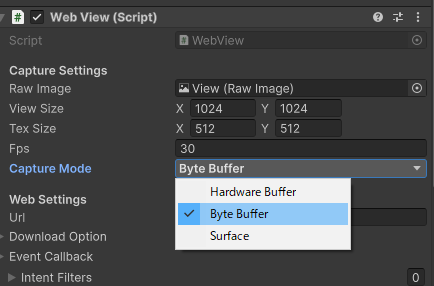
HardwareBuffermode may not work properly for some devices. In such cases, Please change the project'sGraphics APIfromVulkantoOpenGLES(Problems inHardwareBuffermode are most often reported when using theVulkanAPI in a project). Or switchCaptureModefromHardwareBuffertoByteBuffer(This is a stable rendering option).
[!WARNING] Android WebView doesn't support the WebXR API.
[!WARNING] OculusQuest doesn't support some HTML5 input tags (see below). If you want to use them, please use
GeckoViewasBrowserinstead ofWebView. It will display a widget implemented by uGUI. Below is the status of HTML5 input tag support by this plugin's custom widget.
[!WARNING] This plugin supports both
VulkanandOpenGLES, but if you are building an application that uses aVulkangraphics API, the Android device must supportOpenGLES (3.1+)as well asVulkan.
Comments
No comments yet. Be the first!
Sign in to join the conversation
Sign In