URP Volumetric Fog
URP Volumetric Fog adds atmospheric volumetric lighting effects to Universal Render Pipeline projects. Supports main, spot, and point lights with shadows and cookies across multiple rendering paths, featuring render graph compatibility for Unity 6, VR support, and seamless integration into URP's volume system. Compatible with Unity 2022.3 LTS and later across DirectX, OpenGL, and Vulkan platforms.
com.cqf.urpvolumetricfog Install via UPM
Add to Unity Package Manager using this URL
https://www.pkglnk.dev/urpvolumetricfog.git README Markdown
Copy this to your project's README.md

## Installation
Add **URP Volumetric Fog** to your Unity project via Package Manager:
1. Open **Window > Package Manager**
2. Click **+** > **Add package from git URL**
3. Enter:
```
https://www.pkglnk.dev/urpvolumetricfog.git
```
[](https://www.pkglnk.dev/pkg/urpvolumetricfog)README
Requirements
Any Unity version posterior to 2022.3 LTS (included), up to Unity 6000.4.
Features
- Render graph and compatibility mode support for Unity 6 and above.
- Support for the main light, spot lights and point lights.
- Shadows and light cookies support for the lights described above.
- Realtime and mixed lights support.
- APV support for Unity 2023.1+.
- Perspective and orthographic projection support.
- Single pass VR rendering support. This is verified by users, since I do not work on VR.
- Seamlessly integrated into URP volume system.
- Works in forward, deferred, forward+ and deferred+ rendering paths. See limitations section.
- Verified in DirectX11, DirectX12, OpenGLES3, OpenGLCore and Vulkan.
Installation
The recommended way to install the package is through the package manager in Unity (UPM). Before installing, make sure that URP is installed and correctly set up in your project. Then you can proceed to install this package:
- Inside Unity, go to "Window"-> "Package Manager".
- Once the window is opened, go to the "+" symbol at the top left corner, and select "Install package from git URL". See the image below.
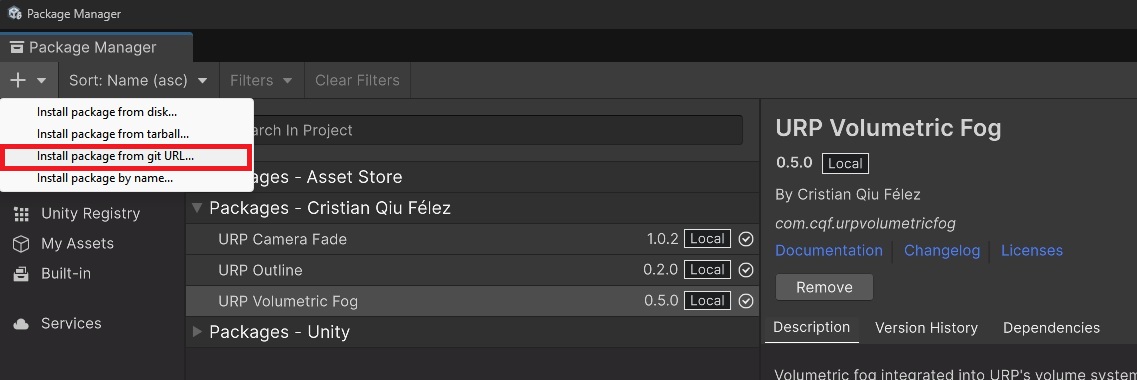
- Write the following URL: https://github.com/CristianQiu/Unity-URP-Volumetric-Light.git and click install.
How to add volumetric fog
- Add volumetric fog renderer feature to you URP Renderer.
- Enable post-processing both in your camera and URP Renderer.
- Add a volume to your scene and add override: "Custom->Volumetric Fog".
- Tick the "Enabled" checkbox, as fog is disabled by default.
- Make sure that "Enable Main Light Contribution" and "Enable Additional Lights Contribution" are also enabled depending on your needs, as they are also disabled by default.
- For spot and point lights, add the component "VolumetricAdditionalLight" to those lights that you want to contribute to the volumetric fog.
- If you still can not see the fog, play with the different volume parameters or try to increase the intensity of your lights.
Known limitations
- Multipass VR rendering is not supported.
- WebGL is not supported. See https://github.com/CristianQiu/Unity-URP-Volumetric-Light/issues/7.
- Not tested on Switch 1/2 and PS4 consoles. Verified by users in Steam Deck, Xbox One/XSX and PS5 as of v0.5.6.
- Transparent objects are not blended correctly with fog.
- Fully baked lights are only supported through APV.
- Fog is only rendered up to a certain distance from the camera.
- It may be possible to notice more noise in some light regions at certain view angles.
- When using forward or deferred rendering path, performance can be heavily affected when adding multiple additional lights. Forward+ or Deferred+ is highly recommended for best performance when support for additional lights is needed.
Known Bugs
- There is an issue with volumetric shadows from lights when "Transparent Receive Shadows" is off in the URP Renderer. If you are having issues with volumetric shadows from lights you may need to turn the setting on. See https://github.com/CristianQiu/Unity-URP-Volumetric-Light/issues/10.
TODO
There are a few things that I would like to add at some point, as I like coming back to this project from time to time in my spare time. Some of which are (in no particular order):
- WebGL support.
- Further improvements on performance and quality: quarter resolution rendering, reprojection, better transparency support...
- New features: density volumes, noise, self shadowing...
- And of course... bug fixing! Do not hesitate to open issues for anything that you find unexpected or buggy.
Preview
Using it in a Tower Defense I am working on as an indie dev
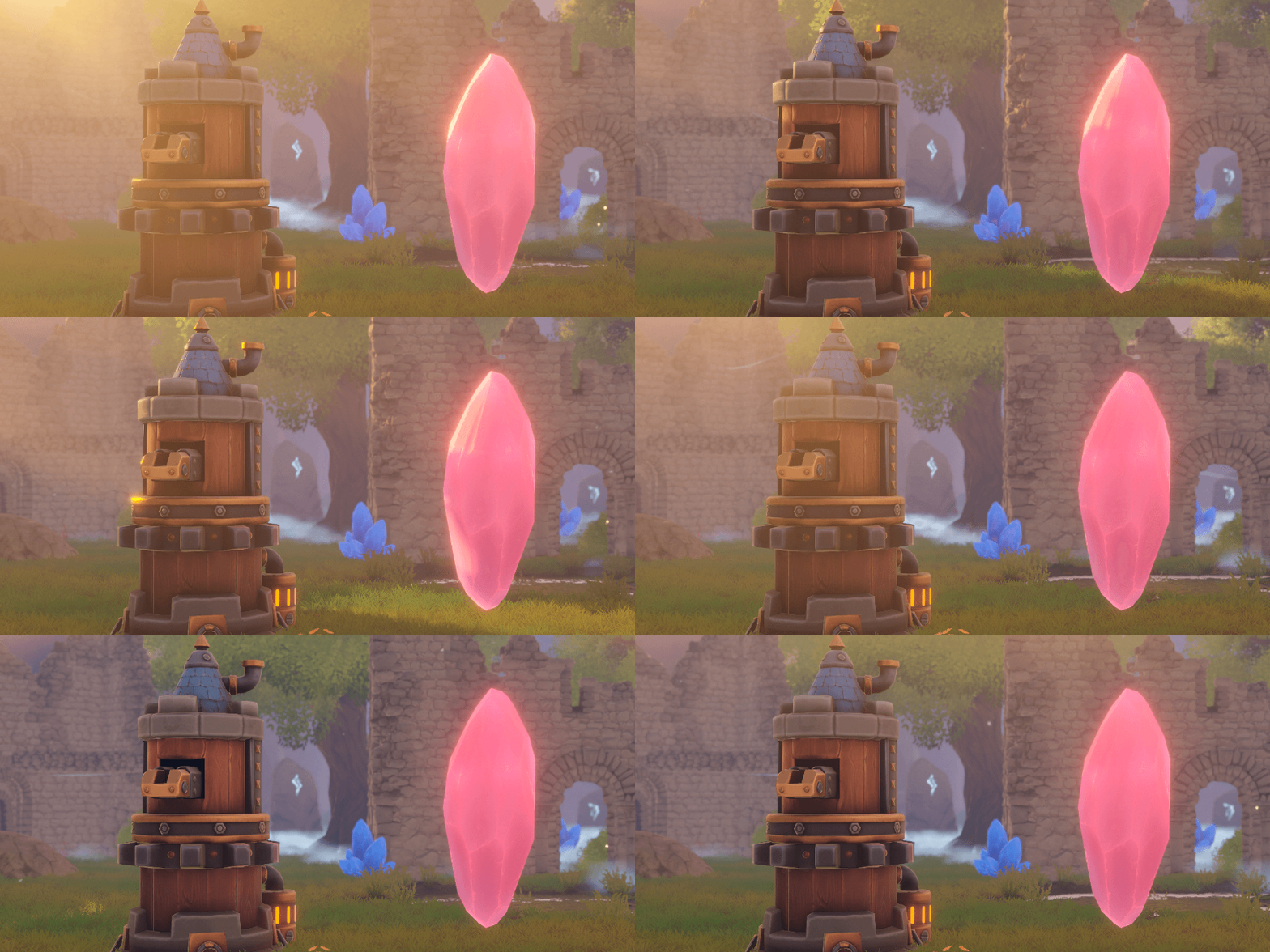
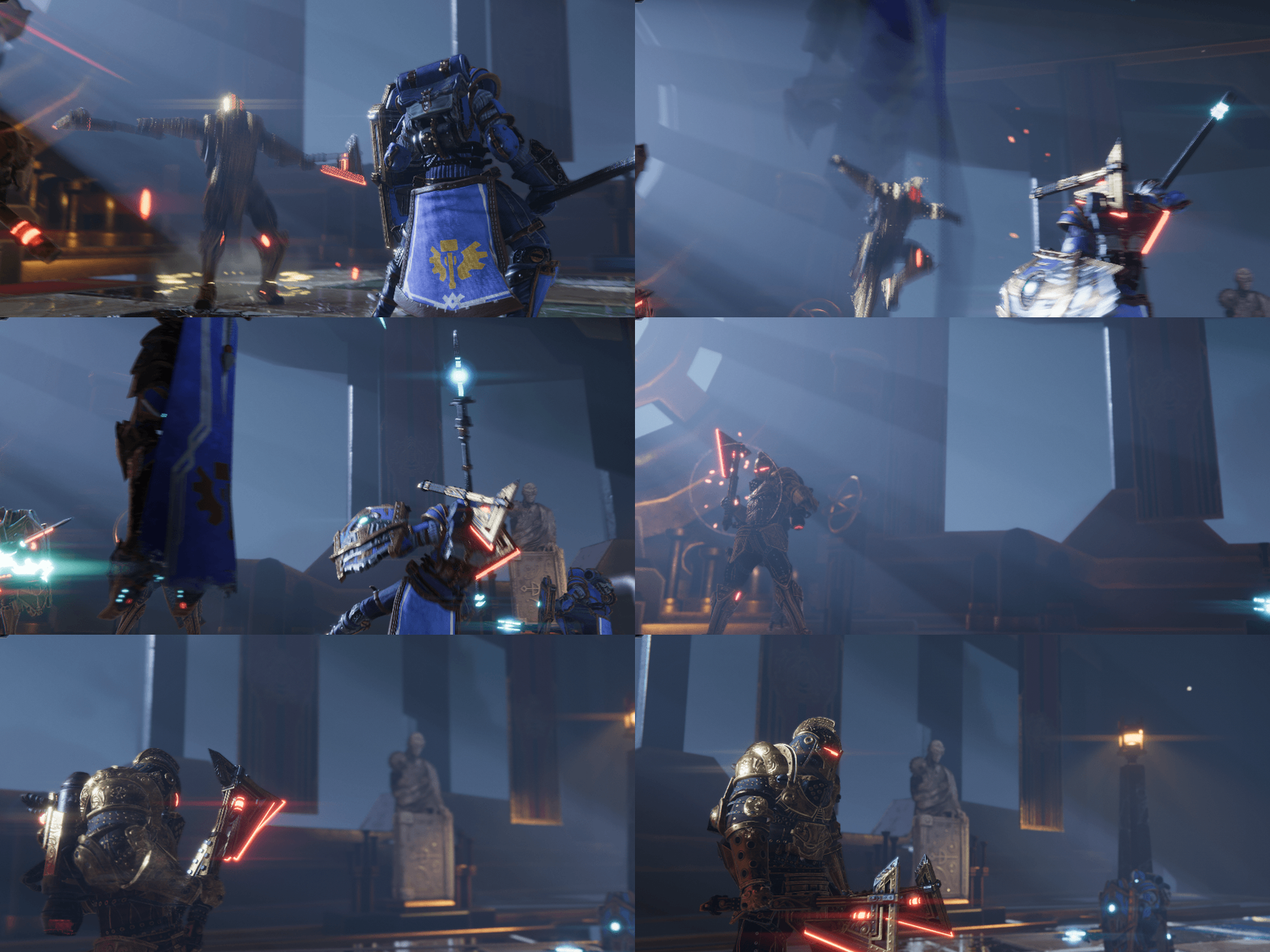
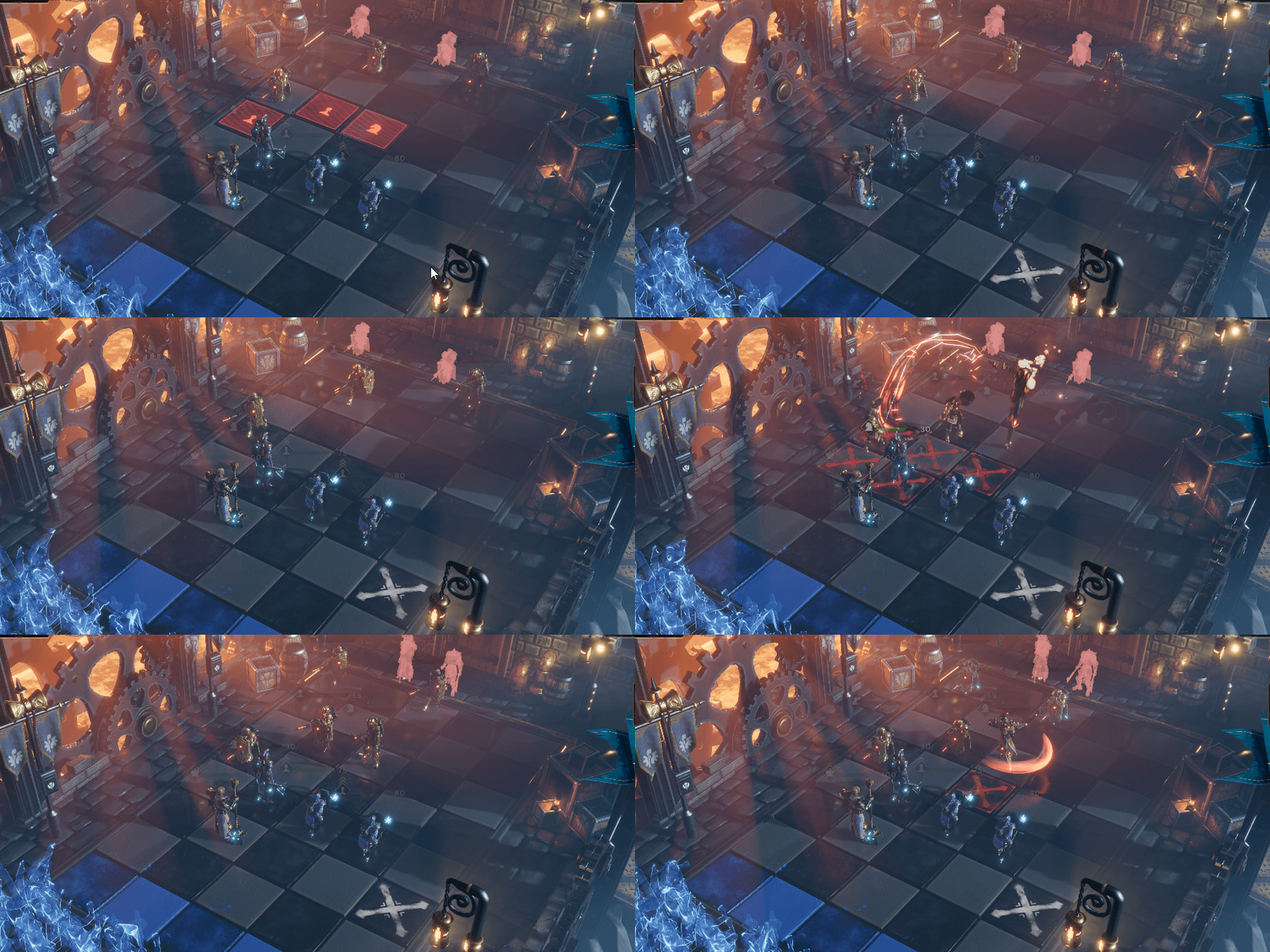
I am also working alongside Siesta Games studio to implement it in Empire in Decay, a roguelike deckbuilder chess-like game that will be released this year.
I also plan to release a new version in the future with some of the stuff that we used in the game.
You can play the demo and wishlist it now!
Comments
No comments yet. Be the first!
Sign in to join the conversation
Sign In