Unlimited Scroller

A plugin in Unity that let you easily create scroll views with unlimited items.
com.xiaojiang.unlimitedscroller Install via UPM
Add to Unity Package Manager using this URL
https://www.pkglnk.dev/unlimitedscroller.git 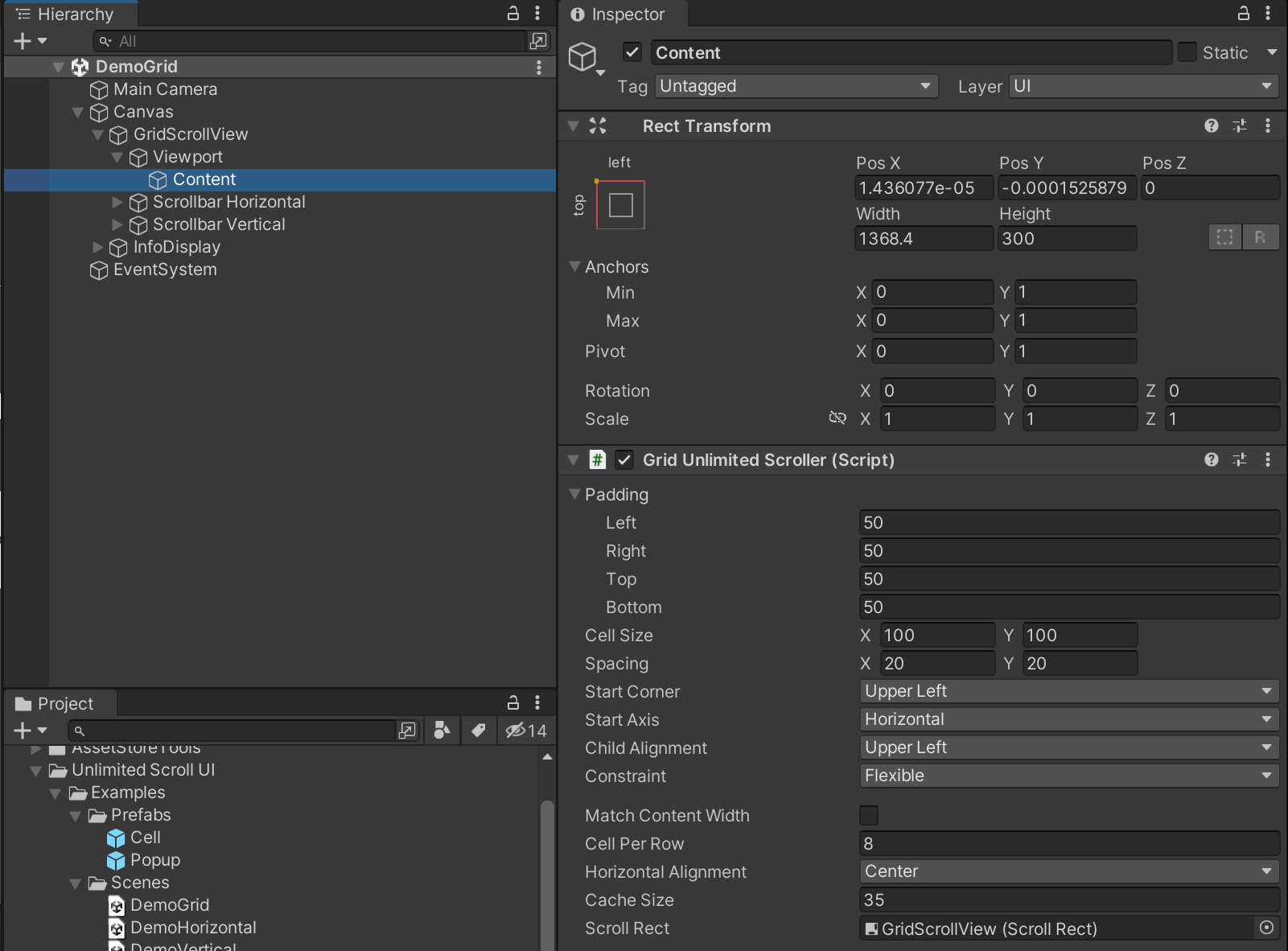
README Markdown
Copy this to your project's README.md

## Installation
Add **Unlimited Scroller** to your Unity project via Package Manager:
1. Open **Window > Package Manager**
2. Click **+** > **Add package from git URL**
3. Enter:
```
https://www.pkglnk.dev/unlimitedscroller.git
```
[](https://www.pkglnk.dev/pkg/unlimitedscroller)README
Unlimited Scroll UI
version 1.4.1
Summary
A plugin in Unity that let you easily create scroll views with unlimited items. See in asset store.
Quick Setup
Step 1: Add “UI/Scroll View” from Add GameObject menu.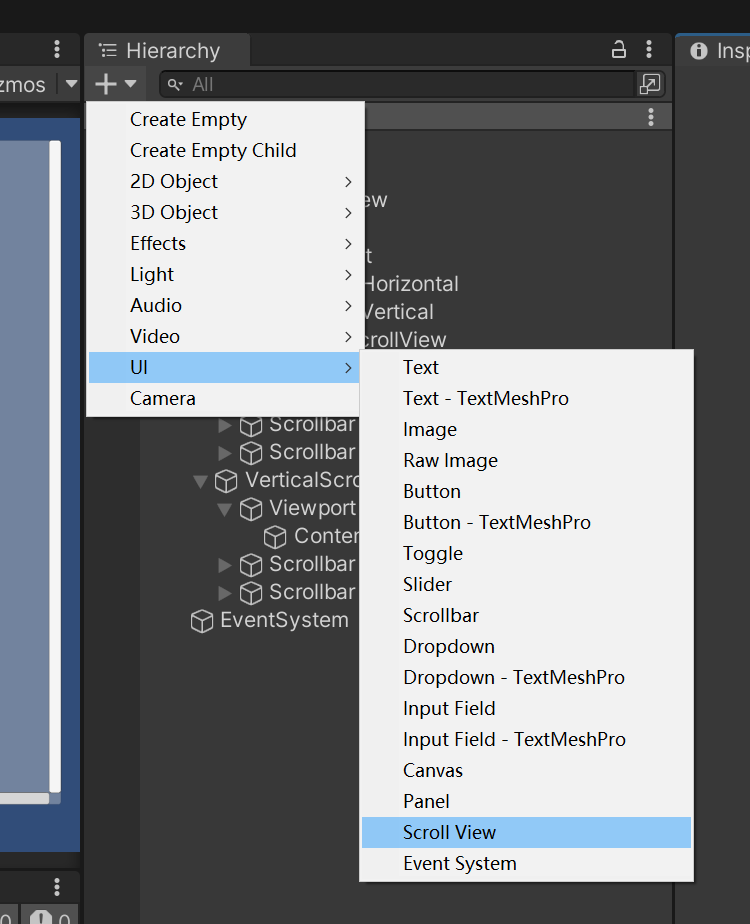
Step 2: Add UnlimitedScroller with your desired auto layout type.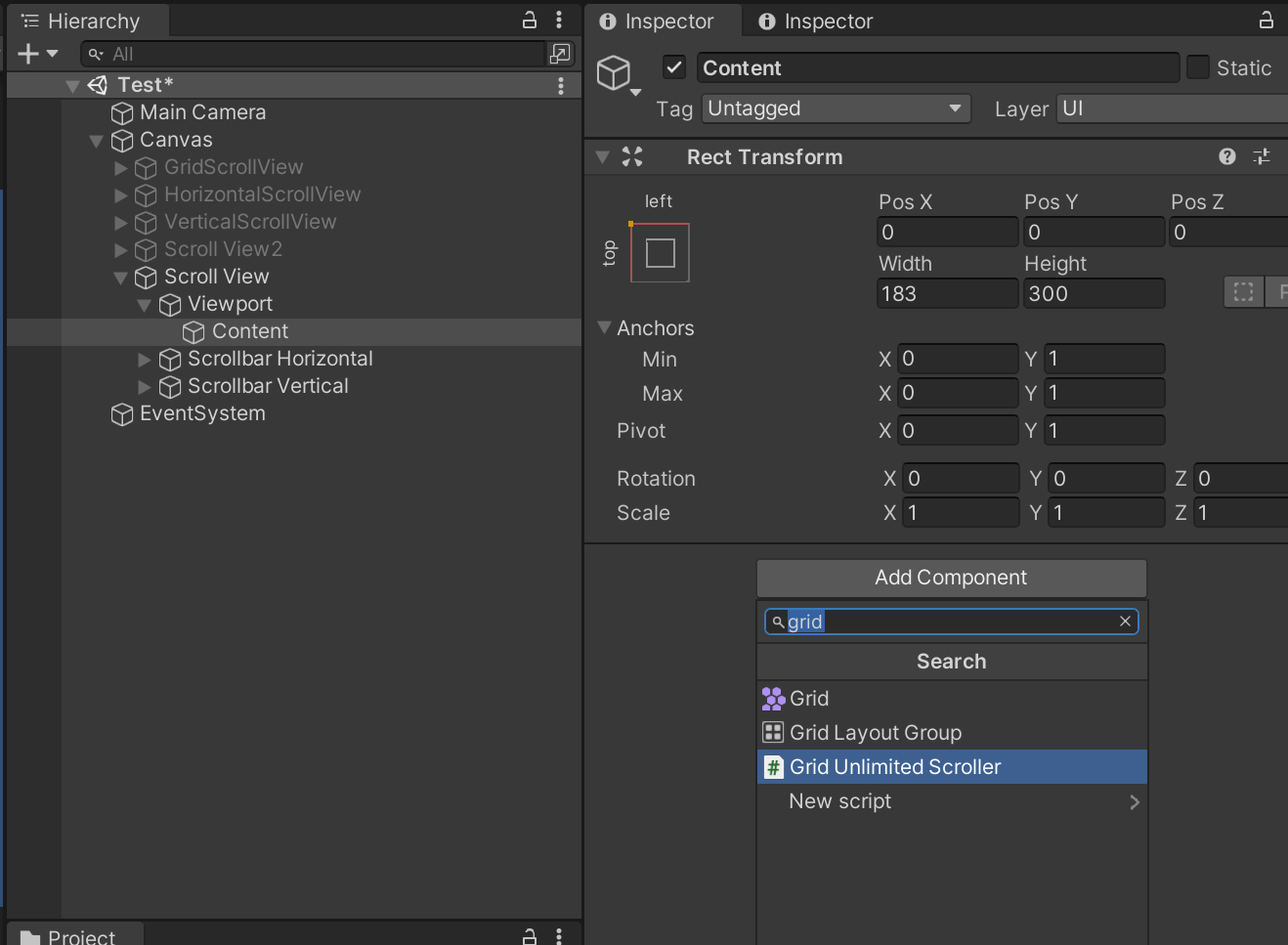
Step 3: Drag and drop the scroll view to Scroll Rect field. Set initial cell cache count.
If you use grid scroller, you can also change its alignment.
Step 4: Prepare a cell prefab that has the RegularCell script or your custom script that implements the ICell interface.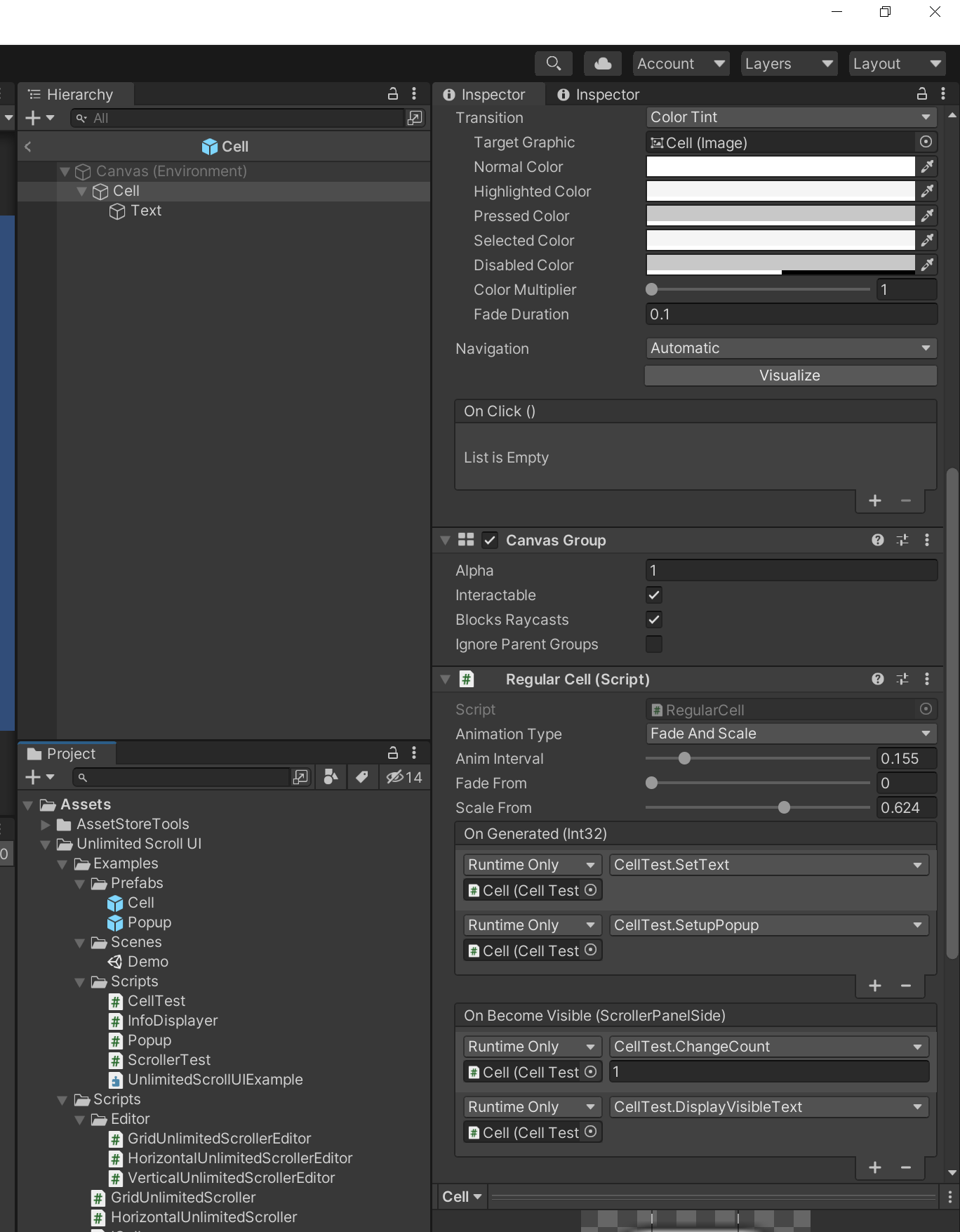
Step 5: To test it out immediately, add a ScrollerTest script below Unlimited Scroller, reference to your cell and set total count.
References
Please go to this website for full reference: https://brian-jiang.github.io/UnlimitedScrollUI/api/UnlimitedScrollUI.html
Supports
If you have any questions, please post here
or comment here
Or email me directly at: bjjx1999@live.com
Thank you for your support!
Comments
No comments yet. Be the first!
Sign in to join the conversation
Sign In