3D Group - Notifications
Simple UI notifications package for Unity game engine
com.3d-group.unity-simple-notifications 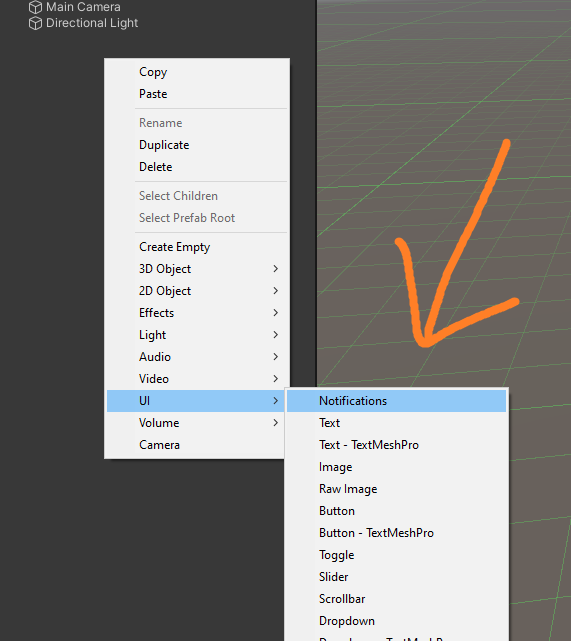
Install via UPM
Add to Unity Package Manager using this URL
https://www.pkglnk.dev/unity-simple-notifications.git README Markdown
Copy this to your project's README.md

## Installation
Add **3D Group - Notifications** to your Unity project via Package Manager:
1. Open **Window > Package Manager**
2. Click **+** > **Add package from git URL**
3. Enter:
```
https://www.pkglnk.dev/unity-simple-notifications.git
```
[](https://www.pkglnk.dev/pkg/unity-simple-notifications)README



Unity simple notifications
Simple but powerful UI notifications package for Unity game engine.
How to use
- Right click scene hierarchy
- Click UI/Notifications
Now you can send Notifications from your script like this:
Notifications.Send("Hello world");
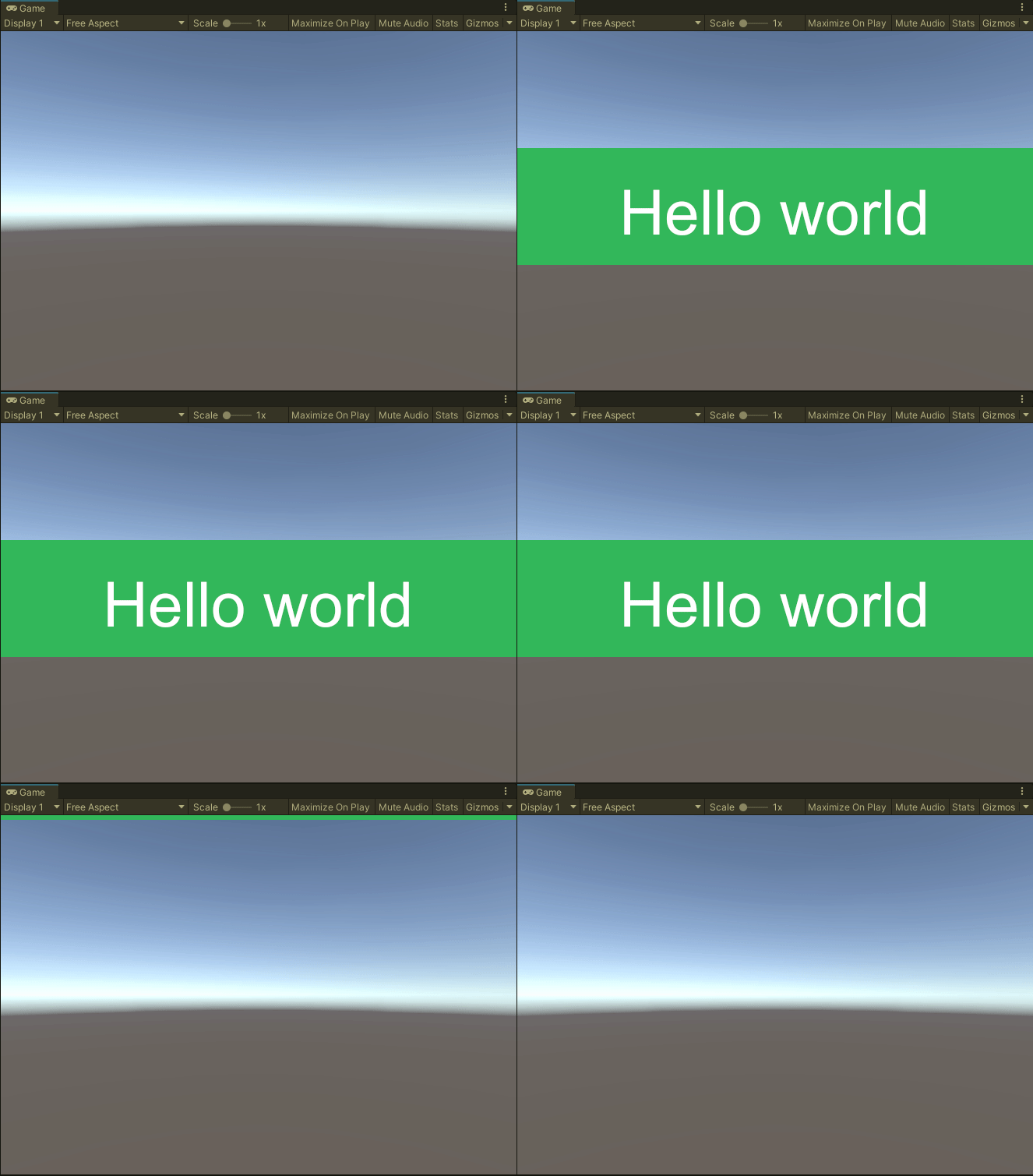
Specify type (changes notification color) and click events with optional parameters:
private void Error()
{
   Notifications.Send("Spooky error!", NotificationType.Error, OnClick);
}

public void OnClick()
{
    // Do something.
}
There is also async overload:
await Notifications.SendAsync("Warning!", NotificationType.Warning);
You can also hook Translation / any fuction to handle messages before sending like so:
private void Start()
{
    Notifications.TranslationFunction = Translate;
}

private string Translate(string key)
{
    // Do something.
    return key;
}
Install
via npm
Open Packages/manifest.json with your favorite text editor. Add a scoped registry and following line to dependencies block:
{
  "scopedRegistries": [
    {
      "name": "npmjs",
      "url": "https://registry.npmjs.org/",
      "scopes": [
        "com.3d-group"
      ]
    }
  ],
  "dependencies": {
    "com.3d-group.unity-simple-notifications": "1.0.0"
  }
}
Package should now appear in package manager.
via OpenUPM
The package is also available on the openupm registry. You can install it eg. via openupm-cli.
openupm add com.3d-group.unity-simple-notifications
via Git URL
Open Packages/manifest.json with your favorite text editor. Add following line to the dependencies block:
{
  "dependencies": {
    "com.3d-group.unity-simple-notifications": "https://github.com/3d-group/unity-simple-notifications.git"
  }
}
Tests
The package can optionally be set as testable. In practice this means that tests in the package will be visible in the Unity Test Runner.
Open Packages/manifest.json with your favorite text editor. Add following line after the dependencies block:
{
  "dependencies": {
  },
  "testables": [ "com.3d-group.unity-simple-notifications" ]
}
Performance and thread safety :rocket:
- Notifications are rate limited based on duplicates sent recently and max notifications queue length
- Notifications can be send from another thread. Creating GameObjects still always happens on main thread
Here is how it looks when billion notifications are sent simultaneously from another thread: :smile:
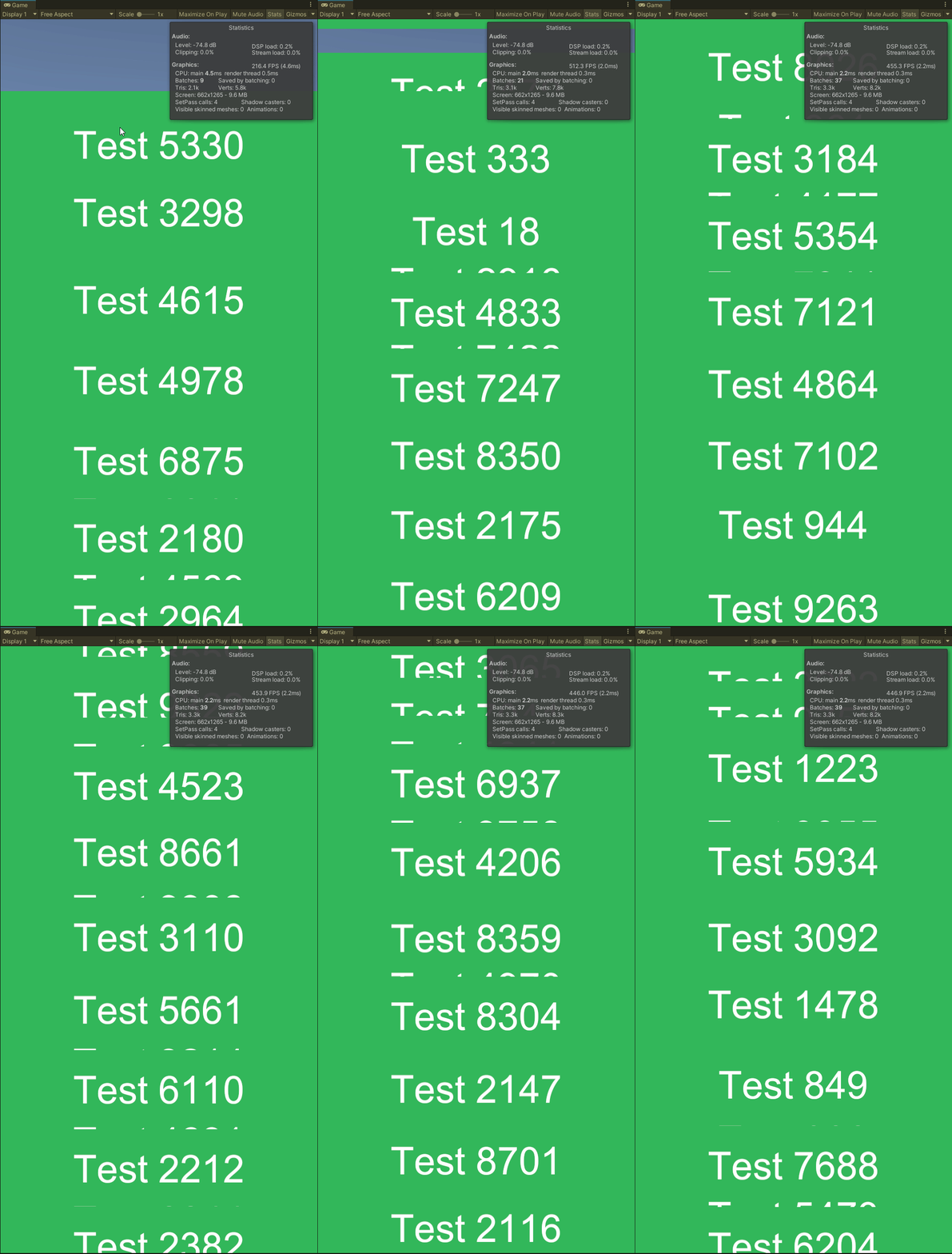
Try it yourself! Code:
using UnityEngine;
using System.Threading;
using Group3d.Notifications;

public class TEST : MonoBehaviour
{
    private void Start()
    {
        new Thread(() =>
        {
            Thread.CurrentThread.IsBackground = true;
            var r = new System.Random();
            int counter = 0;
            while (counter < 1000000000)
            {
                Notifications.Send($"Test {r.Next(0, 10000)}");
                counter++;
            }
        }).Start();
    }
}
Configuration
Confurable from the inspector:
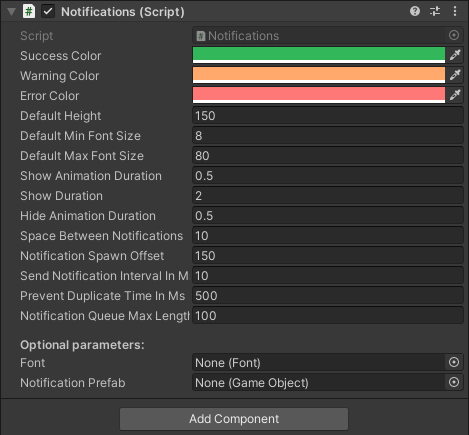
Custom notification prefab can be created and assigned in the inspector. If doing so, consider these things:
- Prefab must have NotificationUI component (included in the package)
- Prefab must have RectTransform component with anchors set to top-stretch
If prefab is null, notification will be created dynamically.
Optional Font parameter is only used when notification is created dynamically - if that is the only thing you want to change.
Comments
No comments yet. Be the first!
Sign in to join the conversation
Sign In