BSS Text Editor
BSS Text Editor provides an in-editor solution for viewing and editing text assets within Unity. Access it via Tools > BSS > Editor > Text Editor, then select and modify text files with full undo support. Key features include save (Ctrl+S), revert (Ctrl+R), and undo functionality for streamlined text asset management.
com.bss.texteditor 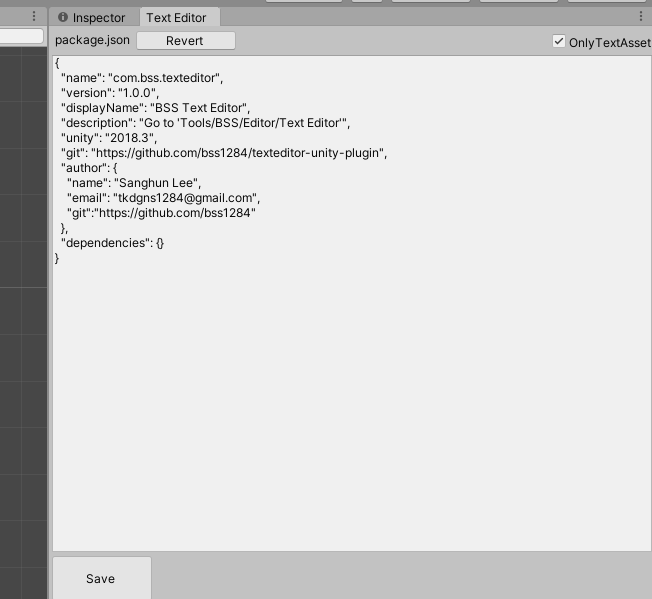
Install via UPM
Add to Unity Package Manager using this URL
https://www.pkglnk.dev/texteditor.git README Markdown
Copy this to your project's README.md
Style
Preview 
## Installation
Add **BSS Text Editor** to your Unity project via Package Manager:
1. Open **Window > Package Manager**
2. Click **+** > **Add package from git URL**
3. Enter:
```
https://www.pkglnk.dev/texteditor.git
```
[](https://www.pkglnk.dev/pkg/texteditor)README
Text Editor for Unity
FEATURES
- Editing
- Save (Ctrl+S)
- Revert (Ctrl+R)
- Undo Save
HOW TO
- Go to 'Tools/BSS/Editor/Text Editor'
- Open Text Editor Window.
- Select Text Asset.
- Editing and Save.

CREATE BY
- Sanghun Lee
- Email: tkdgns1284@gmail.com
- Github: https://github.com/bss1284
No comments yet. Be the first!