Spritesheet 3000
Custom pipeline plugin about how to make work together Adobe Photoshop's files with Unity Engine's sprites.
com.am1goo.spritesheet3000 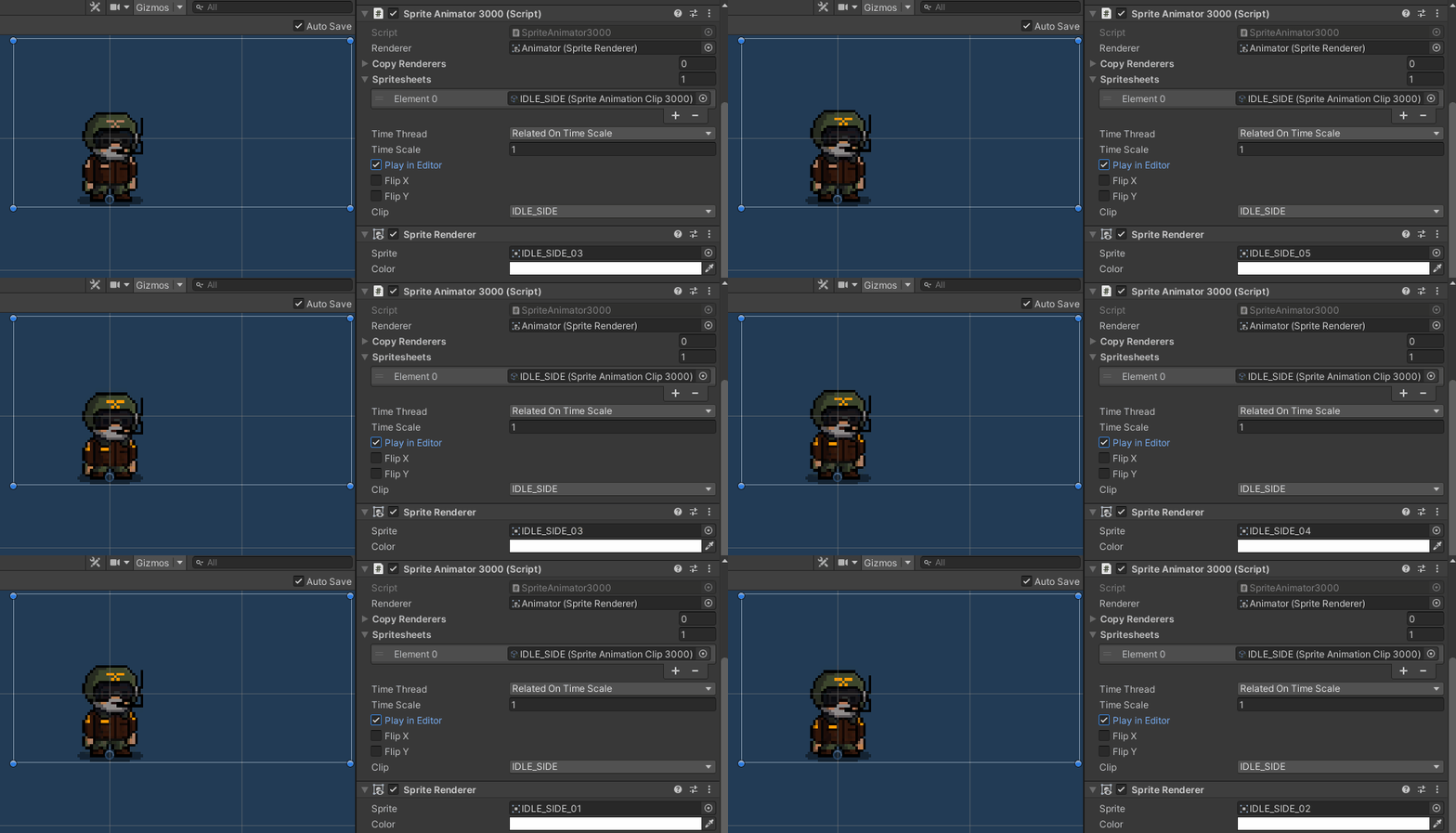
Install via UPM
Add to Unity Package Manager using this URL
https://www.pkglnk.dev/spritesheet3000.git README Markdown
Copy this to your project's README.md

## Installation
Add **Spritesheet 3000** to your Unity project via Package Manager:
1. Open **Window > Package Manager**
2. Click **+** > **Add package from git URL**
3. Enter:
```
https://www.pkglnk.dev/spritesheet3000.git
```
[](https://www.pkglnk.dev/pkg/spritesheet3000)Dependencies (1)
README

Spritesheet 3000 for Unity
Custom pipeline plugin about how to make work together Adobe Photoshop's files with Unity Engine's sprites and sprite atlases.
Unity Plugin
The latest version can be installed via package manager using following git URL: https://github.com/am1goo/unity-plugin-spritesheet-3000.git#0.4.30
Getting started
Adobe Photoshop CC Extension
- Install extentions via Unity Editor menu
in top menu find and clickSpritesheet 3000 -> Install extensions -> Adobe Photoshop CC
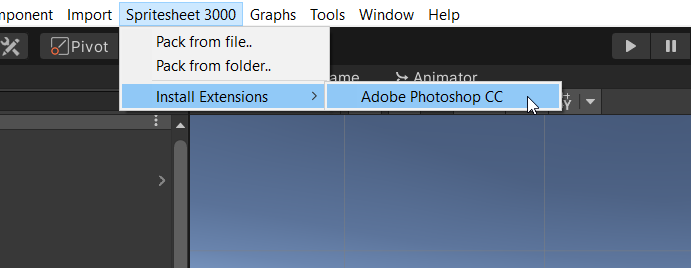
or
Install extentions by yourself
in top menu find and clickSpritesheet 3000 -> Open extensions folder -> Adobe Photoshop CCCopy folder
com.am1goo.photoshop.extension.spritesheet3000
intoC:\Program Files\Common Files\Adobe\CEP\extensions\(for Windows x64)
or
intoC:\Program Files (x86)\Common Files\Adobe\CEP\extensions\(for Windows x86)
Format structure
Adobe Photoshop's extensions will create some files with ease-to-use structure:
- metafile starts with source
psd filename(heart of this plugin, contains all required meta information about future animation clip - filter type, compression, ppu and etc.) - bunch of
animation framesas single sprites starts with metafile name (don't worry about that, these files will be skipped and don't used in runtime-mode at all, needed only in editor-mode purposes) atlas textureas result of importing process
folder|-
      |- {clipname}.txt
      |- {clipname}_01.png
      |- {clipname}_02.png
      |- {clipname}_03.png
      |- {clipname}_04.png
      |- ...
      |- {clipname}_xx.png
      |- {clipname}.asset
      |- {clipname}_atlas.asset
How to use
Open extension via Adoby Photoshop CC
Window -> Extensions -> Spritesheet 3000 ExporterExport all frames as single files and generate metadata
Set all options and press buttonExport..
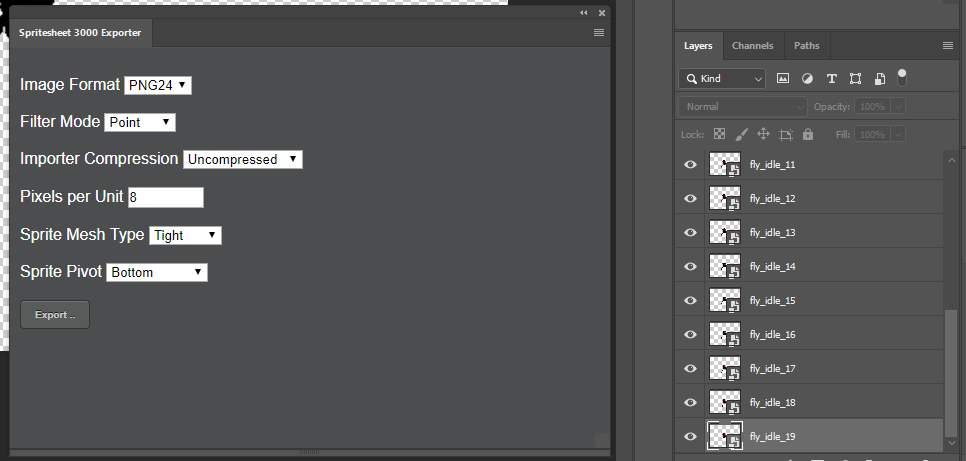
- Import frames via single metedata file
OpenUnity Editor, select single metafile inProjectwindow, clickRight Mouse Buttonand selectPack from file
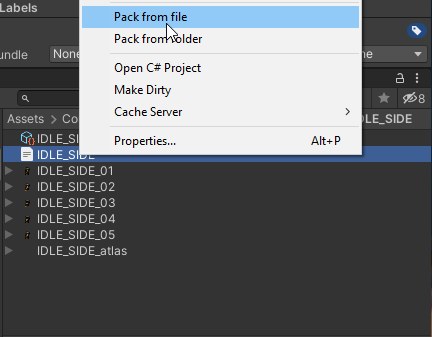
or
- Import bunch of frames via folder
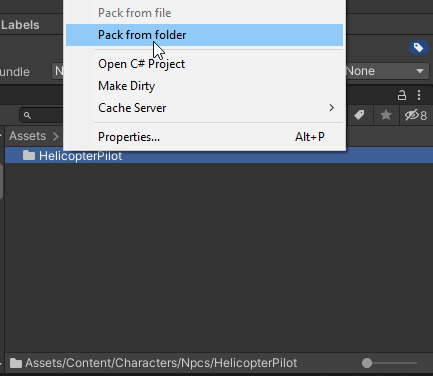
OpenUnity Editor, select whole folder inProjectwindow, clickRight Mouse Buttonand selectPack from folder
- Use packed frames in your game
Put componentSpriteAnimator3000on any game object
Run any animations via code:
using Spritesheet3000;
using UnityEngine;

public class Example : MonoBehaviour
{
    [SerializeField]
    private SpriteAnimationClip3000 _clip;
    [SerializeField]
    private SpriteAnimator3000 _anim;

    private void Awake()
    {
        _anim.Play(_clip);
    }
}
What's next?
- Add ability to trimming all transparent pixels from frames
- Export all frames to
UnityEngine.U2D.SpriteAtlasfile with.assetextension
Tested in
- Unity 2019.4.x
- Unity 2020.3.x
- Unity 2022.3.x
Using in
- Sin Slayers: Reign of The 8th - RPG with roguelike elements set in a dark fantasy world, where your choices determine how challenging the fights and enemies will be.
- Sin Slayers: Meat & Greed - A chill idle-mining sim that lives on your desktop. Dig rocks, collect gems, buy upgrades, feed your greed, and uncover shiny surprises while you do other things.
Contribute
Contribution in any form is very welcome. Bugs, feature requests or feedback can be reported in form of Issues.
Comments
No comments yet. Be the first!
Sign in to join the conversation
Sign In