4DAGE-SpaceTarget
SpaceTarget enables spatial environment tracking and augmentation in Unity by scanning real-world spaces with a 4DKK-Pro 3D camera to create a Space Target Database. It supports ARKit and ARCore, allowing developers to anchor interactive content to stationary objects and build location-based games, navigation applications, and spatial experiences in offices, factories, museums, and outdoor environments.
com.4dage.spacetarget Install via UPM
Add to Unity Package Manager using this URL
https://www.pkglnk.dev/spacetarget.git#upm README Markdown
Copy this to your project's README.md

## Installation
Add **4DAGE-SpaceTarget** to your Unity project via Package Manager:
1. Open **Window > Package Manager**
2. Click **+** > **Add package from git URL**
3. Enter:
```
https://www.pkglnk.dev/spacetarget.git#upm
```
[](https://www.pkglnk.dev/pkg/spacetarget)README
Space Targets in Unity
SpaceTarget is an environment tracking feature plug-in that enables you to track and augment areas and spaces. By using the 4DKK-Pro 3D camera as an accurate model of the space to create an Space Target Database, you can easily deliver augmentations to stationary objects in the scanned environment. This enables creating games, navigation applications, and spatial instructions that are all using the surroundings as interactive elements to be explored. Offices, factory floors, apartments, public spaces, museums, and many more areas are ideal sites for Space Targets.
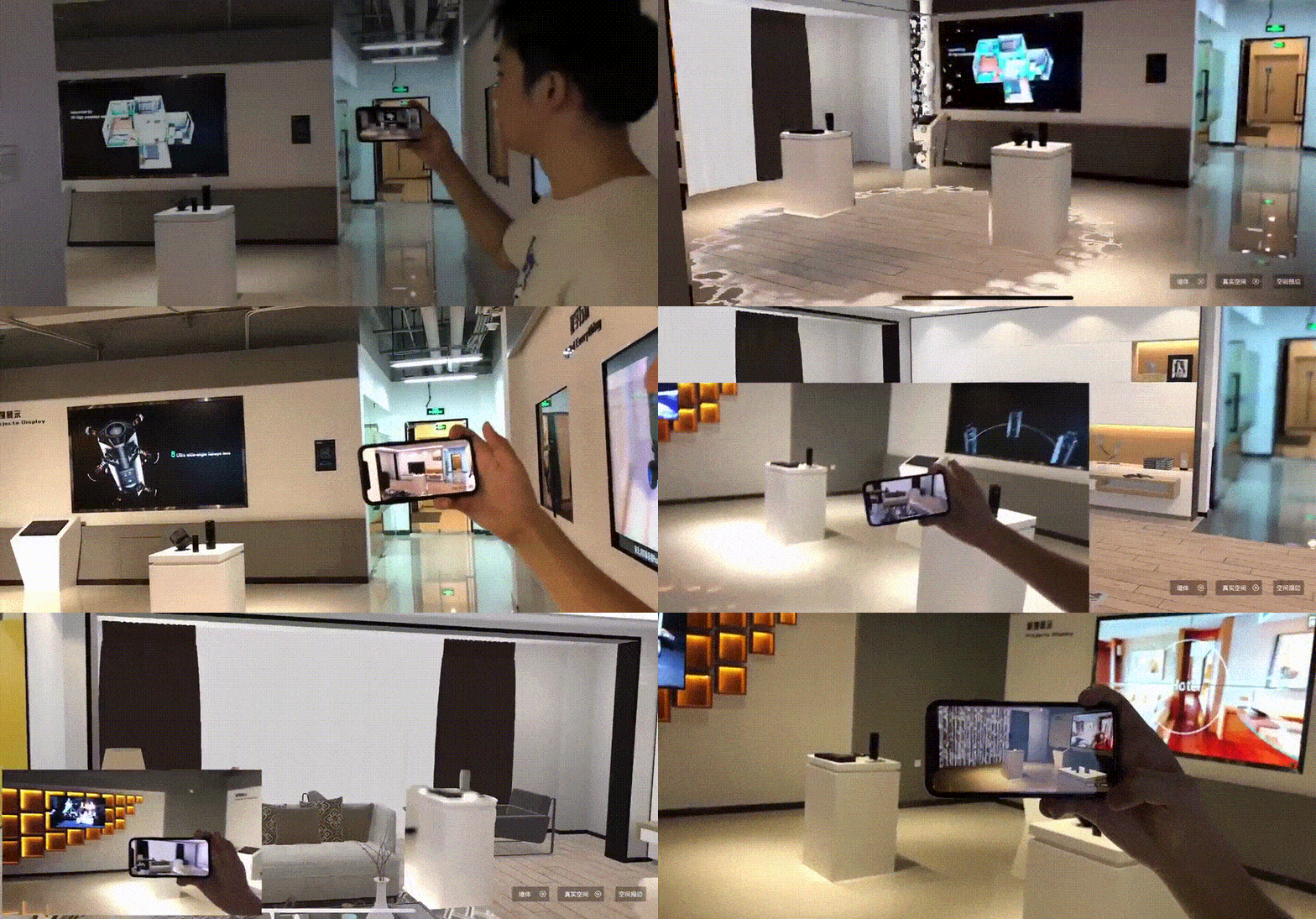
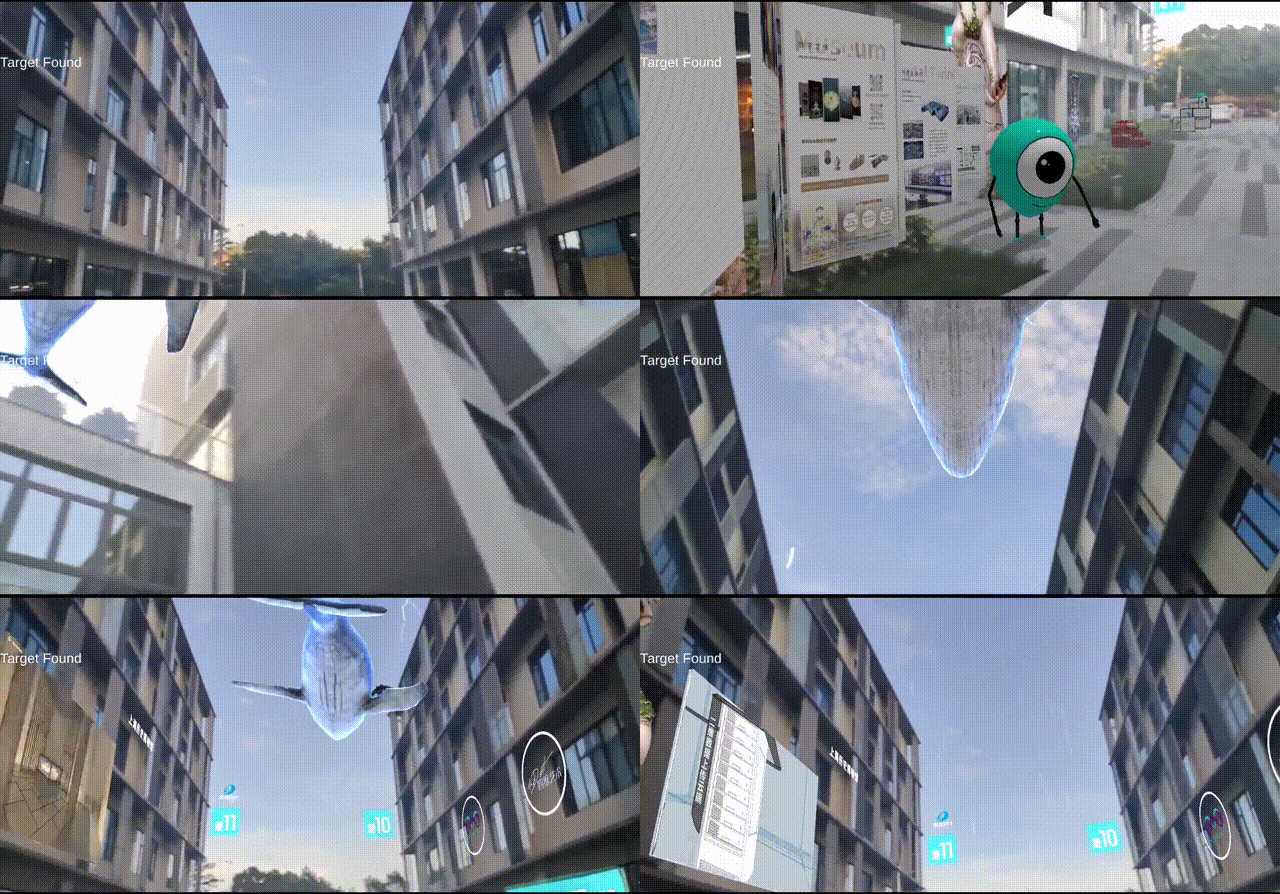
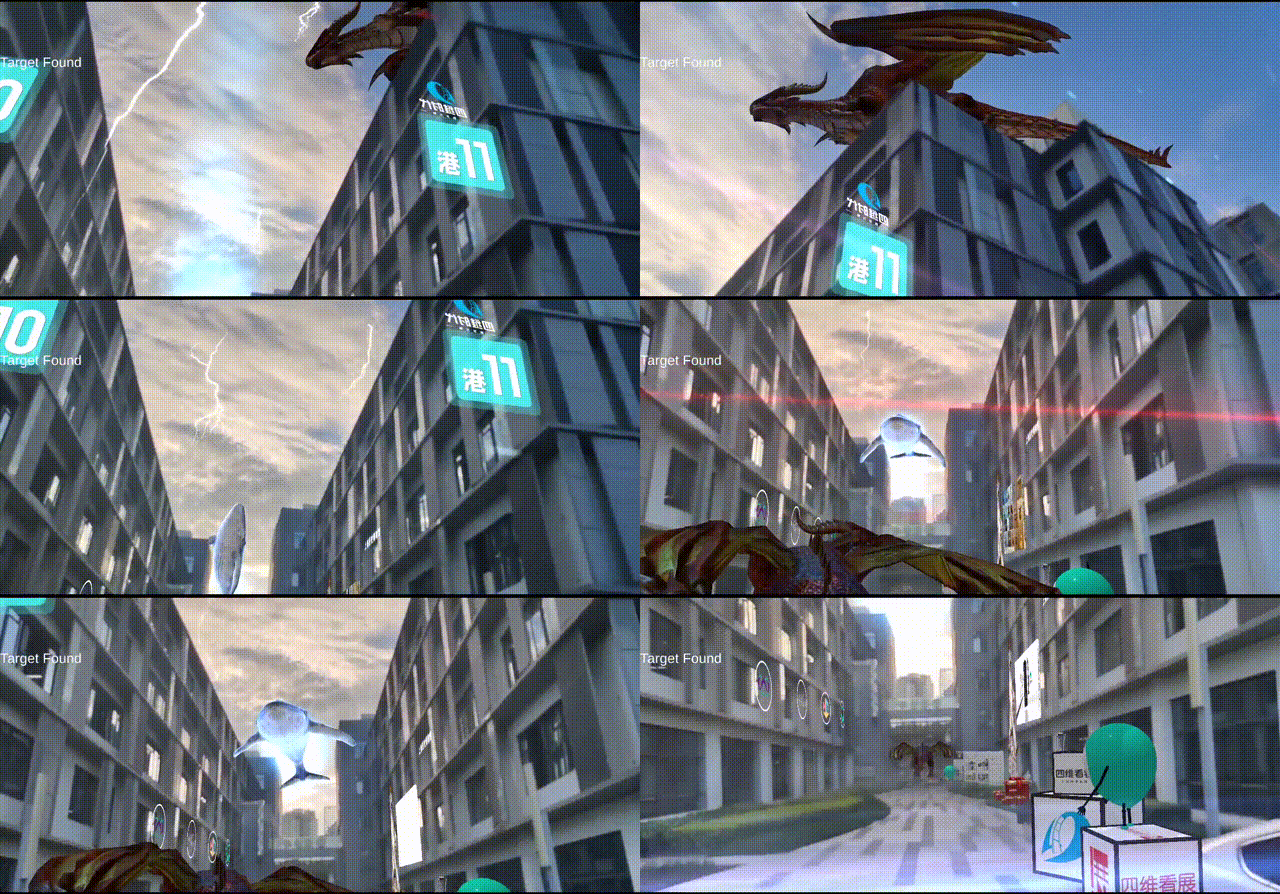
This plug-in Not contain target Database , you need to use a supported device to Scan and Create your own spatial data。Please read How to get SpaceTarget data doc 。
Requirements
- Unity Editor
Unity2019.4 +
- Api Compatibility Level
.NET4.X
Android 7.0 +
iOS 12 +
Installation
You can use unitypackage or UPM to install .
UnityPackage
Unity Package Manager
Packages/manifest.json Add a reference to the repository to a file in your project directory .
{
   " dependencies " : {
     "com.4dage.spacetarget": "https://github.com/Zwt-hello/4DAGE-SpaceTarget.git#upm"
  }
}
Features
- Spatial recognition and environment tracking
- Support ARKit and ARCore
- Support third-party AREngine expansion
Quick Start
Using ARKit or ARCore
This Plug-in has integrated support for ARKit and ARCore , If you already have a supported device , you can directly use the SDK to build Android/iOS applications
Create Target
First create and open a new project in Unity. For the supported Unity Editor versions, see Supported versions。
Add ARFoundation (ARKit、ARCore) component
GameObject -> XR -> AR Session
GameObject -> XR -> AR Session Origin
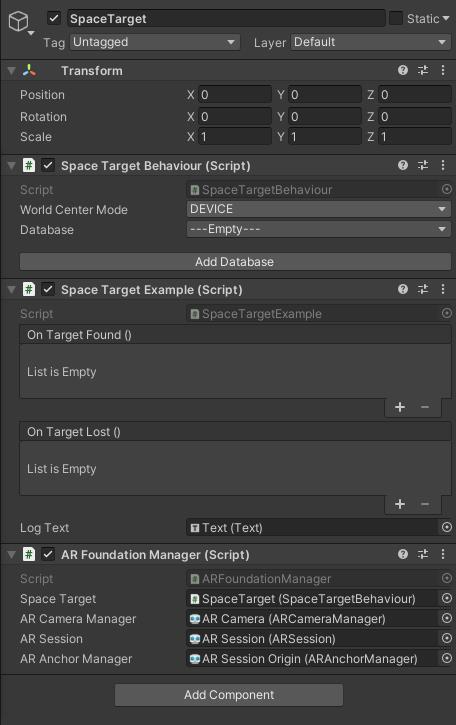
Create a Space Target gameobject,and add
ARFoundationManager.csscript .GameObject -> 4DAGE-SpaceTarget -> Space Target
Samples scene
Assets/4DAGE-SpaceTarget/Samples/Base on ARFoundation Example/Scene/ARFoundation Example
Configration Target
Click Add Database button to open database editor panel.
How to get datas?please read How to get SpaceTarget data , If all goes well , you will get a result of your scan scene .
e.g : https://www.4dkankan.com/spc.html?m=Html34yLt
The Target Data ID is
Html34yLt, please input to download this data.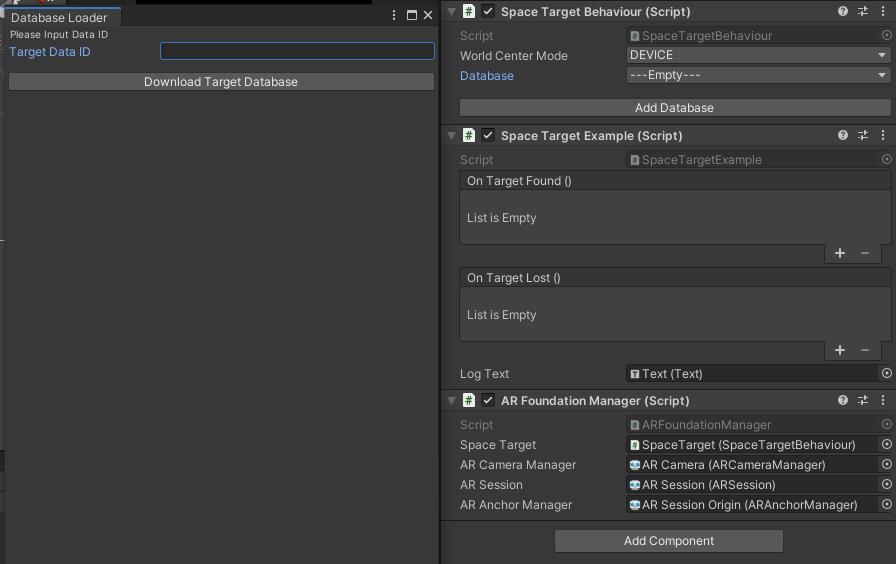
Select your target data
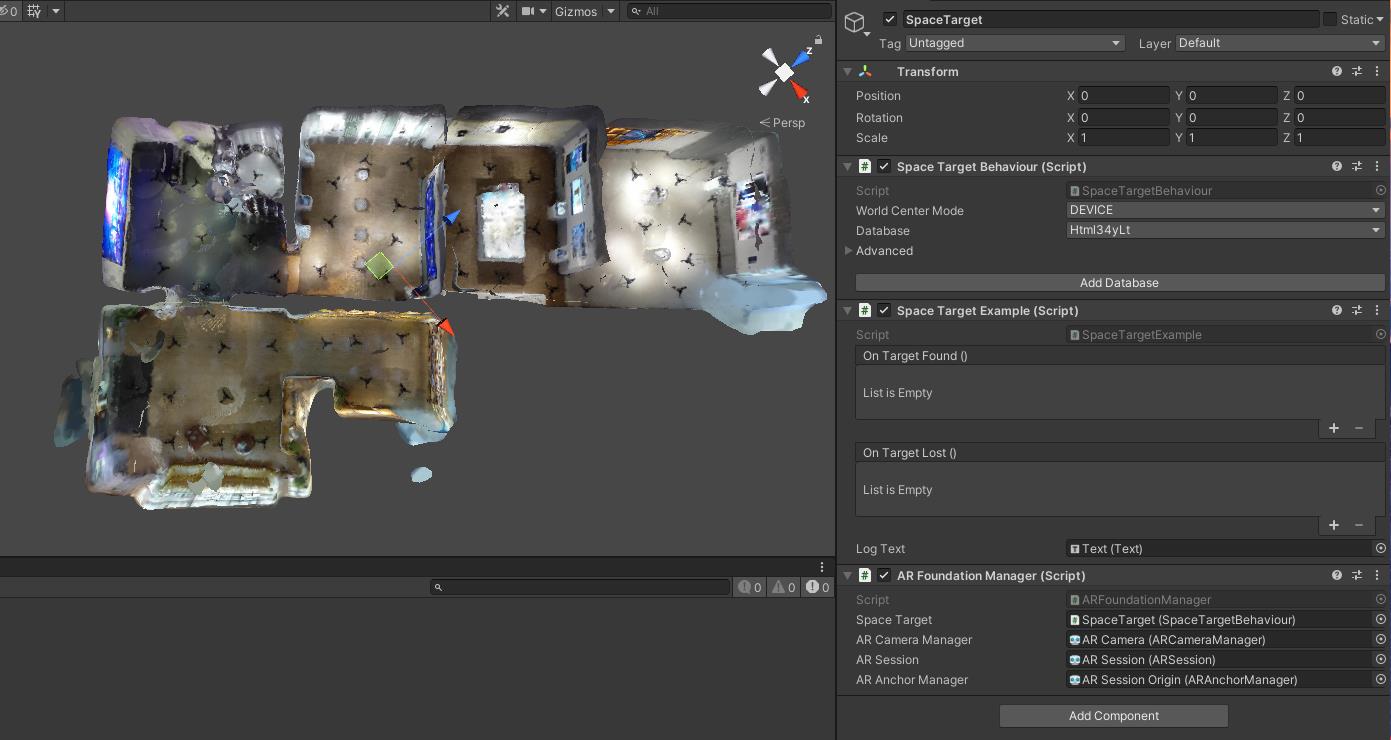
Parameter Description:
World Center Mode:DEVICE In this mode, in order to match the real world, Target will change its position at any time
TARGET In this mode,the Target position will not change, you need to specify the root node of ARCamera
Visible Database: Show/hide recognition dataAdd Occlusion:Add depth occlusion, occlude 3D content in the real world after checkingTransparent Database:Model transparencyShow Outline: Show model outlineAdd your contents,and set the content as child objects of SpaceTarget
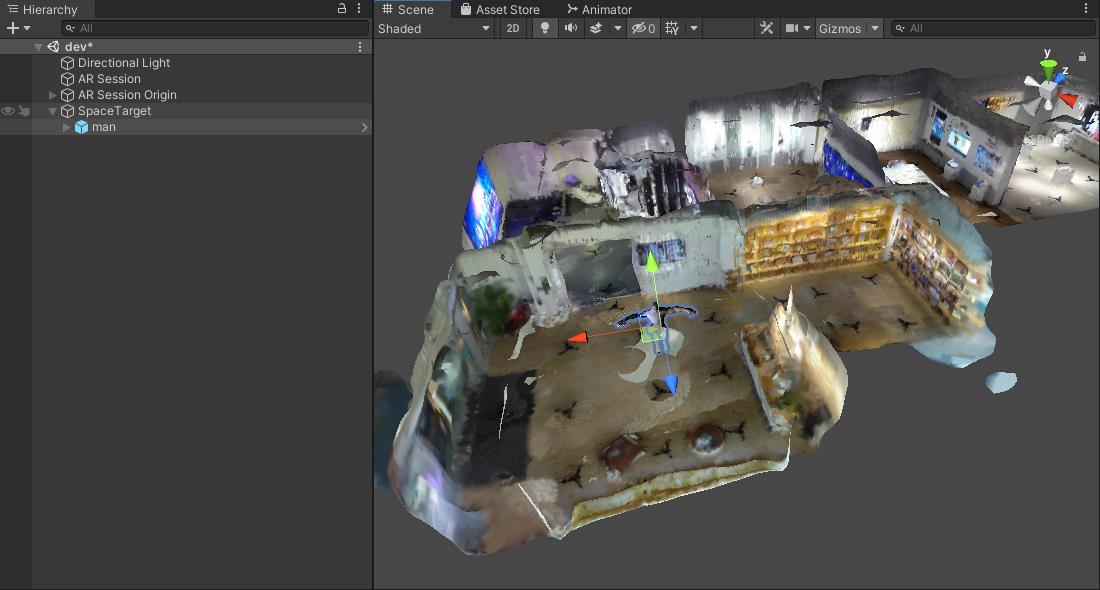
Build
Basic Setting
Select platform(Android/iOS)
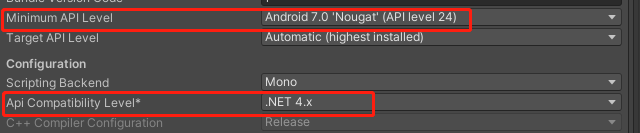
Check Player Settings -> Api Compatibility Level = .NET 4.x , If build for Android,Please set Android Minimum API Level = Android 7.0 +
Enjoy yourself!
Important !!!
If build for Android , Please read
To support Android 11(API level 30),When using these versions of ARCore with Unity 2018.4 or later , Unity requires Gradle 5.6.4 or later 。see detail ARCore page,Please refer to the following documents to set up your project to ensure successful Android compilation.
Unity 2020.1 or later
These versions are built with Gradle 5.6.4 or later and Gradle plugin 3.6.0 or later. No action is required.
Unity 2019.4
Go to Preferences > External Tools > Android > Gradle, and set the custom Gradle to Gradle 5.6.4 or later. See Gradle build tool for downloads.。How to download gradle,read Gradle。

Go to Project Settings > Player > Android tab > Publishing Settings > Build , and select both:
Custom Main Gradle TemplateCustom Launcher Gradle Template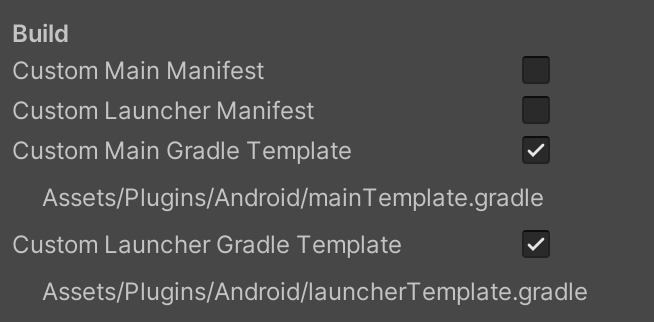
Apply the following changes to both generated files:
Assets/Plugins/Android/mainTemplate.gradleAssets/Plugins/Android/launcherTemplate.gradleOpen these file,If present, remove the following comment at the top of the file:
// GENERATED BY UNITY. REMOVE THIS COMMENT TO PREVENT OVERWRITING WHEN EXPORTING AGAINInsert the following lines at the top of the file:
buildscript {
    repositories {
        google()
        jcenter()
    }
    dependencies {
        // Must be Android Gradle Plugin 3.6.0 or later. For a list of
        // compatible Gradle versions refer to:
        // https://developer.android.com/studio/releases/gradle-plugin
        classpath 'com.android.tools.build:gradle:3.6.0'
    }
}

allprojects {
   repositories {
      google()
      jcenter()
      flatDir {
        dirs 'libs'
      }
   }
}
Using third-party AR SDK
SpaceTarget provides access to the third-party AR SDK , such as EasyAR , Vuforia 。Alse can access to the MR glasses,like NReal。
How to implement
Before implement, you need to know the following contents to ensure that the third-party AR SDK can provide the following contents .
- Intrinsics
Camera intrinsics:
	-  Resolution: RGB(AR) Cam RawTexture's resolution,Types:Vector2
	-  FocalLength: RGB(AR) Cam RawTexture's focal length,Types:Vector2
	-  PrincipalPoint: RGB(AR) Cam RawTextur's principal point,Types:Vector2
- Pose
Camera realtime pose:
	- Position: RGB(AR) Cam's position,Types:Vector3
	- Rotation: RGB(AR) Cam's rotation,Types:Quaternion
- RawTexture
	Rwa image:
	- RawImage:RGB(AR) Cam's raw image data,Types:Byte[]
Quick implement
If can meet the requirements of the implement instructions, you can follow the steps below to access the third-party SDK in your new project.
Interface
The interface script:IARBase.cs
namespace SpaceTarget.Runtime
{
	public interface IARBase
	{
		Pose ARCameraTrackingPose();
		ARBaseCameraIntrinsics ARCameraIntrinsics();
		ARBaseCameraImageData ARCameraRawImageData();
		ARBaseSessionTrackingState ARSessionTrackingState();
	}
}
Interface Description:
Pose ARCameraTrackingPose()
Camera pose,return is
UnityEngine.PoseARBaseCameraIntrinsics ARCameraIntrinsics()
Camera intrinsics,return is
SpaceTaget.Runtime.ARBaseCameraIntrinsicspublic struct Intrinsics { public Vector2Int resolution; public Vector2 focalLength; public Vector2 principalPoint; }ARBaseCameraImageData ARCameraRawImageData()
The raw image data , return is
SpaceTarget.Runtime.ARBaseCameraImageDatapublic struct CameraImageData { public byte[] rawImageData; public SupportedTextureFormat supportedTextureFormat; public CameraImageOrientation rawImageOrientation; } public enum SupportedTextureFormat { RGBA32 = 0, RGB24 = 1 } public enum CameraImageOrientation { NONE = 0, UPSIDE_DOWN = 1, LEFT = 2, RIGHT = 3 }Enumeration parameter selection description
SupportedTextureFormat:Supported texture format 。Please select the corresponding format according to the acquiredrawImageData,RGBA32andRGB24supported .CameraImageOrientation:The orientation of raw image .Please select the correct orientation .How to confirm the orientation of the raw image?
Usually the original image obtained from the CPU is not the "normal" orientation that we see with the naked eye. Due to the different algorithms of each ARSDK, the orientation may be inconsistent, so the fastest way to confirm the orientation is to save the obtained
rawImageDataEncoding as an image and view its orientation locally.If the raw image is normal orientation , please select
CameraImageOrientation = NONE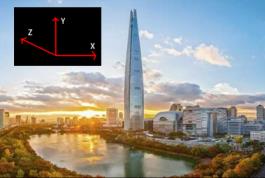
If the raw image is left orientation , please select
CameraImageOrientation = LEFT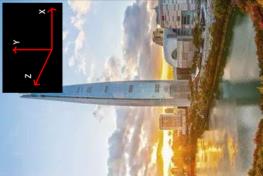
If the raw image is right orientation , please select
CameraImageOrientation = RIGHT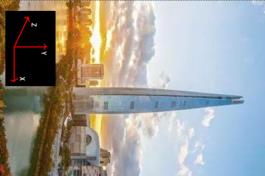
If the raw image is upside down , please select
CameraImageOrientation = UPSIDE_DOWN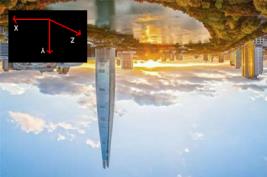
ARBaseSessionTrackingState ARSessionTrackingState()
ARSession's tracking state,Return is
SpaceTarget.Runtime.ARBaseSessionTrackingStatepublic enum ARBaseSessionTrackingState { NONE = 0, LIMITED = 1, TRACKING = 2 }
Interface Implemention
Implement the interface
According to the above interface description, please implement the interface according to the characteristics of the third-party SDK
IARBase.csTemplate:
SpaceTarget also provide an implemention template ThirdPartyARInterfaceTemplate.cs
Need demo ?
Please see ARKit、ARCore how to implement ARFoundationImplemention.cs
Create an interface provider for the implemented interface
Inheritance base class of interface provider
IARBaseProvider.cs:namespace SpaceTarget.Runtime { public interface IARBaseProvider { IARBase Create(); } }If your implement
ThirdPartyARInterfaceTemplate.cs,provider is like :public class ThirdPartyARProviderTemplate : IARBaseProvider { public IARBase Create() { return new ThirdPartyARInterfaceTemplate(); } }
Interface Instance
After the interface is implemented, congratulations, you only need a few lines of code to implement the call.
[SerializeField] SpaceTargetBehaviour spaceTargetBehaviour;
// Start is called before the first frame update
public virtual void Start()
{
	if (spaceTargetBehaviour != null)
	{
		IARBaseProvider mARProvider = new ThirdPartyARProviderTemplate();
		spaceTargetBehaviour.StartTracking(mARProvider);
	}
}
Samples
//to do
Comments
No comments yet. Be the first!
Sign in to join the conversation
Sign In