Quick Scene Switcher
Quick Scene Switcher streamlines scene navigation during development by providing a dedicated editor window for rapid scene switching without folder traversal. Add scenes to a customizable list with color-coded buttons for instant access, eliminating repetitive scene selection workflows and improving iteration speed.
com.kelvip.quick-scene-switcher 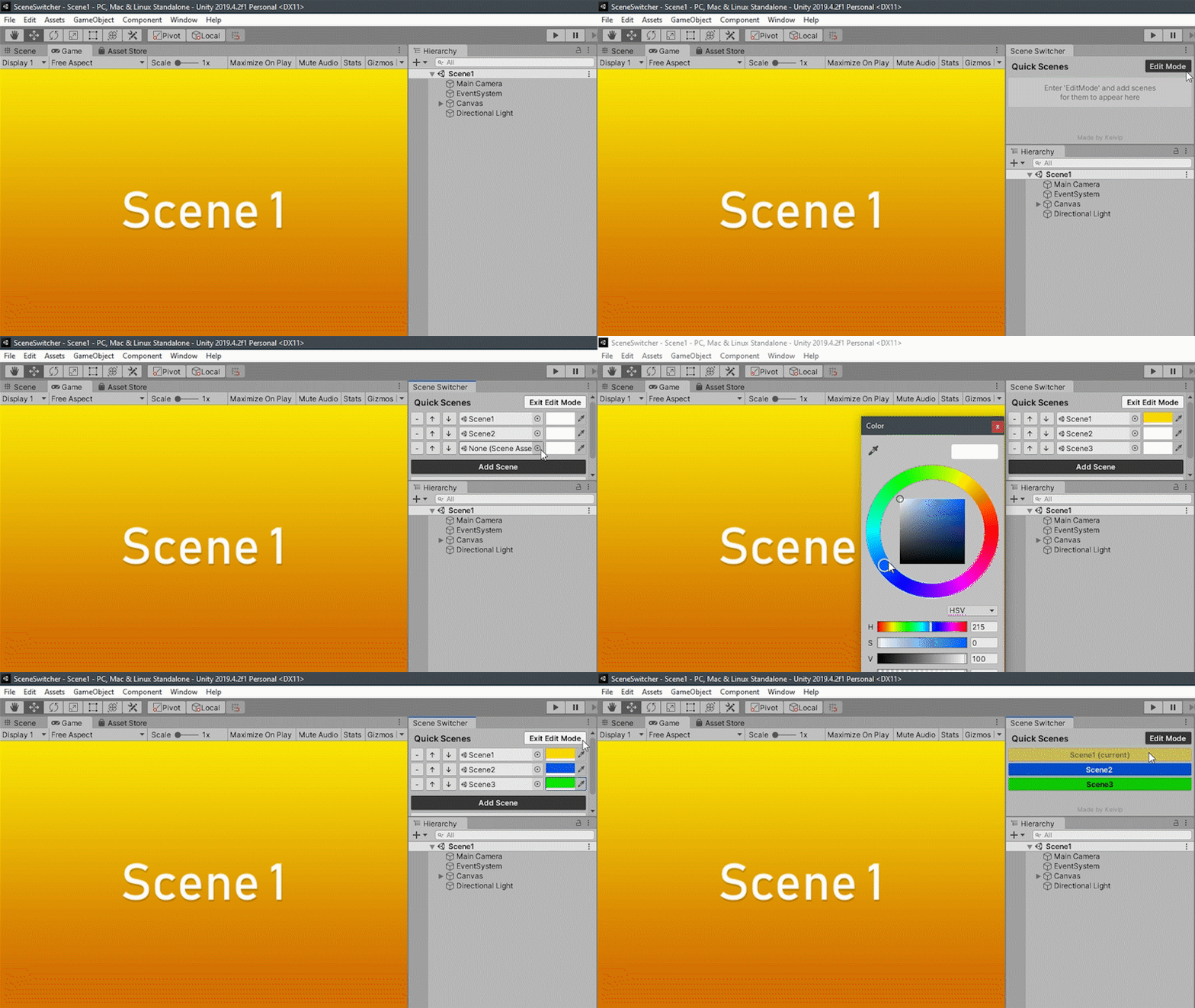
Install via UPM
Add to Unity Package Manager using this URL
https://www.pkglnk.dev/quick-scene-switcher.git#upm README Markdown
Copy this to your project's README.md

## Installation
Add **Quick Scene Switcher** to your Unity project via Package Manager:
1. Open **Window > Package Manager**
2. Click **+** > **Add package from git URL**
3. Enter:
```
https://www.pkglnk.dev/quick-scene-switcher.git#upm
```
[](https://www.pkglnk.dev/pkg/quick-scene-switcher)README
Quick Scene Switcher for Unity
A Unity tool for quickly switching between scenes without having to go through folders.
Installation
- Open the package manager
- Click the + and choose Add package from git URL
- Paste this URL: https://github.com/Kelvin-CD/Quick-Scene-Switcher.git#upm
- Wait for unity to install the package
- Done!
Manual Install
If your unity version doesn't have the option to Add package from git URL you can still add the package dependence manually:
- Go to YourProject/Packages and open manifest.json
- Add this dependency:
"com.kelvip.quick-scene-switcher": "https://github.com/Kelvin-CD/Quick-Scene-Switcher.git#upm",
- Save the file, go back into unity and wait for it to install the package
- Done!
Usage
To open the tool, click on the window tab inside unity and choose Quick Scene Switcher.
To add scenes you have to enter EditMode.
Then just click on Add Scene, and drag and drop a scene asset on to the slot.
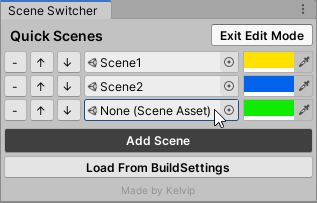
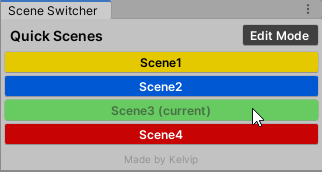
You can choose the color of each button by using the color pickers on the right.
That's it, have fun!
No comments yet. Be the first!