Custom Primitives
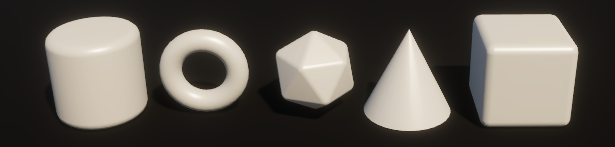
Extend Unity's primitive mesh library with additional 3D shapes including Torus, Cone, Smooth Cube, Smooth Isocahedron, and Smooth Cylinder. Create custom primitives directly from the Hierarchy context menu, and configure default materials and creation settings through the included Primitives Settings asset for streamlined workflow integration.
com.ltmx.primitives Install via UPM
Add to Unity Package Manager using this URL
https://www.pkglnk.dev/primitives.git README Markdown
Copy this to your project's README.md

## Installation
Add **Custom Primitives** to your Unity project via Package Manager:
1. Open **Window > Package Manager**
2. Click **+** > **Add package from git URL**
3. Enter:
```
https://www.pkglnk.dev/primitives.git
```
[](https://www.pkglnk.dev/pkg/primitives)README
Unity Custom Primitives
Easily create new Primitives

Primitives
Torus, Cone, Smooth Cube, Smooth Isocahedron, Smooth Cylinder
Instructions
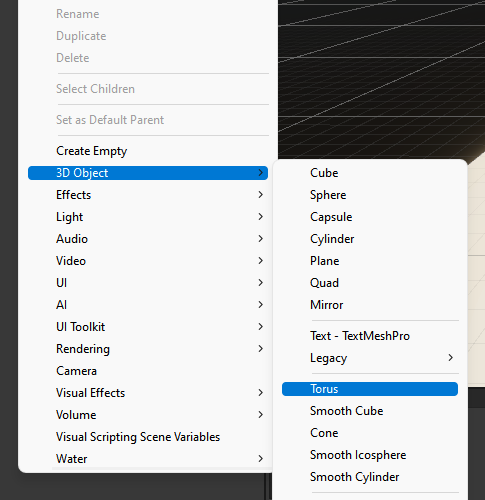
1 - In the Hierarchy window, right click in empty space or on a GameObject
2 - Select : 3D Object > Torus (or any other object)
Additional Features
1 - Inside the package folder, in Primitives > Objects, you can find a file named "Primitives Settings"
2 - There you can set the default material and other creation options
No comments yet. Be the first!