Noisy Nodes
Extend Unity Shader Graph with comprehensive noise generation capabilities, including Perlin, Simplex, Voronoi, and white noise nodes in 2D, 3D, and 4D variants. Streamline procedural texture creation and shader effects without writing custom shader code.
com.jimmycushnie.noisynodes 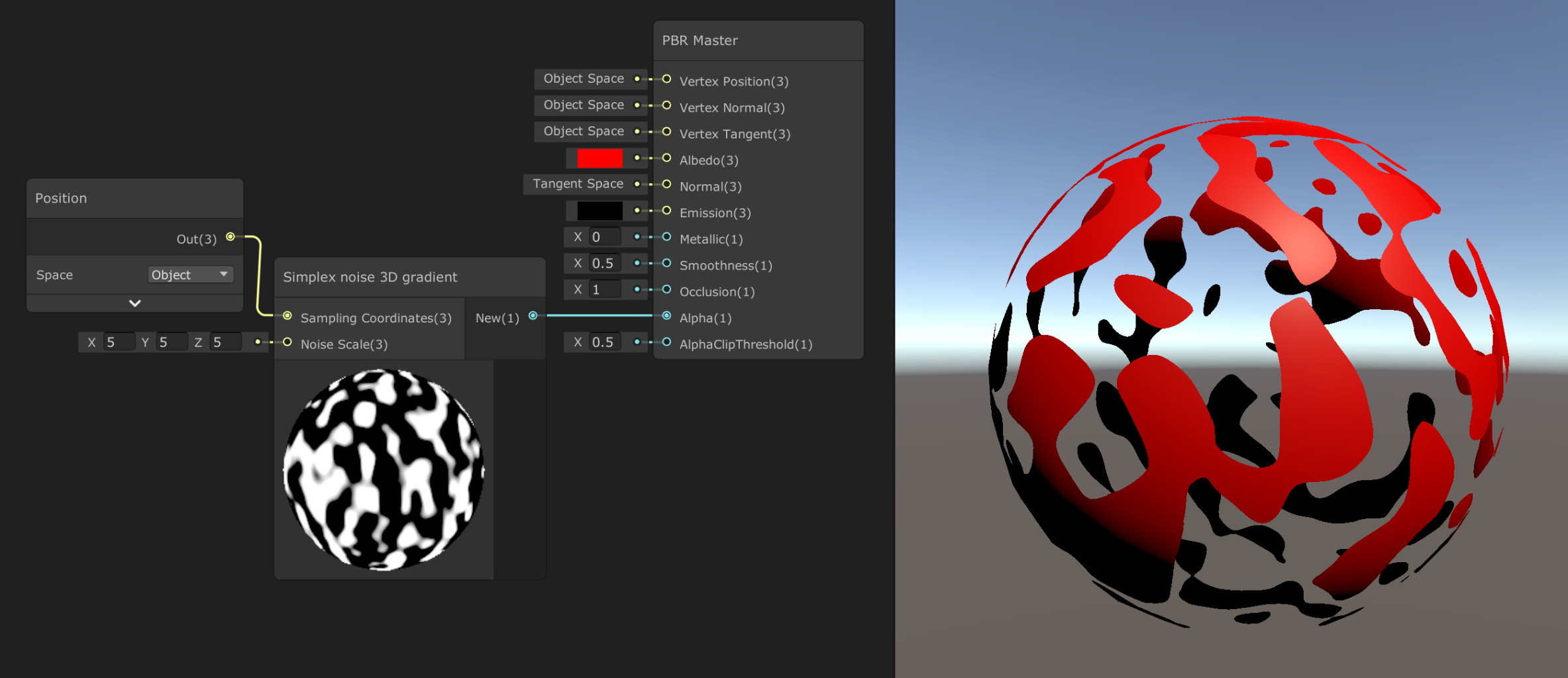
Install via UPM
Add to Unity Package Manager using this URL
https://www.pkglnk.dev/noisynodes.git README Markdown
Copy this to your project's README.md

## Installation
Add **Noisy Nodes** to your Unity project via Package Manager:
1. Open **Window > Package Manager**
2. Click **+** > **Add package from git URL**
3. Enter:
```
https://www.pkglnk.dev/noisynodes.git
```
[](https://www.pkglnk.dev/pkg/noisynodes)Dependencies (1)
README
Noisy Nodes
Adds various noise-generation nodes to Unity Shader Graph, including 3D noise nodes.
List of nodes
Perlin noise
Code from Noise Shader by @keijiro
- Perlin noise 2D
- Perlin noise 2D periodic
- Perlin noise 3D
- Perlin noise 3D periodic
Simplex noise
Code from Noise Shader by @keijiro
- Simplex noise 2D
- Simplex noise 2D gradient
- Simplex noise 3D
- Simplex noise 3D gradient
Voronoi Noise
Contributed by @fdervaux -- thank you! -- and based on this tutorial
- Voronoi noise 2D
- Voronoi noise 3D
- Voronoi noise 4D
- Voronoi precise noise 2D
- Voronoi precise noise 3D
- Voronoi precise noise 4D
White Noise
Contributed by @fdervaux -- thank you! -- and based on this tutorial
- White noise 2D
- White noise 3D
Installation
Download the whole repo and stick it in your project's Assets or Packages folder.
Alternatively, Noisy Nodes can be installed via the Unity Package Manager. In the top left of the Packages window, navigate to Add Package -> Add package from git URL and paste https://github.com/JimmyCushnie/Noisy-Nodes.git.
No comments yet. Be the first!