MoveNet Multipose
MediaPipe MoveNet multiple-pose detection in Unity Engine.
ai.natml.vision.movenet-multipose Install via UPM
Add to Unity Package Manager using this URL
https://www.pkglnk.dev/movenet-multipose.git README Markdown
Copy this to your project's README.md
Style
Preview 
## Installation
Add **MoveNet Multipose** to your Unity project via Package Manager:
1. Open **Window > Package Manager**
2. Click **+** > **Add package from git URL**
3. Enter:
```
https://www.pkglnk.dev/movenet-multipose.git
```
[](https://www.pkglnk.dev/pkg/movenet-multipose)README
MoveNet Multipose
MoveNet multiple body pose detection from Google MediaPipe.
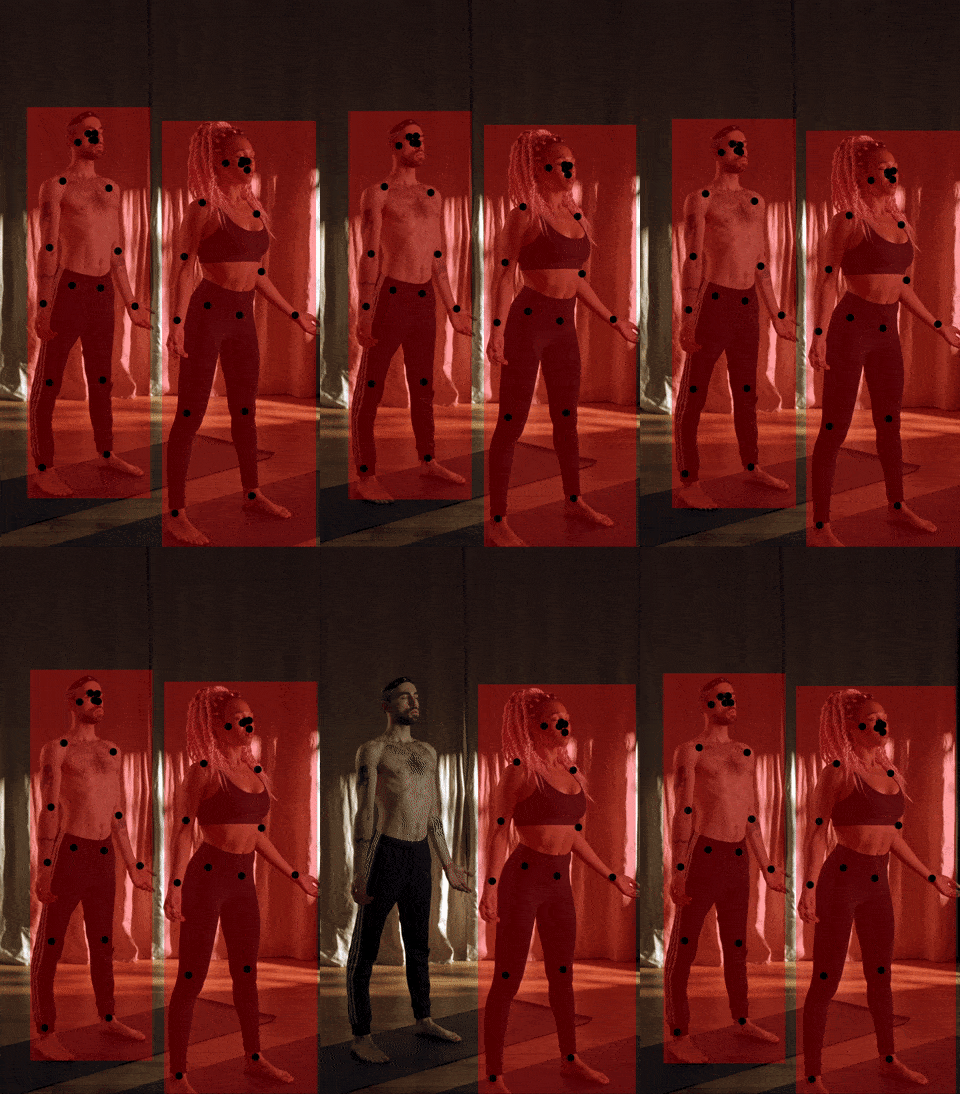
Predicting Poses in an Image
Install Function in your Unity project then create a Function client:
using Function;
using Newtonsoft.Json;
using Newtonsoft.Json.Linq;

// Create a Function client
var fxn = FunctionUnity.Create();
Then predict the poses in an image:
// Predict poses
var prediction = await fxn.Predictions.Create(
    tag: "@natml/movenet-multipose",
    inputs: new () { ["image"] = image.ToImage() }
);
var poseObjects = prediction.results[0] as JArray;
Finally, parse the detected poses with the Pose struct:
// Parse the detected poses
Pose[] poses = poseObjects.ToObject<Pose[]>(Pose.Serializer);
[!NOTE] Check out the schema of the returned poses.
Requirements
- Unity 2022.3+
Supported Platforms
- Android API level 24+
- iOS 14+
- macOS 12+ (Apple Silicon and Intel)
- Windows 10+ (64-bit only)
- WebGL:
- Chrome 91+
- Firefox 90+
- Safari 16.4+
Resources
- Join the Function community on Discord.
- See the Function documentation.
- Check out Function on GitHub.
- Email support at hi@fxn.ai.
Thank you very much!
Comments
No comments yet. Be the first!
Sign in to join the conversation
Sign In