BizSim Google Play Install Referrer
Unity package for Google Play Install Referrer API (v2.2). Install attribution and UTM campaign tracking with connect-read-disconnect state machine, local caching, and GDPR consent toggle.
com.bizsim.google.play.installreferrer 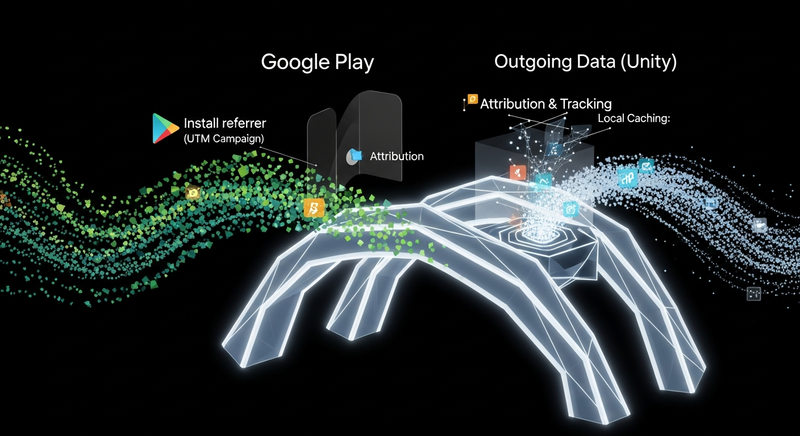
Install via UPM
Add to Unity Package Manager using this URL
https://www.pkglnk.dev/installreferrer.git README Markdown
Copy this to your project's README.md

## Installation
Add **BizSim Google Play Install Referrer** to your Unity project via Package Manager:
1. Open **Window > Package Manager**
2. Click **+** > **Add package from git URL**
3. Enter:
```
https://www.pkglnk.dev/installreferrer.git
```
[](https://www.pkglnk.dev/pkg/installreferrer)README
BizSim Google Play Install Referrer Bridge


Unity bridge for the Google Play Install Referrer API (v2.2). Retrieves install attribution data including UTM parameters, install timestamps, and referrer URLs.
⚠️ Unofficial package. This is a community-built Unity bridge for the Google Play Install Referrer API. It is not an official Google product.
Features
- Java-to-C# Bridge — Full lifecycle management with state machine (IDLE → CONNECTING → CONNECTED → IDLE)
- UTM Parsing — Automatic extraction of
utm_source,utm_medium,utm_campaign,utm_content,utm_term - Smart Caching — Persistent cache with
appInstallTime+sdkVersionvalidation - Retry Logic — Exponential backoff (3 attempts) for transient failures
- Editor Testing — Mock config ScriptableObject with preset scenarios
- Debug Menu — Runtime IMGUI overlay for on-device testing
- Pluggable Architecture — Interfaces for analytics, caching, and DI support
Installation
Option 1: Git URL (recommended)
In Unity Editor: Window > Package Manager > + > Add package from git URL...
Enter:
https://github.com/BizSim-Game-Studios/com.bizsim.google.play.installreferrer.gitOr add directly to
Packages/manifest.json:"com.bizsim.google.play.installreferrer": "https://github.com/BizSim-Game-Studios/com.bizsim.google.play.installreferrer.git"
Option 2: Local path
"com.bizsim.google.play.installreferrer": "file:../path/to/com.bizsim.google.play.installreferrer"
After Installation
- In Unity Editor: Assets > External Dependency Manager > Android Resolver > Force Resolve
- (Optional) Add
BIZSIM_FIREBASEto Scripting Define Symbols for Firebase Analytics integration
Quick Start
Add
InstallReferrerControllerto a persistent GameObject.Fetch referrer data:
var data = await InstallReferrerController.Instance.FetchInstallReferrerAsync();
Debug.Log($"Source: {data.UtmSource}, Campaign: {data.UtmCampaign}");
Requirements
- Unity 6000.0 or later
- Android target platform
- EDM4U (External Dependency Manager for Unity) — required to resolve the native Android dependency
com.android.installreferrer:installreferrer:2.2at build time. Without EDM4U, the Maven artifact will not be included and you'll getClassNotFoundExceptionat runtime. - Google Play Install Referrer library 2.2 (resolved automatically via
Editor/Dependencies.xml)
Use Cases
Friend Invitation / Referral System
Use utm_source to identify who referred the install. The inviter shares a deep link containing their user ID as the UTM source. On first launch, the invited player receives an instant reward; the inviter earns a reward when the invited player reaches a milestone level.
var data = await InstallReferrerController.Instance.FetchInstallReferrerAsync();

if (!data.IsOrganic && data.UtmCampaign == "invite")
{
    string inviterUserId = data.UtmSource;
    GrantInstantRewardToInvitee();
    RegisterInviterForMilestoneReward(inviterUserId);
}
Other Common Scenarios
| Scenario | UTM Strategy | Example |
|---|---|---|
| Ad Campaign Attribution | utm_source=facebook, utm_campaign=summer_sale |
Measure which ad network drives the most installs and tune ad spend |
| Cross-Promotion | utm_source=other_game, utm_medium=cross_promo |
Track installs from your other games and reward cross-install bonuses |
| Influencer Tracking | utm_source=influencer_name, utm_medium=youtube |
Attribute installs to specific creators and calculate ROI per influencer |
| A/B Store Listing | utm_campaign=listing_v2, utm_content=new_icon |
Compare conversion rates between different Play Store listing variants |
| Pre-Registration | utm_campaign=preregister |
Identify pre-registered users and grant exclusive launch rewards |
| Seasonal Events | utm_campaign=halloween_2026 |
Identify users who installed during a promotion — unlock rewards server-side |
⚠️ Security Note: Never encode reward types, amounts, or bonus identifiers in UTM parameters. Referral links are user-visible and trivially editable. Use UTM data only for identification (who invited, which campaign) — all reward logic must live server-side or in game config.
Google Play Data Safety
Data Collected
This package collects the following data via the Google Play Install Referrer API:
| Data | Purpose | Example |
|---|---|---|
| Referrer URL | Install attribution | utm_source=google&utm_medium=cpc |
| UTM parameters | Campaign tracking | utm_source, utm_medium, utm_campaign, utm_content, utm_term |
| Install timestamps | Attribution timing | Client-side and server-side click/install times |
| Install version | Version tracking | 1.0.84 |
Data NOT Collected or Shared
- No personal data (name, email, phone) is collected by this package
- No data is shared with third parties — all data stays on-device in local cache
- No network calls are made by this package (the referrer API is a local IPC call to Google Play)
Local Cache
- Referrer data is cached locally in
PlayerPrefs(or encryptedPlayerPrefsif_useEncryptedCacheis enabled) - Cache has a 90-day TTL — referrer data is immutable per install, so a long TTL is safe
- Cache is invalidated on app reinstall or SDK version change
GDPR Compliance
- Right to erasure: Call
ClearCachedData()to delete all cached referrer data - Consent management: Call
SetConsentGranted(false)to revoke consent — this also clears cached data and blocks future fetches - Data minimization: Use
LogReferrerFetchedMinimal()analytics adapter method to log onlyutm_source,utm_medium,utm_campaign, andIsOrganic— excluding raw URLs, timestamps, and granular UTM fields
Play Console Data Safety Form
When filling out the Data Safety form in Google Play Console:
- Data types: Select "Other app info and performance" → "Other diagnostic data"
- Collection purpose: Analytics / App functionality
- Shared with third parties: No
- Encrypted: Yes (if
_useEncryptedCacheis enabled) - Users can request deletion: Yes (via
ClearCachedData()/SetConsentGranted(false))
License
This package's C# and Java source code is licensed under the MIT License — Copyright (c) 2026 BizSim Game Studios.
Third-Party Licenses
This package does not bundle any Google SDK binaries. The native Android dependency is resolved at build time by EDM4U from the Google Maven repository (maven.google.com):
| Dependency | Version | License |
|---|---|---|
com.android.installreferrer:installreferrer |
2.2 | Apache License 2.0 |
The Install Referrer library provides access to Google Play's Install Referrer API via local IPC. It makes no network calls — all communication happens between your app and the Google Play Store app on the device.
For full third-party license details, see NOTICES.md.
Comments
No comments yet. Be the first!
Sign in to join the conversation
Sign In