HPTK
Hand Physics Toolkit (HPTK) enables modular, physics-based hand interactions for VR, AR, and standard applications. Platform and input-independent, it supports hand tracking and controllers with configurable physics, realistic gesture detection, and seamless avatar integration across any scale.
com.jorgejgnz.hptk 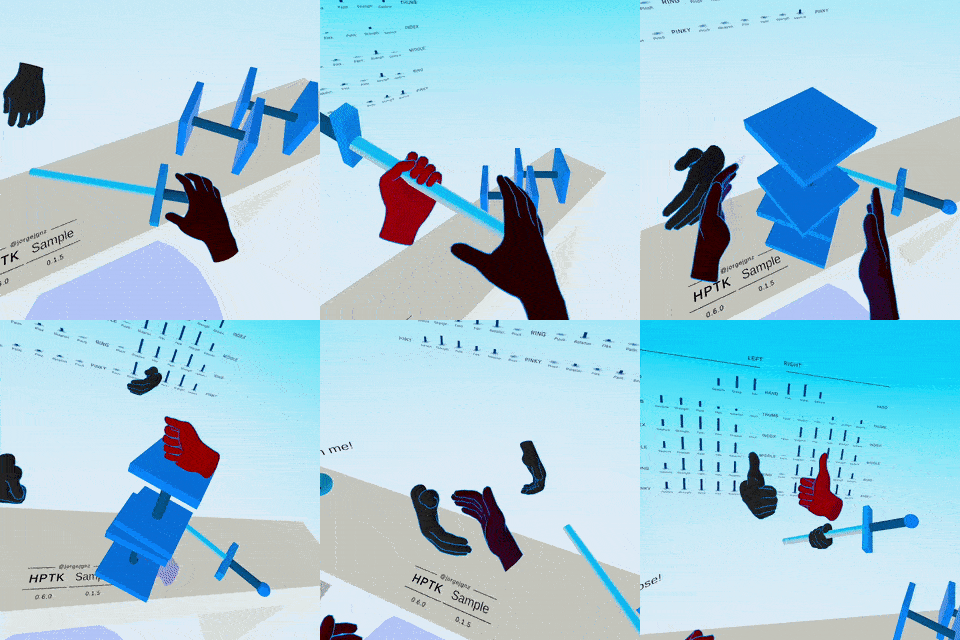
Install via UPM
Add to Unity Package Manager using this URL
https://www.pkglnk.dev/hptk.git README Markdown
Copy this to your project's README.md

## Installation
Add **HPTK** to your Unity project via Package Manager:
1. Open **Window > Package Manager**
2. Click **+** > **Add package from git URL**
3. Enter:
```
https://www.pkglnk.dev/hptk.git
```
[](https://www.pkglnk.dev/pkg/hptk)README






Hand Physics Toolkit (HPTK) is a toolkit to implement hand-driven interactions in a modular and scalable way. Platform-independent. Input-independent. Scale-independent. Can be combined with MRTK-Quest for UI interactions.
A ready-to-go project is available at HPTK-Sample.
⚠️ Project Status: No longer maintained
This project is no longer actively maintained or supported. If you want to continue the development, feel free to make a fork. Thanks to everyone who contributed, used or supported this project!
Main features
- Data model to access parts, components or calculated values with very little code
- Code architecture based on MVC-like modules. Support to custom modules
- Platform-independent. Tested on VR/AR/non-XR applications
- Input-independent. Use hand tracking or controllers
- Pupettering for any avatar or body structure
- Scale-independent. Valid for any hand size
- Realistic configurable hand physics
- Define strategies to deal with tracking loss
- Physics-based hover/touch/grab detection
- Tracking noise smoothing
Documentation
Some documentation entries:
Supported versions
- Unity 2022
- Unity 2019-2021 (Legacy)
Supported input
Hand tracking
- Meta Quest - Android
- Leap Motion - Standalone
Controllers
- Oculus Touch
- WMR
- Vive
- OpenVR
Supported render pipelines
- Universal Render Pipeline (URP)
- Standard RP
Getting started with HPTK (Oculus Quest)
- Obtain HPTK
- Change ProjectSettings & BuildSettings
- Import the built-in integration packge (if needed)
- Drag & drop the default setup to your scene
- Build and test
Check documentation for a detailed step-by-step guide.
Author
Jorge Juan González
Acknowledgements
Oxters Wyzgowski - GitHub - Twitter
Michael Stevenson - GitHub
Andreea Muresan, Jess Mcintosh, and Kasper Hornbæk. 2023. Using Feedforward to Reveal Interaction Possibilities in Virtual Reality. ACM Trans. Comput.-Hum. Interact. 30, 6, Article 82 (December 2023), 47 pages. https://doi.org/10.1145/3603623
Nasim, K, Kim, YJ. Physics-based assistive grasping for robust object manipulation in virtual reality. Comput Anim Virtual Worlds. 2018; 29:e1820. https://doi.org/10.1002/cav.1820
Linn, Allison. Talking with your hands: How Microsoft researchers are moving beyond keyboard and mouse. The AI Blog. Microsoft. 2016 https://blogs.microsoft.com/
No comments yet. Be the first!