HGS Grid
HGS Grid implements hexagonal and squared grid systems using cube coordinates, enabling seamless conversion between grid cells and world positions. Features include multi-layout support, shape utilities for efficient iteration, and straightforward APIs for coordinate transformations in your Unity projects.
com.hgs.grid 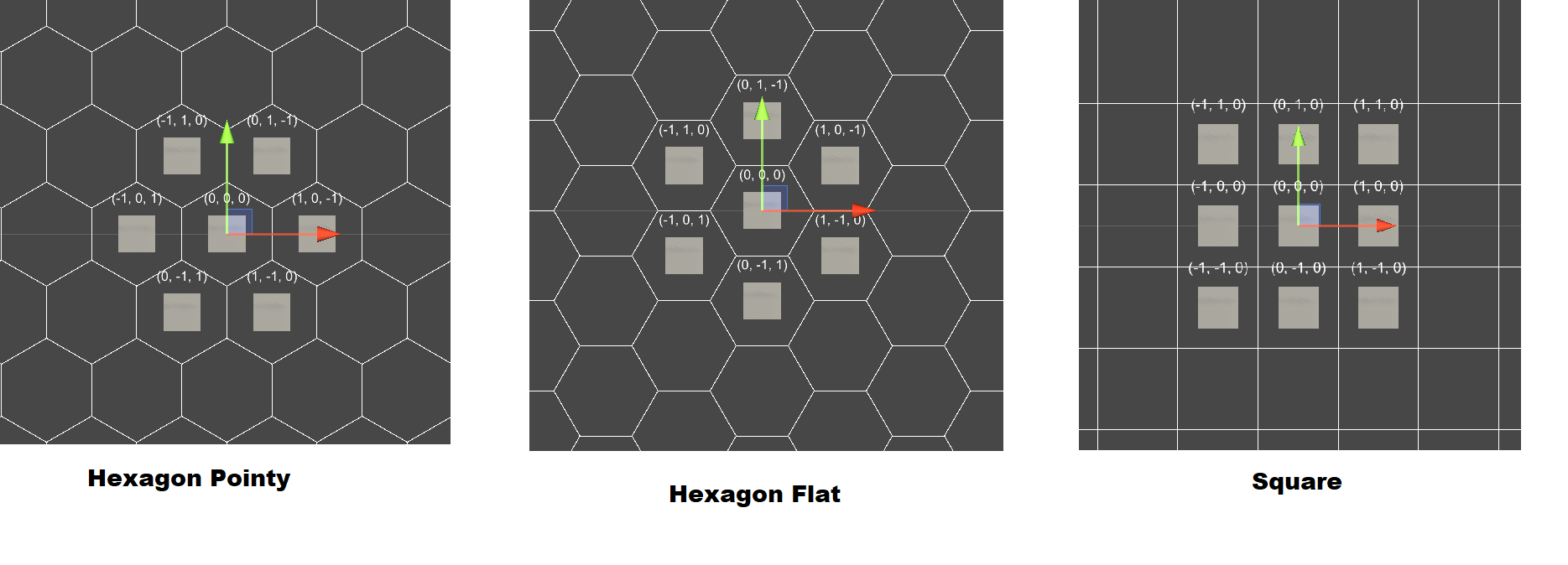
Install via UPM
Add to Unity Package Manager using this URL
https://www.pkglnk.dev/grid.git#upm README Markdown
Copy this to your project's README.md

## Installation
Add **HGS Grid** to your Unity project via Package Manager:
1. Open **Window > Package Manager**
2. Click **+** > **Add package from git URL**
3. Enter:
```
https://www.pkglnk.dev/grid.git#upm
```
[](https://www.pkglnk.dev/pkg/grid)README


Introduction
HGS Grid has implements hexagonal and squared matrix based on www.redblobgames.com/grids/hexagons.
Coord System
For convenience this package uses Cube Coordinates. You can define coordinates using Vector3Int.
For sample:
var center = new Vector3Int(0,0,0);
var left = new Vector3Int(-1,0,1);
var right = new Vector3Int(1,0,-1);
MultiGrid
This component is used to manage a coord system, you can easily convert Cube Coordinate to Unity World Position and vice versa.
Attributes
| Attribute | Type | Description |
|---|---|---|
cellSize |
Vector3 |
Size of cell inside grid |
cellLayout |
Enum |
Change grid layout to hexagonor squared |
Methods
| Attribute | Type | Description |
|---|---|---|
GetLines() |
Vector3[] |
Get all sides of cell inscribed inside circle. |
GetCorners() |
Vector3[] |
Get all corner of cell inscribed inside circle |
GetCorner(int corner) |
Vector3 |
Get specific corner of cell inscribed inside circle |
CellToWorld(Vector3Int cell) |
Vector3 |
Converts a Cube Coordinate to Unity World Position |
WorldToCell(Vector3 world) |
Vector3Int |
Converts a Unity World Position to Cube Coordinate |
Cell Layouts
Coordinate to World Space
To convert a coordinate to Unity World Space, you can:
public class CoordSetter: MonoBehaviour
{
  [SerializeField] MultiGrid grid;

  void Start(){
    var coord = new Vector3Int(0,0,0);
    var worldPos = grid.CellToWorld(coord);
    transform.position  = worldPos;
  }
}
World Space to Coord
To extract a coordinate from Unity World Space, you can:
public class CoordGetter: MonoBehaviour
{
  [SerializeField] MultiGrid grid;

  void Start(){
    var coord = grid.WorldToCell(transform.position);
    Debug.Log("Coord: "+coord);
  }
}
ShapeUtility
With ShapeUtility, you can iterate shapes without complexity.:
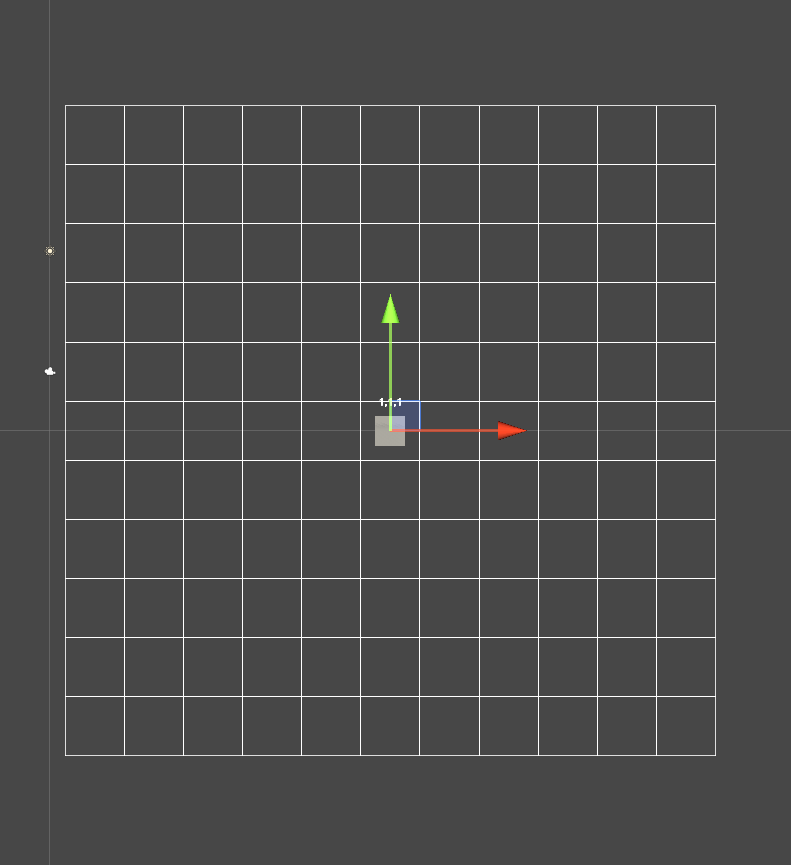
Draw Square
ShapeUtility.Square(
  left: -5,
  right: 5,
  top: -5,
  bottom: 5,
  // DrawCell doesn't exists, it's just a pseudocode
  callback: (coord) => Gizmos.DrawCell(coord);
);
Result on screen:
Draw Square Hex Flat
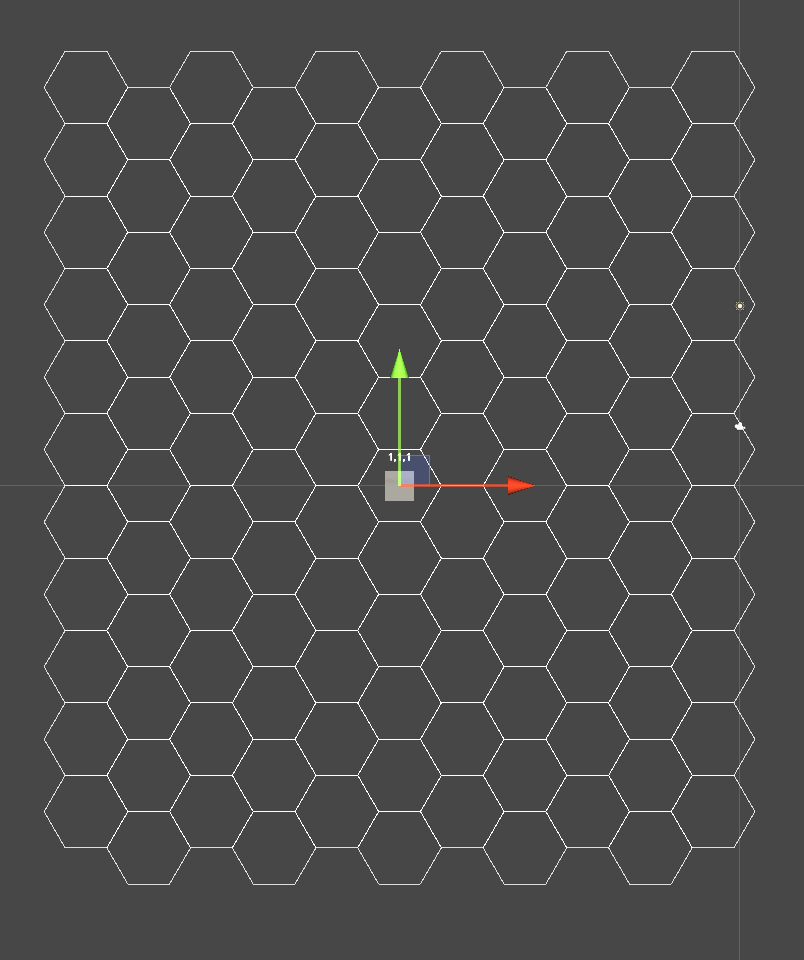
ShapeUtility.SquareHexFlat(
  left: -5,
  right: 5,
  top: -5,
  bottom: 5,
  // DrawCell doesn't exists, it's just a pseudocode
  callback: (coord) => Gizmos.DrawCell(coord);
);
Result on screen:
Draw Square Hex Pointy
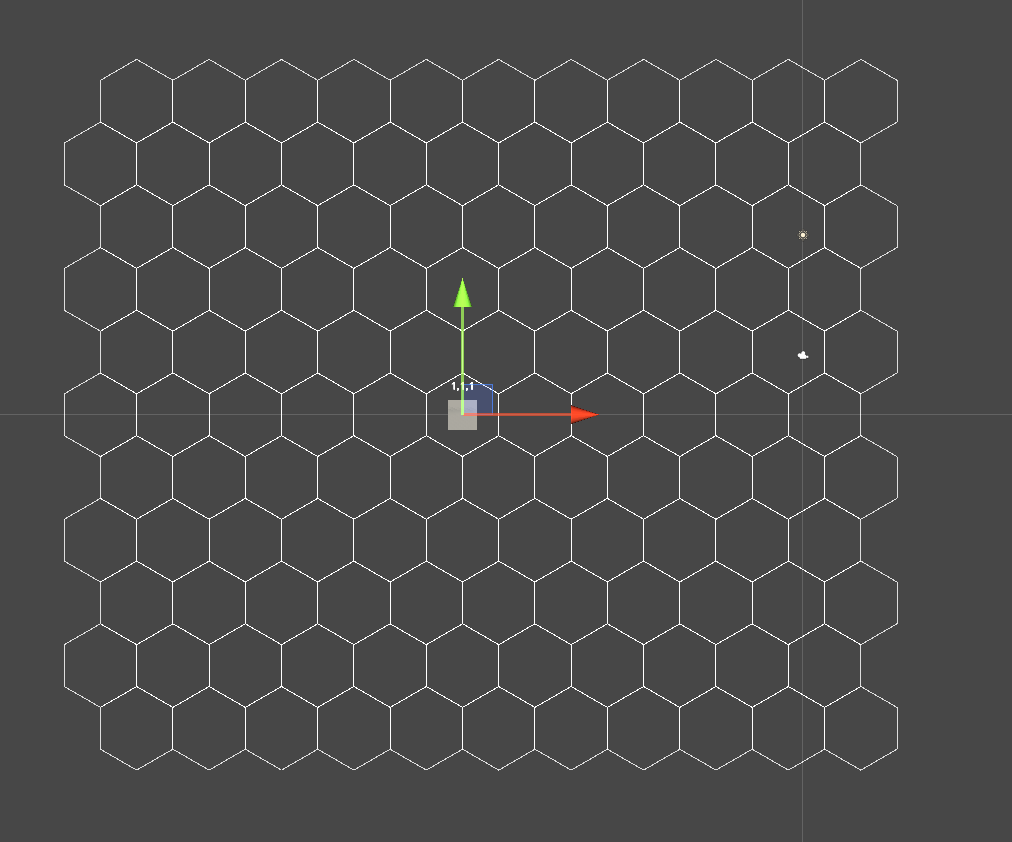
ShapeUtility.SquareHexPointy(
  left: -5,
  right: 5,
  top: -5,
  bottom: 5,
  // DrawCell doesn't exists, it's just a pseudocode
  callback: (coord) => Gizmos.DrawCell(coord);
);
Result on screen:
Map
Installation
OpenUPM:
openupm add com.hgs.grid
Package Manager:
https://github.com/homy-game-studio/hgs-unity-grid.git#upm
Or specify version:
https://github.com/homy-game-studio/hgs-unity-grid.git#1.0.0
Samples
You can see all samples directly in Package Manager window.
Contrib
If you found any bugs, have any suggestions or questions, please create an issue on github. If you want to contribute code, fork the project and follow the best practices below, and make a pull request.
Namespace Convention
To avoid script collisions, all scripts of this package is covered by HGS.GridSystem namespace.
Branchs
master-> Keeps the unity project to development purposes.upm-> Copy of folder contentAssets/Packageto release after pull request inmaster.
Whenever a change is detected on the master branch, CI gets the contents of Assets/Package, and pushes in upm branch.
Commit Convention
This package uses semantic-release to facilitate the release and versioning system. Please use angular commit convention:
<type>(<scope>): <short summary>
  │       │             │
  │       │             └─⫸ Summary in present tense. Not capitalized. No period at the end.
  │       │
  │       └─⫸ Commit Scope: Namespace, script name, etc..
  │
  └─⫸ Commit Type: build|ci|docs|feat|fix|perf|refactor|test
Type.:
- build: Changes that affect the build system or external dependencies (example scopes: package system)
- ci: Changes to our CI configuration files and scripts (example scopes: Circle, - BrowserStack, SauceLabs)
- docs: Documentation only changes
- feat: A new feature
- fix: A bug fix
- perf: A code change that improves performance
- refactor: A code change that neither fixes a bug nor adds a feature
- test: Adding missing tests or correcting existing tests
No comments yet. Be the first!