Giezi's Github Issue Bug Reporter
Automatically create GitHub issues directly from your Unity game with screenshots and player logs. Press F12 to manually report bugs or let the tool capture errors automatically with customizable popup behavior and background reporting options.
ch.giezi.tools.githubissuebugreporter 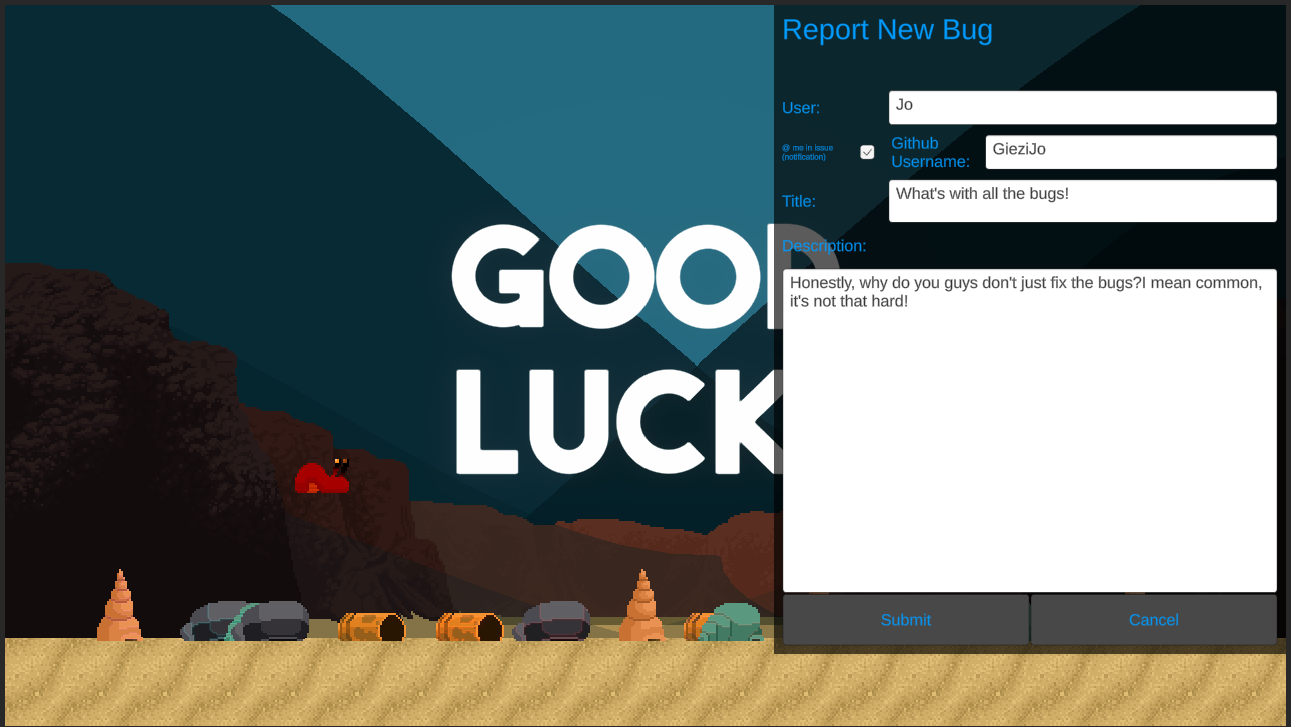
Install via UPM
Add to Unity Package Manager using this URL
https://www.pkglnk.dev/githubissuebugreporter.git README Markdown
Copy this to your project's README.md

## Installation
Add **Giezi's Github Issue Bug Reporter** to your Unity project via Package Manager:
1. Open **Window > Package Manager**
2. Click **+** > **Add package from git URL**
3. Enter:
```
https://www.pkglnk.dev/githubissuebugreporter.git
```
[](https://www.pkglnk.dev/pkg/githubissuebugreporter)Dependencies (5)
README
Github Issues Bug Reporter
Bug reporter for Unity which automagically creates a new issue on Github with a screenshot of the current situation in the game, as well as a description provided by the player.
Description
This package allows to manually push F12 in game and/or on any error, pause the game and open a bug reporting GUI:
The GUI asks for the following informations:
- User: the name you want to be displayed as person having submitted the bug.
- Github issue mention toggle: if enabled, you get a "@" mention in the issue and get a notification in Github.
- Title: the title of your issue.
- Description: describe the issue to the best of your ability.
- Adding the Player log to the error message.
- Submitting and canceling buttons.
Additionally the bug description is tagged with the application's current version for faster filtering.
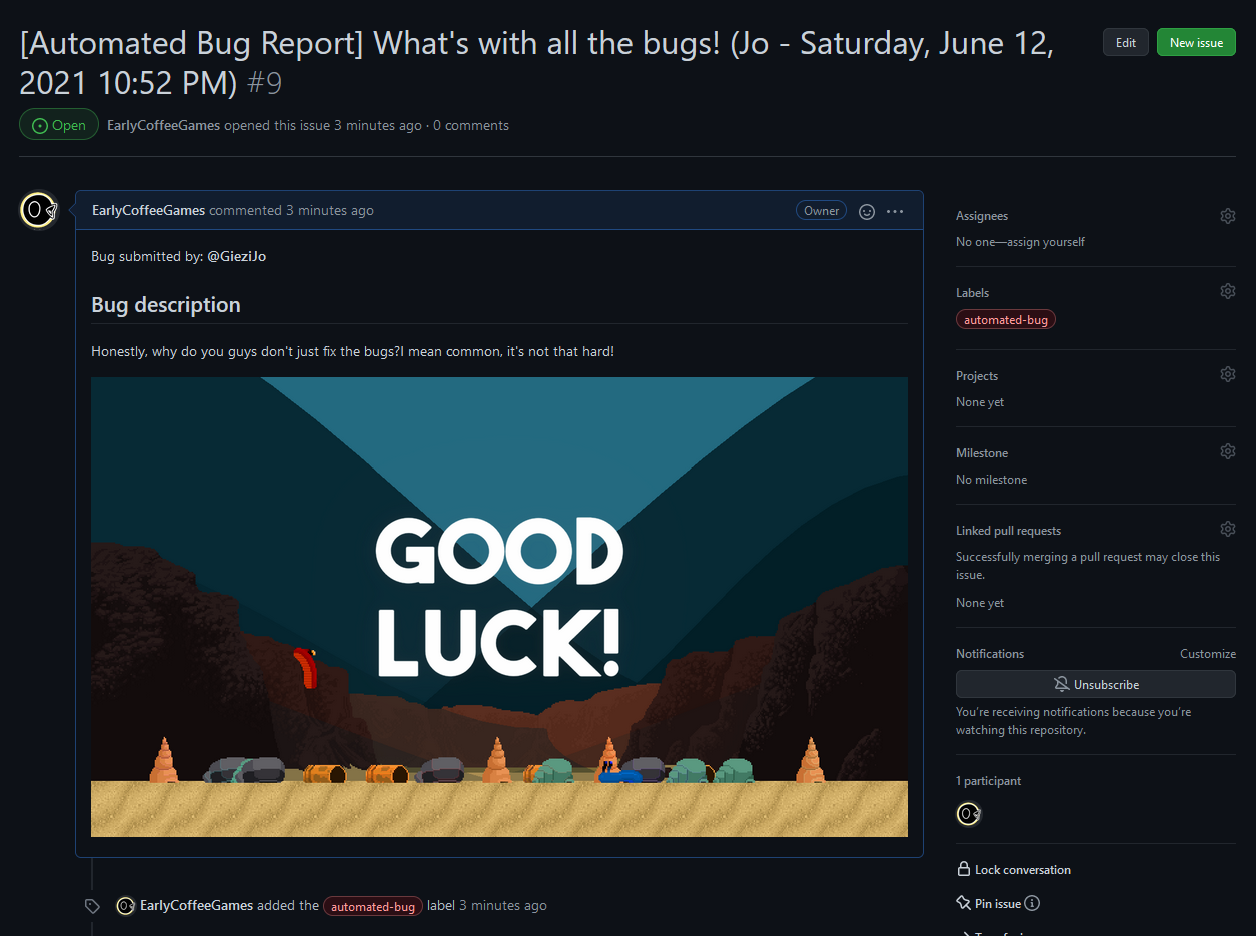
After hitting submit, an issue is created on github with a screenshot of the game:
An article describing the implementation is to be found here: https://earlycoffee.games/blog/2021_06_12_bugreportingtool/
Additional features
Automatic popup on Error
The bug reporter will also automatically popup on any error. If this is not wanted, there are two ways to disable it:
- within Unity, add the define
GIEZI_TOOLS_DISABLE_ON_ERROR_POPUPto the defines list. This option can be set in the option dialogue (see below). - wherever in code, set the player pref variable
Giezi.Tools.GithubBugReporter.PopupOnErrorto0:
PlayerPrefs.SetInt("Giezi.Tools.GithubBugReporter.PopupOnError", 0);
you can use this to enable and disable this feature in a menu.
Background error reporting
Setting the player pref variable Giezi.Tools.GithubBugReporter.ErrorPopupInBackground to 1 will prevent the GUI to be displayed, and will simply generate an error report without addition info (username, description, etc.). In place a small message pops up Bug Reported.
This value is to be set in code, and should be done with the user's consent. Best practice is a dialogue at the begining of the game asking for the User's preference, and an option to change in menu.
Installation
Using Unity's package manager
Add the line
"ch.giezi.tools.githubissuebugreporter": "https://github.com/GieziJo/GithubIssueBugReporter.git#master"
to the file Packages/manifest.json under dependencies, or in the Package Manager add the link https://github.com/GieziJo/GithubIssueBugReporter.git#master under + -> "Add package from git URL....
Setup
Setup repo data
You need to provide certain informations to where the issues and screenshots should be sent.
Go to Tools > GieziTools > Github Bug Reporter and fill in the different fields:
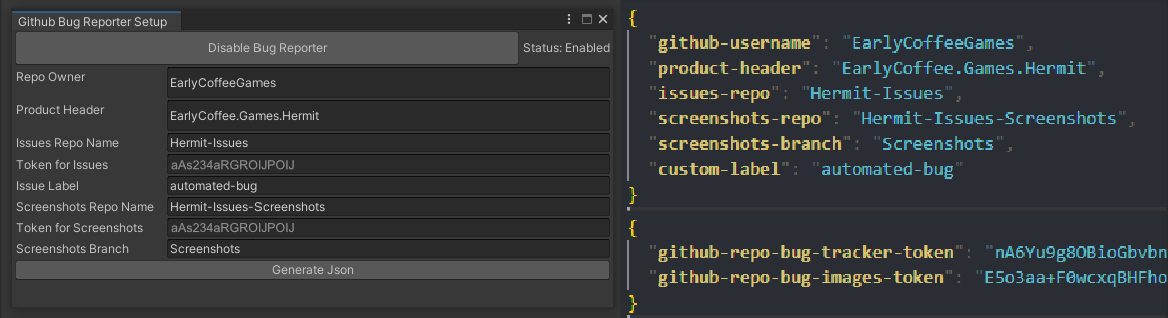
Once you click the Generate Json button, the tool will generate the two Json files Assets/Resources/GieziTools.GithubIssueBugReporter/GithubInfos.json and Assets/Resources/GieziTools.GithubIssueBugReporter/GithubAccessTokens.json and along with a .gitignore file containing the following two lines:
GithubAccessTokens.json
GithubAccessTokens.json.meta
This way the access tokens in the Json file won't be committed to Github. Remove the .gitignore file if you think this should be the case.
The tokens are encrypted before getting stored in the Json file, but I'm open to suggestions how to better handle this.
DISCLAIMER: I'm an absolute noob in terms of web security so let me know if things could be done in a better way!
Input System
Make sure the supported devices in the input system settings is either empty or contains Keyboard and Mouse, otherwise you won't be able to interact with the bug reporter.
Known issues and tweaks to be made
List of known issues
Improve way tokens are stored and accessed
Comments
No comments yet. Be the first!
Sign in to join the conversation
Sign In