FMOD Event/GUID Swapper

This FMOD patch will add a "Swap" button to [FMODUnity.EventRef] property which facilitates swapping Event Path with the more robust GUID. This patch also facilitates working with GUID as the default event path by modifying how the event is picked from EventBrowser. Patch has been tested and verified in FMOD Version 2.01.05 up to 2.01.07.
com.doubleshot.fmodeventguidswapper Install via UPM
Add to Unity Package Manager using this URL
https://www.pkglnk.dev/fmodeventguidswapper.git README Markdown
Copy this to your project's README.md

## Installation
Add **FMOD Event/GUID Swapper** to your Unity project via Package Manager:
1. Open **Window > Package Manager**
2. Click **+** > **Add package from git URL**
3. Enter:
```
https://www.pkglnk.dev/fmodeventguidswapper.git
```
[](https://www.pkglnk.dev/pkg/fmodeventguidswapper)README
FMOD Unity - Event / GUID Swapper
Description
This FMOD patch will add a Swap button to [FMODUnity.EventRef] property which facilitates swapping Event Path with the more robust GUID.
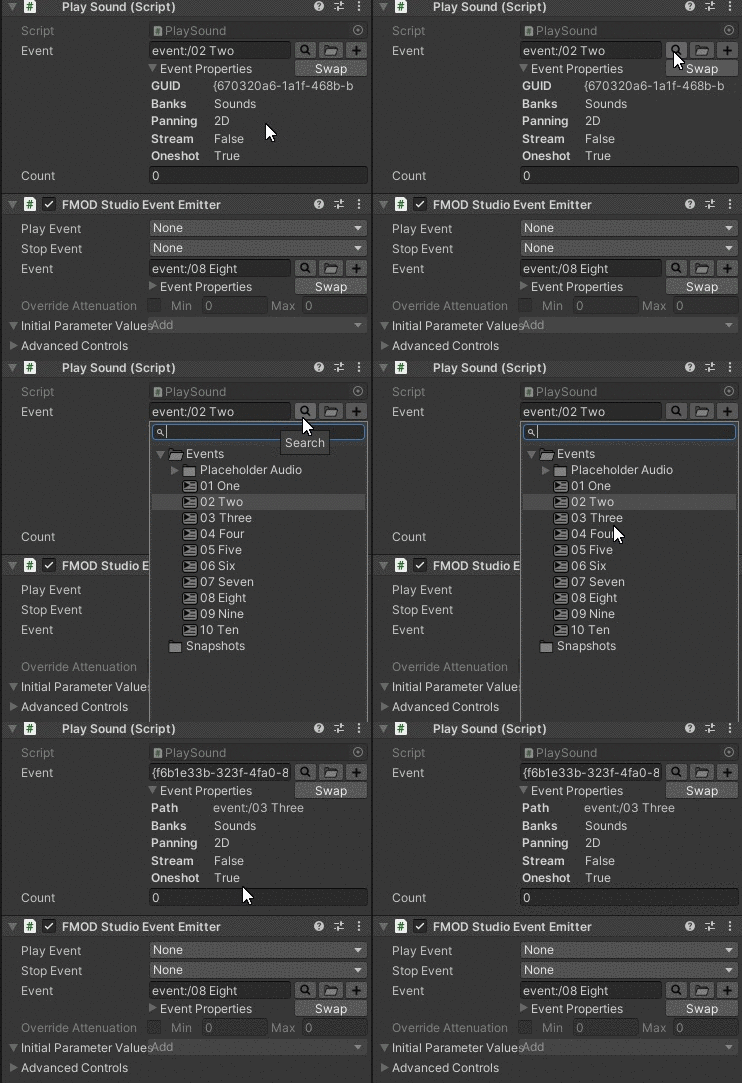
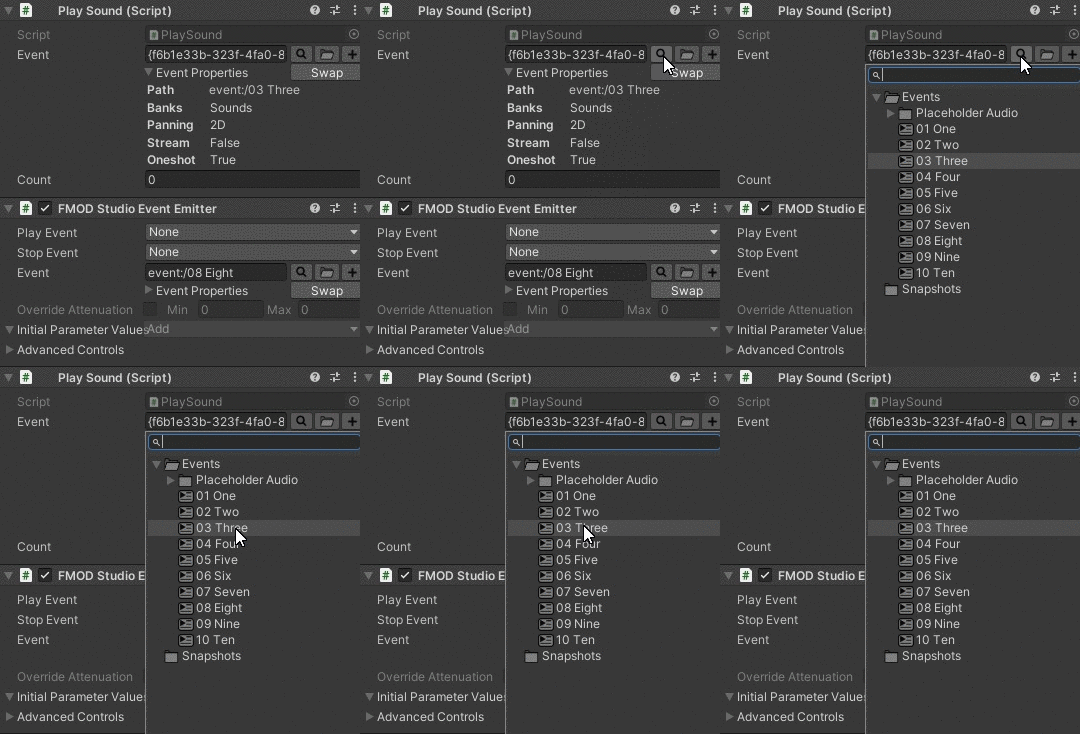
Starting with version 1.1.0 I am also proud to announce that this version will add the capabilities of having GUID Workflow! The GUID of the event will be used automatically when you select/drag the event. To help workflow even more, when you click on the Search button beside the path entry field, the Event Browser will jump to the name of the event correctly.*
Swap button and GUID workflow patch has been tested and verified in FMOD 2.01.05 and 2.01.07 (Unity Verified)
NOTE: Starting from FMOD 2.01.09 you won't need this patch anymore if you set your Event Linkage to GUID! :heart_eyes:
How to install
- Download the .unitypackage and import it to your Unity project.
- Add package using the built in Unity Package Manager with git url
https://github.com/made-indrayana/fmod-unity-event-guid-swapper.git - Clone/download the whole repository and add package using the built in Unity Package Manager with "Add Package from disk" by choosing the
package.jsonfile.
How to use
After importing the package / .unitypackage, you will have a new Double Shot menu in your Unity Editor. Click there and go to Double Shot > FMOD > Patcher > Event to GUID Swapper. It will then ask if you want to apply the patch and just click OK. If you ever changed your mind for whatever reason and want to change your workflow back to normal Event Paths, just untick the option Use GUID as Event Path in Double Shot > FMOD.
...a wild Swap Button appears!
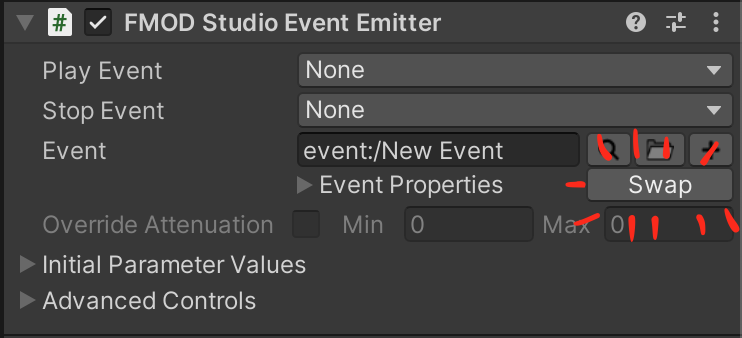
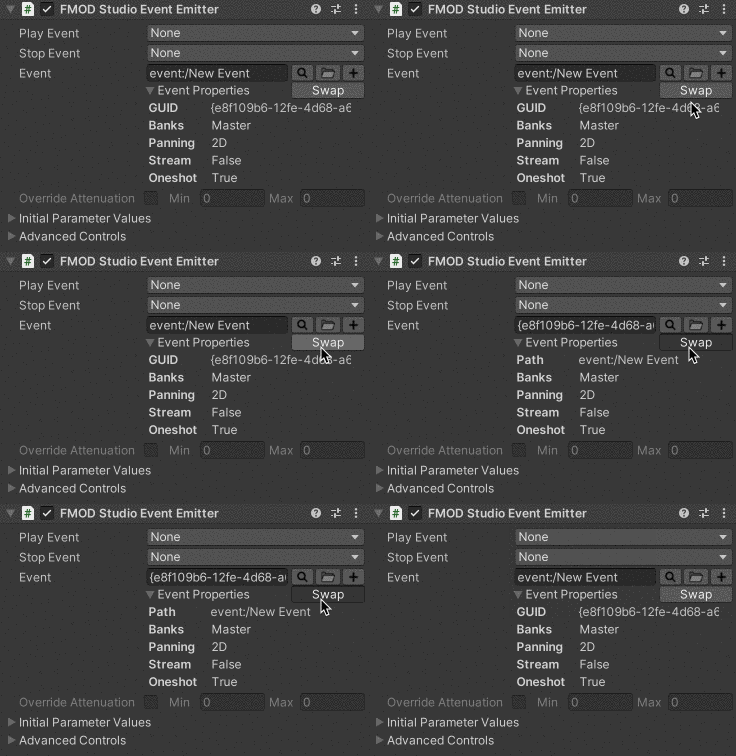
Swap button in action:
Picking Event will use its GUID automatically (FMOD 2.01.05 and 2.01.07):
Clicking search on a GUID Event will jump to its referenced Event (FMOD 2.01.05 and 2.01.07):
Comments
No comments yet. Be the first!
Sign in to join the conversation
Sign In