Colorful Folders
Very simple utility to set custom colors for Project window folders
com.wwrzal.colorfulfolders 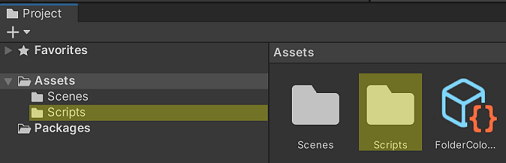
Install via UPM
Add to Unity Package Manager using this URL
https://www.pkglnk.dev/colorfulfolders.git README Markdown
Copy this to your project's README.md

## Installation
Add **Colorful Folders** to your Unity project via Package Manager:
1. Open **Window > Package Manager**
2. Click **+** > **Add package from git URL**
3. Enter:
```
https://www.pkglnk.dev/colorfulfolders.git
```
[](https://www.pkglnk.dev/pkg/colorfulfolders)README
ColorfulFolders
ColorfulFolders is a very simple Unity utility to set custom colors for Project window folders.
Installation
ColorfulFolder can be added to a project via Package Manager.
Download to disk and use "Add package from disk..." and navigate to downloaded project "package.json" file.
Or use "Add package from git URL..." and enter https://github.com/wwrzal/ColorfulFolders.git.
Usage
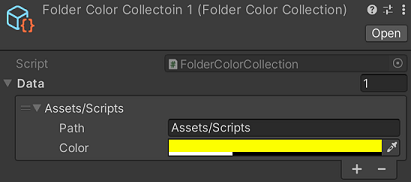
Crate scriptable objects of type FolderColorCollection (RMB > Create > ColorfulFolders > FolderColorCollection).
Add an entry to its Data member.
Set Path property to full path of the folder to color (e.g. Assets/Scripts).
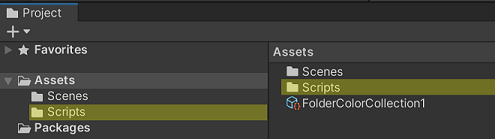
Set Color property to desired color. As this solution simply draws colored rectangle over the item the color should probably be transparent.
Example

No comments yet. Be the first!