ME.BECS

ME.BECS is a high-performance Entity Component System (ECS) framework optimized for Burst compilation and parallel execution. It delivers zero-GC allocations, deterministic gameplay, and networking support through fast world serialization and rollback capabilities. Includes comprehensive addons for transforms, pathfinding, fog of war, units, and effects, plus powerful editor tools for hierarchy inspection, replay analysis, and component debugging.
com.me.becs Install via UPM
Add to Unity Package Manager using this URL
https://www.pkglnk.dev/becs.git 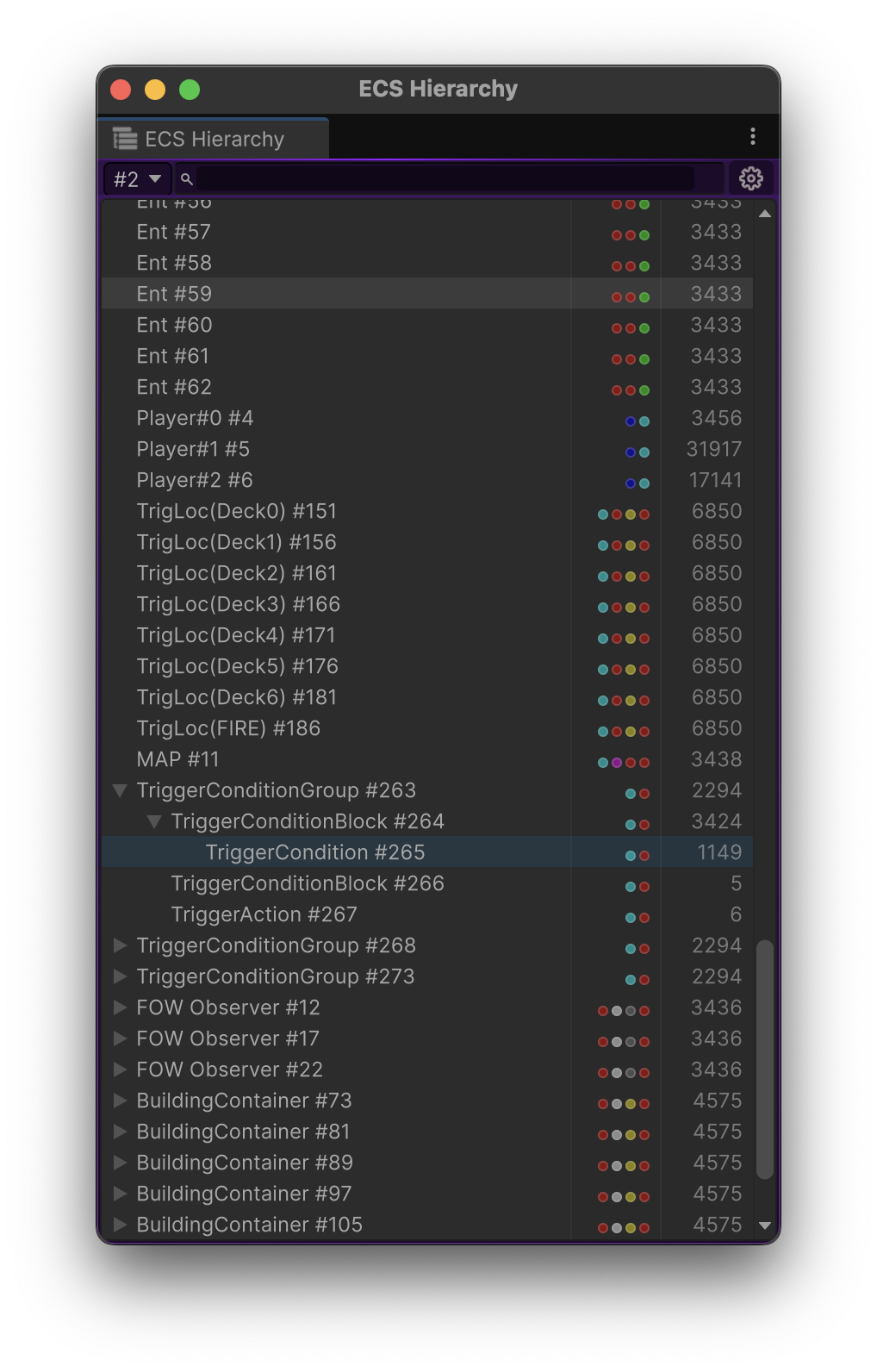
README Markdown
Copy this to your project's README.md

## Installation
Add **ME.BECS** to your Unity project via Package Manager:
1. Open **Window > Package Manager**
2. Click **+** > **Add package from git URL**
3. Enter:
```
https://www.pkglnk.dev/becs.git
```
[](https://www.pkglnk.dev/pkg/becs)Dependencies (5)
README
 |
Bursted Entity Component SystemRecommened version Unity 6
|


 Benefits
- You can use all API in Burst and in parallel mode without copying data to Native Arrays;
- Clone/Serialize world very fast;
- Deterministic;
- Networking & Rollbacks;
- Very fast runtime;
- Zero GC allocations, 99% unsafe and using custom allocators;
- Views module which allows you to draw prefabs on the scene.
Addons
- Transforms
- Pathfinding
- FogOfWar
- Trees (like a quadtree or octree)
- Units API
- Units attack sensors API
- Bullets API
- Unit commands API
- Players/Teams API
- Effects API
Editor Features
Hierarchy
ECS Hierarchy allows you to see the current entities in each world. With the help of the hierarchy you can see how entities are nested inside each other and filter them using the search bar.
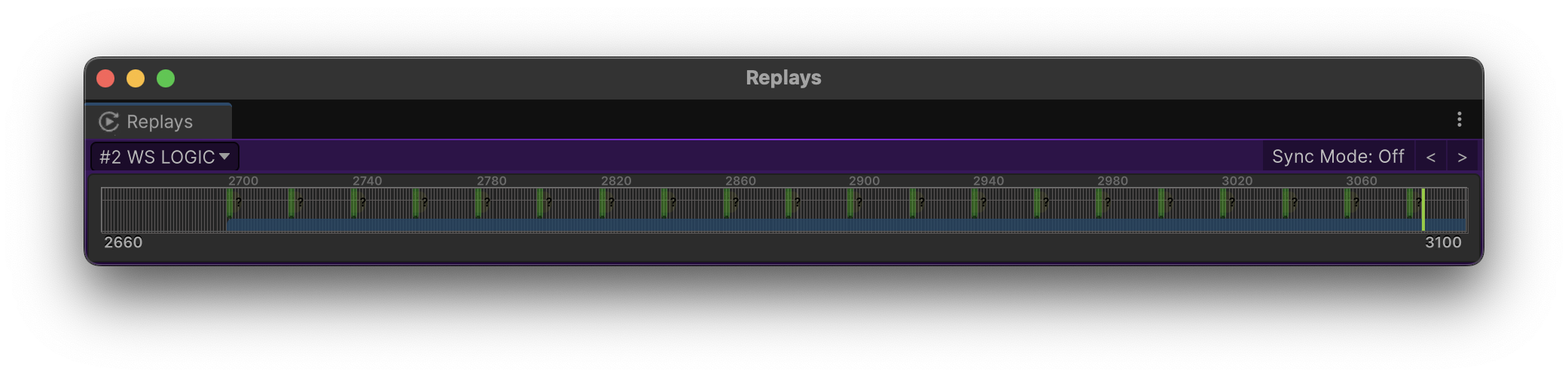
Replays
Replays window allows you to see local and remote input actions, remove them if it is nessesary, and allows you to choose ticks in a past or in the future at runtime.
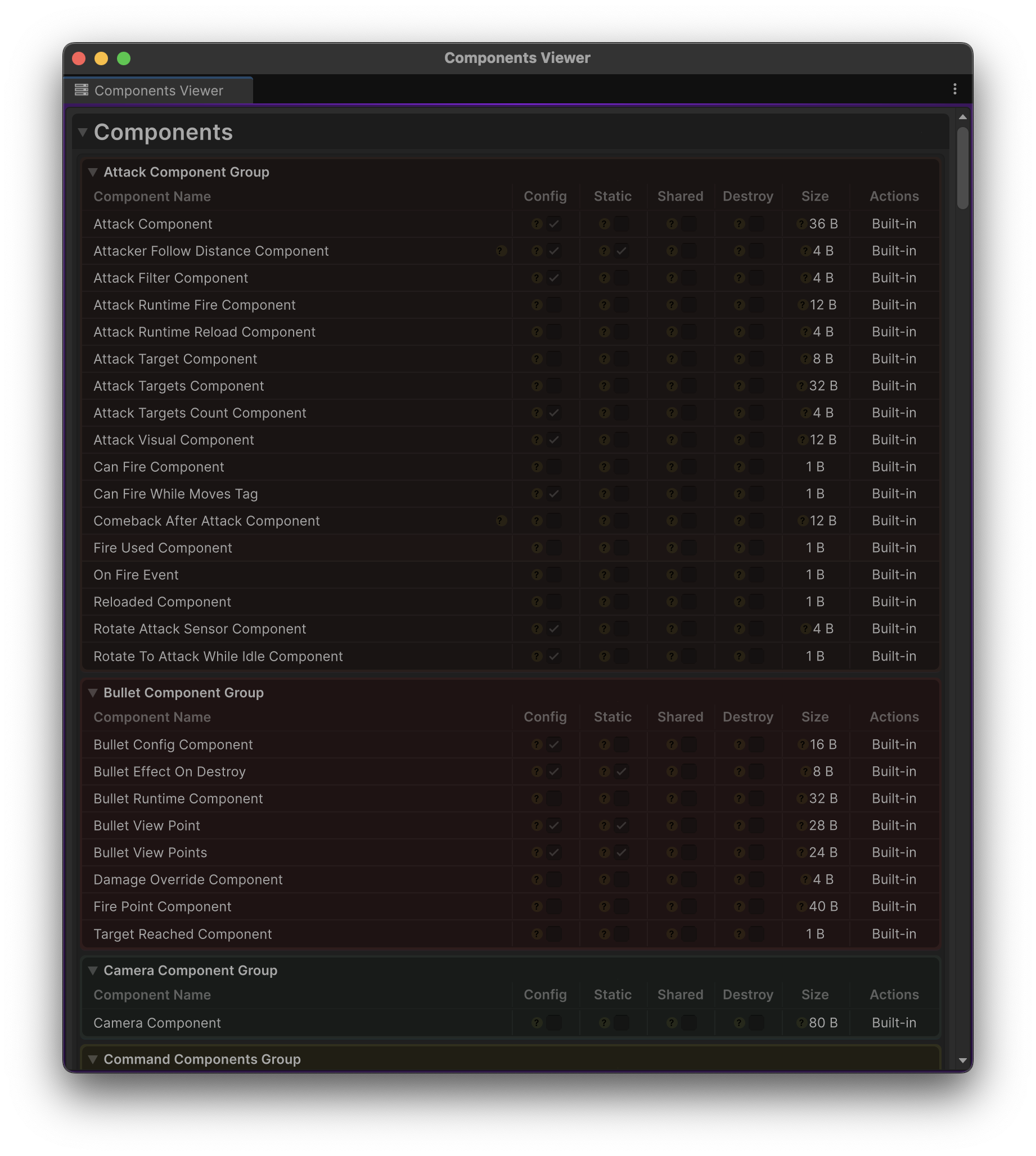
Components Viewer
Components Viewer allows you to see all components and aspects in the project. This window shows type of components, allows you to leave editor comments for them and shows per field info.
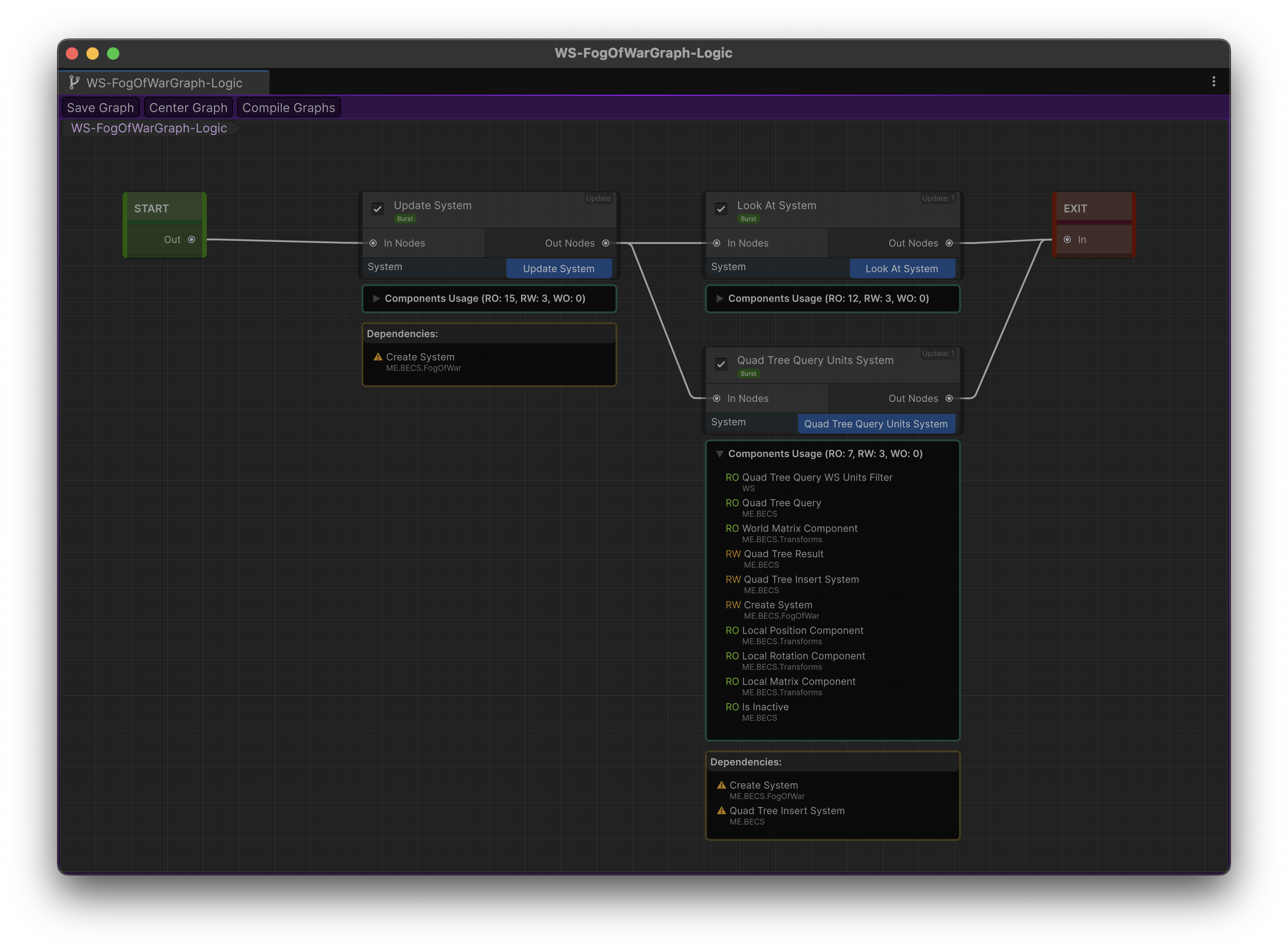
Graph Editor
Graph Editor allows you to manage systems, their connections and data.
This is a main tool used by Code Generation to make all connections and dependencies run as fast as possible at runtime.
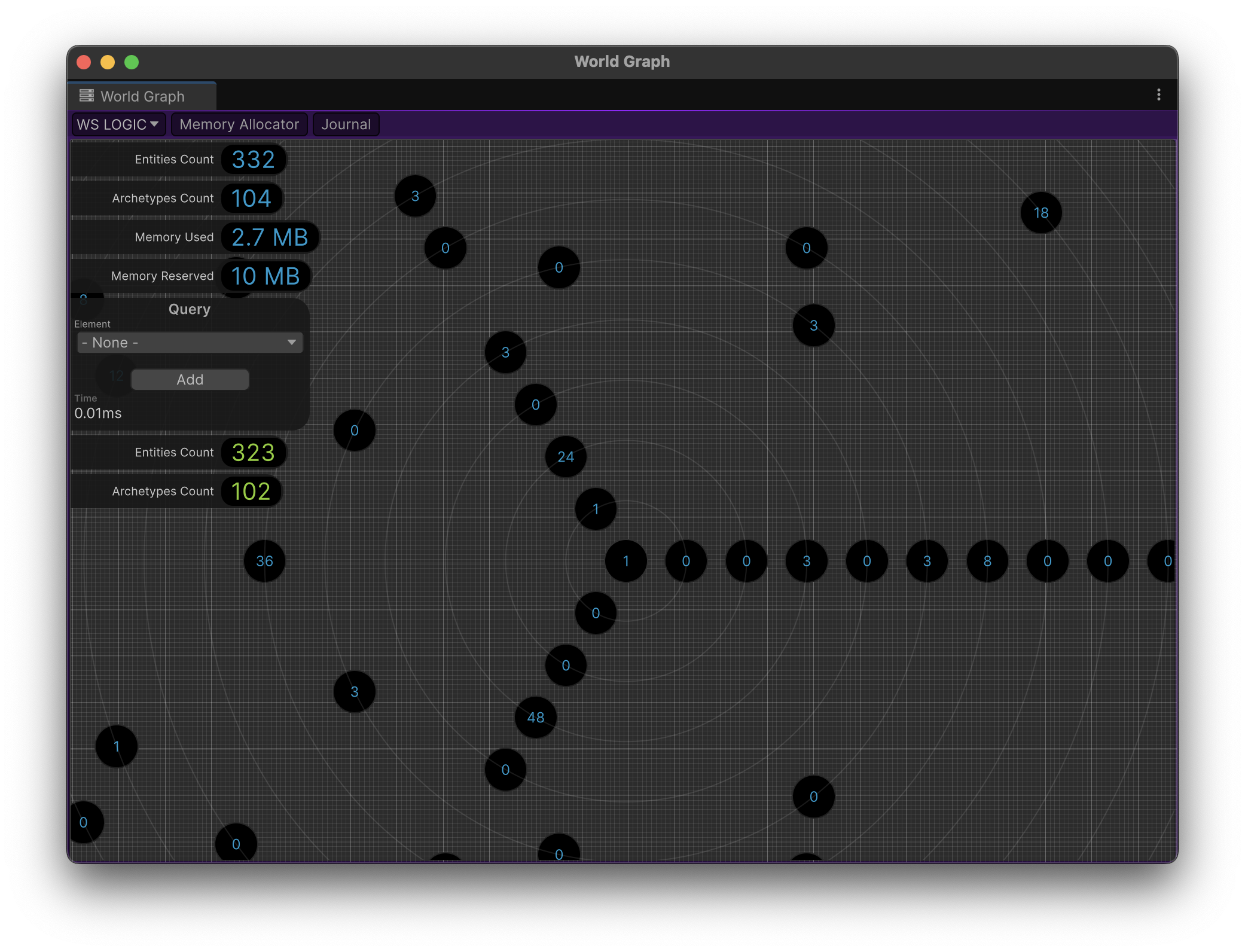
Worlds Editor
Worlds Viewer can give you an important information about memory usage, entities journal and archetypes.
| READY TO JOIN? |
Project Initialization
- Create csc.rsp in Assets directory with this content:
-define:EXCEPTIONS_CONTEXT
-define:EXCEPTIONS_THREAD_SAFE
-define:EXCEPTIONS_COLLECTIONS
-define:EXCEPTIONS_COMMAND_BUFFER
-define:EXCEPTIONS_ENTITIES
-define:EXCEPTIONS_QUERY_BUILDER
-define:EXCEPTIONS_INTERNAL
-define:EXCEPTIONS_ASPECTS
-define:EXCEPTIONS
Optional defines: (Description)
-define:ENABLE_BECS_COLLECTIONS_CHECKS
-define:LEAK_DETECTION
-define:MEMORY_ALLOCATOR_BOUNDS_CHECK
-define:ENABLE_BECS_FLAT_QUERIES
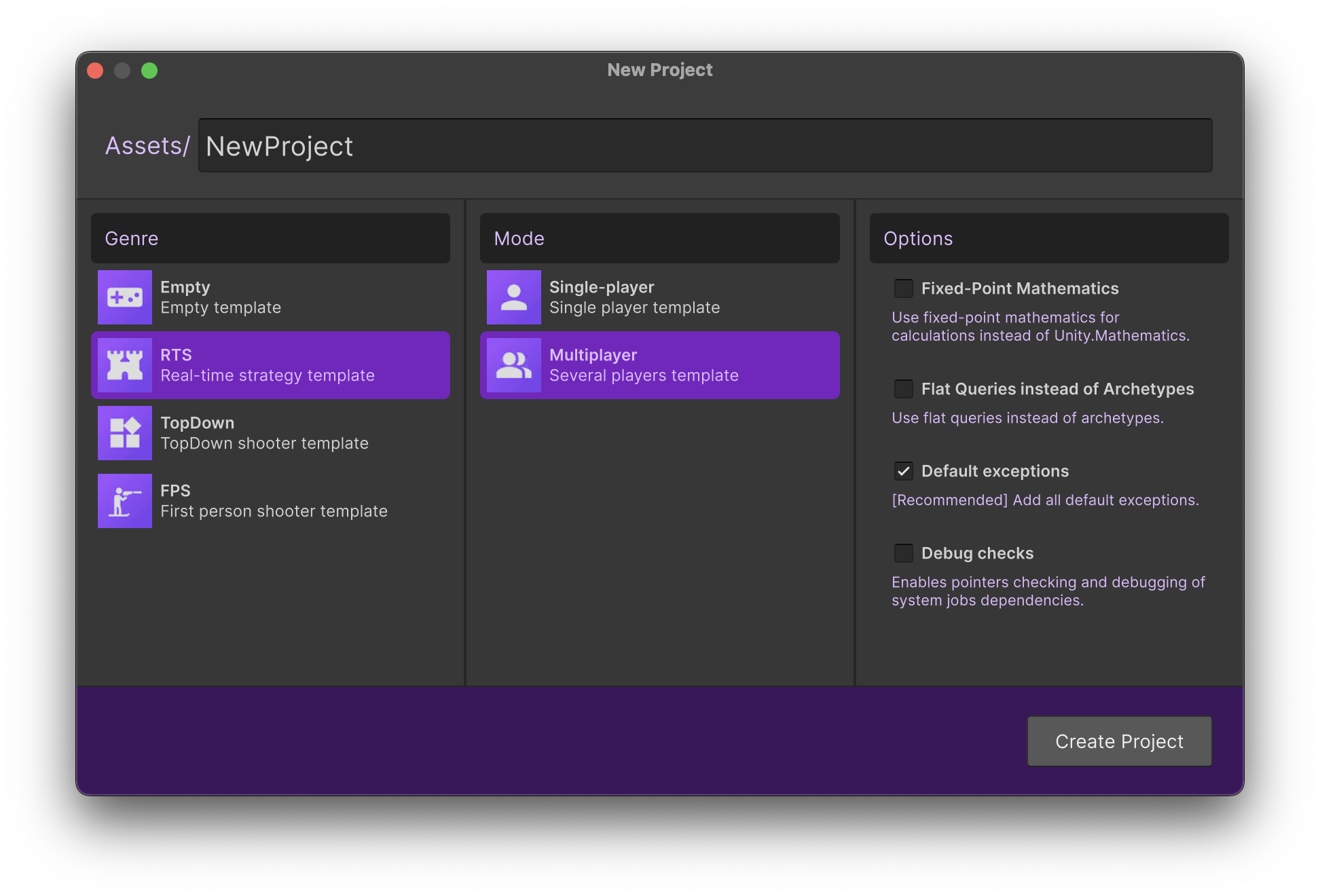
- Use "Create/ME.BECS/Create Project" menu to create default project.
Dependencies
"dependencies": {
    "com.unity.collections": "2.5.2",
    "com.unity.burst": "1.8.19",
    "com.unity.mathematics": "1.3.2",
    "com.unity.profiling.core": "1.0.2",
    "com.unity.nuget.newtonsoft-json": "3.2.1"
  },
API
Create new world
WIKI https://github.com/chromealex/ME.BECS/wiki/New-World
Entities
WIKI https://github.com/chromealex/ME.BECS/wiki/Entity-API
Create components
[EditorComment("My component help description")] // Component help description (optional)
[ComponentGroup(typeof(MyComponentGroup))] // Set component to group (optional)
public struct Component : IComponent {
    // (optional) Initialize component with default data (ex: ent.Read<Component>() or ent.Get<Component>() returns this value by default)
    public static Component Default => new Component() { data = 100 };
    // Any unmanaged data
    public int data;
    // Reference to any persistent UnityEngine.Object
    public ObjectReference<UnityEngine.Mesh> unityObjectReference;
}
Access components
// Set data
ent.Set(new Component() { ... });

// Get data - create component data if not exist
ref var comp = ref ent.Get<Component>();

// Read data - returns empty data if not exist
ref readonly var comp = ref ent.Read<Component>();

// Remove data - returns true if removed
ent.Remove<Component>();

// Has data - return true if exist
bool has = ent.Has<Component>();

// Has data - return true if static component is exist (from EntityConfig)
bool has = ent.HasStatic<Component>();

// Read data - return static data (from EntityConfig)
var comp = ent.ReadStatic<Component>();

// Remove shared component - return true if removed
ent.RemoveShared<Component>([hash]);

// Set shared component
ent.SetShared(new Component());

// Has shared component - return true if component is exist
bool has = ent.HasShared<Component>();

// Read shared component
ref readonly var comp = ref ent.ReadShared<Component>([hash]);

// Get shared component
ref var comp = ref ent.GetShared<Component>([hash]);
Systems
[BurstCompile] // Use burst in awake/start/update/destroy by default if you apply this attribute on the system
[WithoutBurst] // Use this attribute to avoid Burst compilation for method (It's not a BurstDiscard, method will work without Burst instead)
Awake systems
public struct TestSystem : IAwake {
    public void OnAwake(ref SystemContext context) {
        var jobHandle = ...
        context.SetDependency(jobHandle);
    }
}
Start systems
public struct TestSystem : IStart {
    public void OnStart(ref SystemContext context) {
        var jobHandle = ...
        context.SetDependency(jobHandle);
    }
}
Update systems
public struct TestSystem : IUpdate {
    [WithoutBurst] // Do not compile this method into burst
    public void OnUpdate(ref SystemContext context) {
        var jobHandle = ...
        context.SetDependency(jobHandle);
    }
}
Destroy systems
public struct TestSystem : IDestroy {
    public void OnDestroy(ref SystemContext context) {
        var jobHandle = ...
        context.SetDependency(jobHandle);
    }
}
Gizmos systems
public struct TestSystem : IDrawGizmos {
    public void OnDrawGizmos(ref SystemContext context) {
        var jobHandle = ...
        context.SetDependency(jobHandle);
    }
}
Aspects
public struct MyAspect : IAspect {

    public Ent ent { get; set; }

    [QueryWith] // QueryWith attribute means that only this component will be used in query
    private RefRW<MyComponent1> component1Data;
    private RefRW<MyComponent3> component2Data;

    public ref MyComponent1 component1 => ref this.component1Data.Get(this.ent.id);
    public ref MyComponent2 component2 => ref this.component2Data.Get(this.ent.id);

    ...

}

var aspect = ent.GetOrCreateAspect<MyAspect>();
aspect.component1.data = 123;
Queries
Aspect job parallel query
[BurstCompile]
private struct MyJob : IJobForAspects<MyAspect> {
    public void Execute(in JobInfo jobInfo, in Ent ent, ref MyAspect aspect) {
        ...
    }
}
var query = API.Query(world, dependsOn).AsParallel().Schedule<MyJob, MyAspect>(new MyJob() { ... });
Components parallel query
[BurstCompile]
private struct MyJob : IJobForComponents<MyComponent1, MyComponent2, ...> {
    public void Execute(in JobInfo jobInfo, in Ent ent, ref MyComponent1 comp1, ref MyComponent2 comp2, ...) {
        ...
    }
}
var query = API.Query(world, dependsOn).AsParallel().Schedule<MyJob, MyComponent1, MyComponent2, ...>(new MyJob() { ... });
Aspects and components parallel query
[BurstCompile]
private struct MyJob : IJobFor1Aspects2Components<MyAspect, MyComponent1, MyComponent2> {
    public void Execute(in JobInfo jobInfo, in Ent ent, ref MyAspect aspect, ref MyComponent1 comp1, ref MyComponent2 comp2) {
        ...
    }
}
var query = API.Query(world, dependsOn).AsParallel().Schedule<MyJob, MyAspect, MyComponent1, MyComponent2>(new MyJob() { ... });
Using jobs in systems
public void OnUpdate(ref SystemContext context) {
    var dependsOn = context.Query().AsParallel().Schedule<MyJob, MyAspect, MyComponent1, MyComponent2>(new MyJob() { ... });
    context.SetDependency(dependsOn);
}
Jobs
Regular jobs. You can use any unity jobs instead of ME.BECS jobs if you need.
[BurstCompile]
public void Job : IJob {
    public Ent ent;
    public void Execute() {
        ent.Get<TestComponent1>().data = 123;
        ent.Set(new TestComponent2() { ... });
        ent.Remove<TestComponent3>();
        ent.Destroy();
    }
}
Clone/Copy world
// Clone world
var newWorld = world.Clone();

// Copy world
world.CopyFrom(sourceWorld);
Serialize/Deserialize world
// Serialize world
var bytes = world.Serialize();

// Deserialize world
var world = World.Create(bytes);
Views
// Instantiate view
ent.InstantiateView(viewSource);

// Destroy view
ent.DestroyViews(viewSource);

// Assign view: Remove view from otherEnt and use it for ent
ent.AssignView(otherEnt);
Comments
No comments yet. Be the first!
Sign in to join the conversation
Sign In