Toolnity Autos
Toolnity Autos provides automated action scripts and editor tools to streamline common Unity workflows. Access utilities through Unity menus, customize your scene view with toolbars and overlays, and manage tools via project settings. Part of the broader Toolnity suite of editor extensions and gameplay utilities designed to boost development productivity.
com.dteruel.toolnity.autos 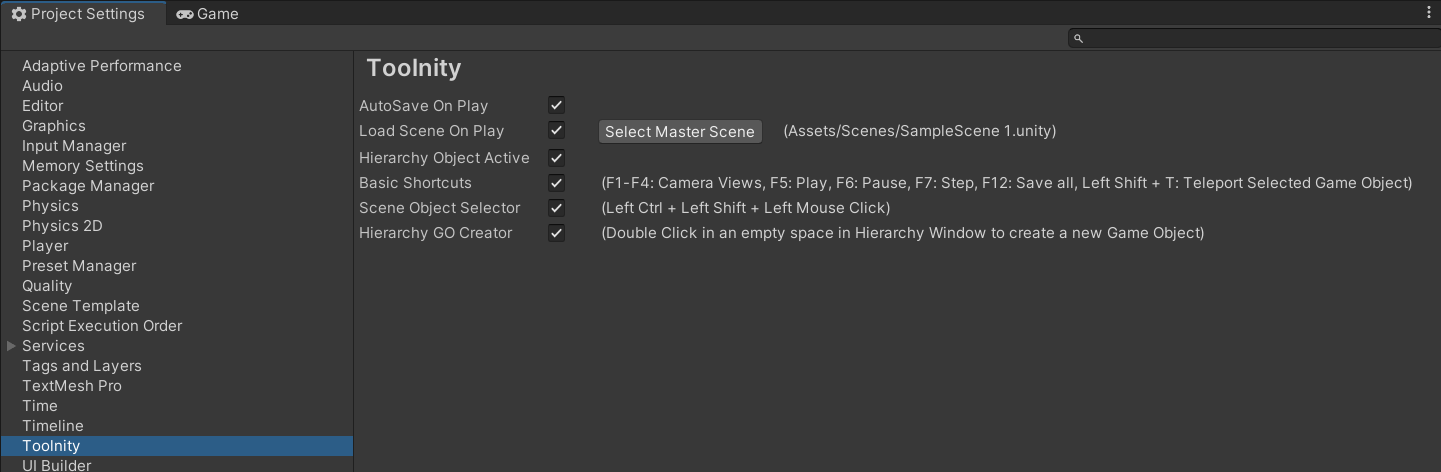
Install via UPM
Add to Unity Package Manager using this URL
https://www.pkglnk.dev/autos.git?path=Packages/Toolnity - Autos README Markdown
Copy this to your project's README.md

## Installation
Add **Toolnity Autos** to your Unity project via Package Manager:
1. Open **Window > Package Manager**
2. Click **+** > **Add package from git URL**
3. Enter:
```
https://www.pkglnk.dev/autos.git?path=Packages%2FToolnity%20-%20Autos
```
[](https://www.pkglnk.dev/pkg/autos)README
Toolnity
Information
Toolnity is a bunch of Editor Tools and Gameplay Utilities for Unity.
- You can find the most of the utilities in the Unity Menus:
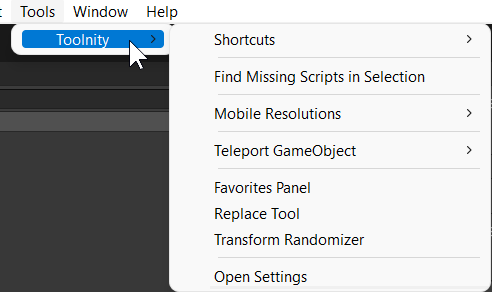
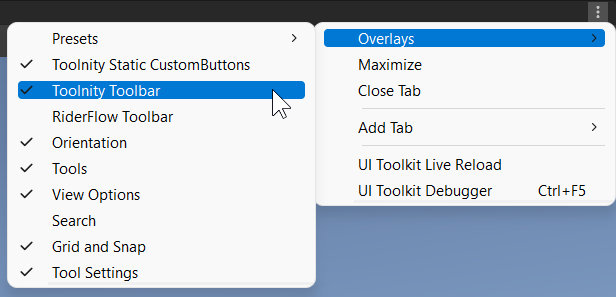
- You can add the Toolnity Toolbar and Toolnity Static CustomButtons Toolbar in your Scene view using the overlays

How to install it?
The repository is ready to be used directly in Unity without the need to download it.
- You can add it to your project using the git URL in the Package Manager.
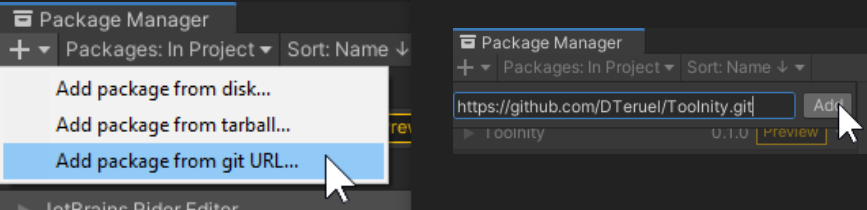
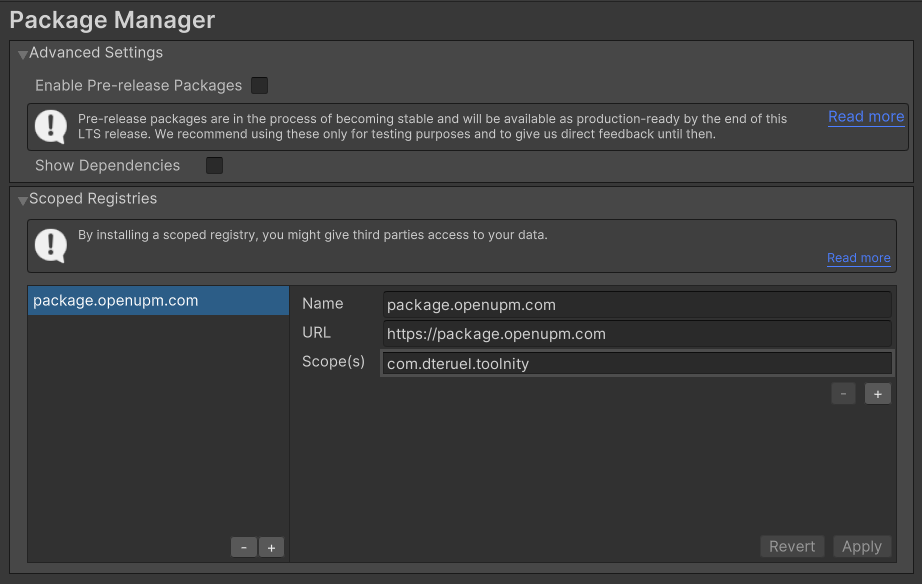
- You can use also OpenUPM to link Toolnity by version (recommended).

The big part of the content is made from scratch, but some classes are from other authors or are inspired from other authors (in these cases, you will find the link inside the source)
Settings
You can enable and disable the most of the editor tools in your project settings:
Remember to check the Context Menu in your Project Window to create Toolnity objects:

Packages
- Autos
- Collections
- Custom Buttons
- Editor Extensions
- Favorites
- Game Events
- Games
- Hierarchy Window Extensions
- Lighting Utils
- Logger
- Map Generator
- Project Info
- Runtime Scripts
- Scene Tools
- Shortcuts
- Storyboard Creator
- To Do List
Support
This is an Open Source project that I'm developing in my spare time. You can use it as you want or contact with me for any feedback, suggestion or just say Hi!
If you want to contribute, you can do it with Pull Requests or supporting me as a Sponsor in GitHub to keep working on that: https://github.com/sponsors/DTeruel
No comments yet. Be the first!