SpikeTrap

Set traps, catch bad frames. Enhanced Unity CPU profiler with spike detection, selective frame capture, and pluggable filters.
Unity Project
Download the source from GitHub
Dependencies (43)
README
SpikeTrap
Set traps, catch bad frames.
An enhanced CPU profiler module for Unity Editor with pluggable frame filters, visual highlight strips, AI-driven profiling automation, and marked-frame collection.
Why SpikeTrap?
Unity's built-in CPU module is a rolling buffer — it keeps the last 300-2000 frames and silently discards everything older. At 60fps that's 5-33 seconds of history.
SpikeTrap adds two layers on top:
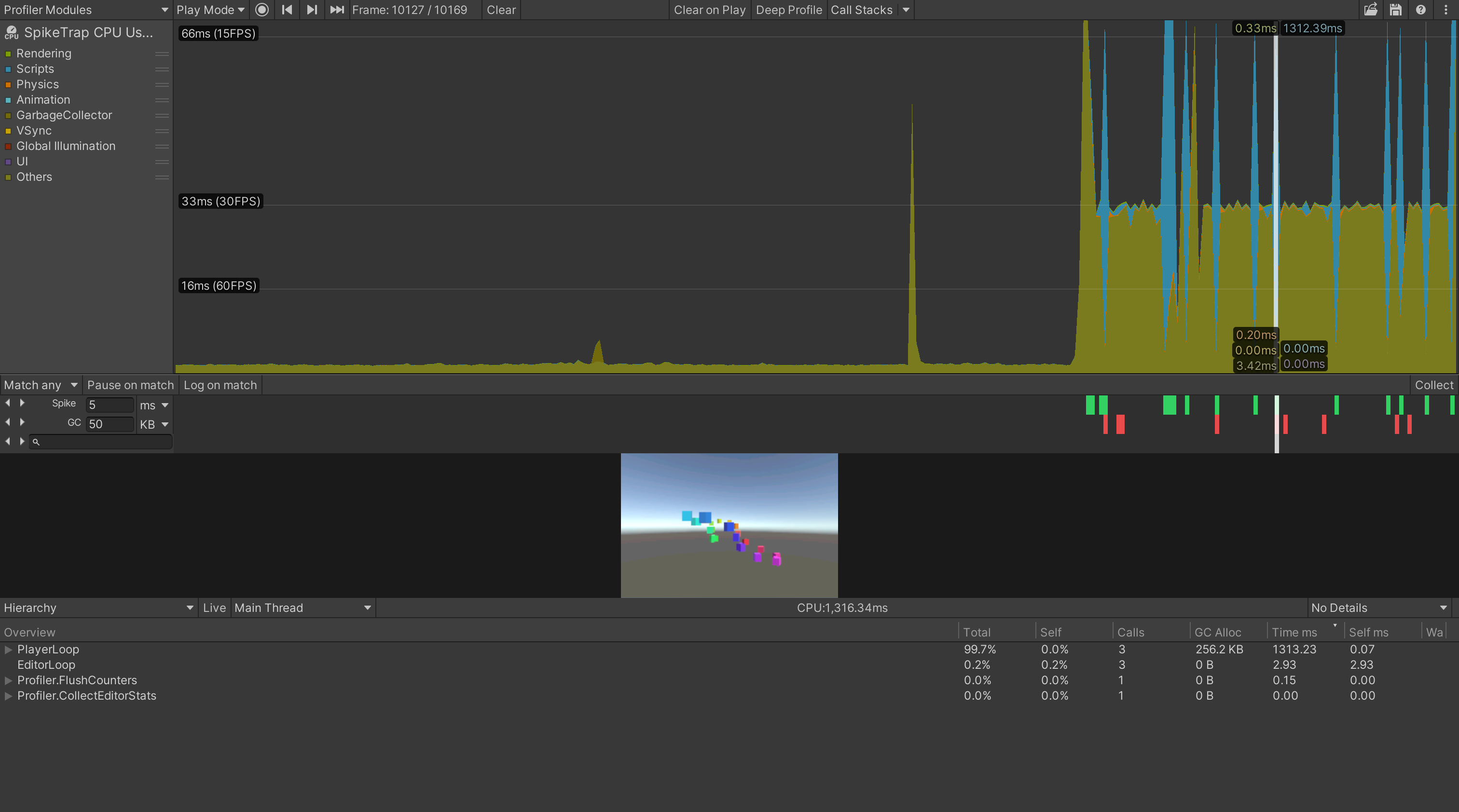
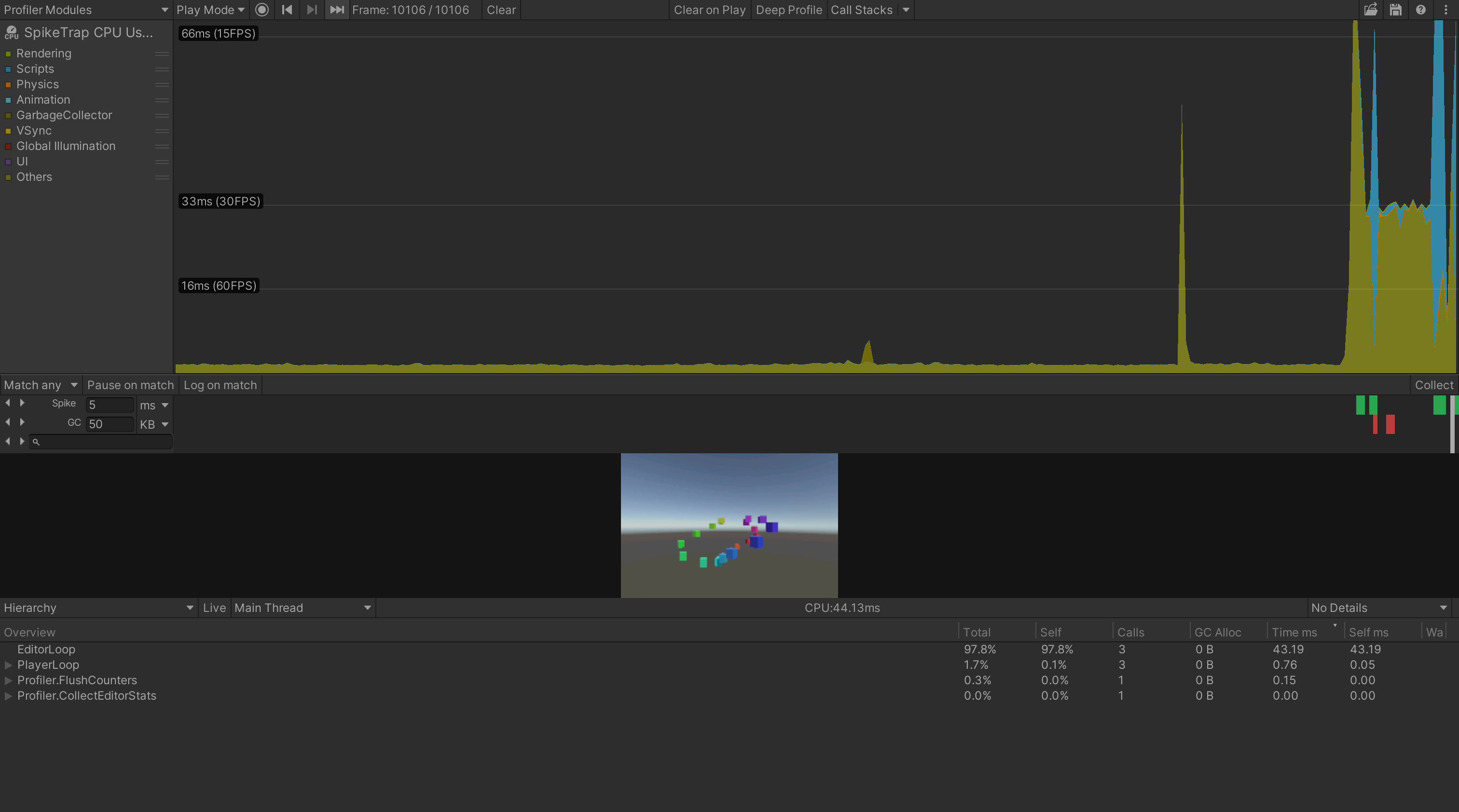
- Recording mode — the standard profiler keeps running, but SpikeTrap adds filter highlight strips, prev/next navigation, pause on match, and log on match. You can spot spikes at a glance without changing how recording works.
- Collect mode — set your filter thresholds, press Collect, and just play your game. SpikeTrap captures only the frames that matter in the background. No need to stare at the profiler — when you're done, press Save to merge matched frames into a single
.datafile.
Comparison
| Native CPU Module | SpikeTrap (Recording) | SpikeTrap (Collect) | |
|---|---|---|---|
| Frame retention | ❌ Rolling buffer (300-2000) | ❌ Same rolling buffer | ✅ Only matched frames, no limit |
| 10 min @ 60fps (36K frames) | ❌ Loses 95%+ | ❌ Same, but spikes highlighted | ✅ Keeps only ~20 spikes |
| Rare spike (1/10,000) | ❌ Overwritten before you see it | ⚠️ Caught if still in buffer | ✅ Captured automatically |
| Filter types | ❌ None | ✅ Spike, GC, Search, custom | ✅ Same filters drive capture |
| Visual indicators | ❌ None | ✅ Color-coded strips + nav | ✅ Same + "Collecting..." overlay |
| Filter composition | ❌ N/A | ✅ Match Any / Match All | ✅ Same logic drives capture |
| Pause & log on match | ❌ None | ✅ Auto-pause and/or log | ✅ Available |
| Automation API | ❌ Low-level ProfilerDriver |
— | ✅ SpikeTrapApi fire-and-forget |
| Output | ⚠️ .data (all frames, rolling) |
⚠️ Same | ✅ .data (matched only, mergeable) |
| Hierarchy view | ✅ Built-in | ✅ Same | ✅ Same |
How Collect Mode Works
Set your filter thresholds, press Collect, and play your game normally. SpikeTrap evaluates each frame against your active filters in real-time — only frames that match (spike threshold exceeded, GC allocation too high, specific marker found) are saved to temporary .data files. When you're done, press Save to merge them into a single file.
A 100-minute session producing 360,000 frames might save only 50 spike frames — each with full call-stack detail, ready for analysis. You don't lose data to the rolling buffer, and you don't need to watch the profiler while it runs.
This also makes Collect mode ideal for AI-driven profiling. The entire workflow — start collecting, wait, stop, save, analyze — maps to simple SpikeTrapApi calls with no frame-by-frame polling or buffer management. An AI agent can kick off a profiling session, let the game run, and retrieve pre-sorted results with marker names already resolved.
Requirements
- Unity 2022.3+
Installation
Add via Unity Package Manager using the git URL:
https://github.com/piti6/SpikeTrap.git?path=Packages/com.piti6.spike-trap
Or clone the repository and copy Packages/com.piti6.spike-trap into your project's Packages/ directory.
Quick Start
- Open the Profiler window (Window > Analysis > Profiler)
- Select the SpikeTrap CPU Usage module from the module dropdown
- Set filter thresholds in each strip row (Spike ms, GC KB, search term)
- Choose Match any or Match all from the dropdown
- Toggle Pause on match / Log on match as needed
- Use the Collect button to record only matched frames
Features
Frame Filters
Three built-in filters, each with a visual highlight strip and prev/next navigation buttons:
| Filter | What it detects | Unit selector | Strip color |
|---|---|---|---|
| Spike | Frames exceeding a CPU time threshold | ms / s | Green |
| GC | Frames exceeding a GC allocation threshold | KB / MB | Red |
| Search | Frames containing a named profiler sample (case-insensitive) | — | Orange |
Match Any / Match All
Control how filters combine with a dropdown in the toolbar:
- Match any (OR) — a frame matches if any active filter matches. Default behavior.
- Match all (AND) — a frame matches only if all active filters match. A Result strip appears showing the intersection with its own prev/next navigation.
Inactive filters (threshold = 0 or empty search) are skipped — they don't affect the result.
Pause & Log on Match
- Pause on match — automatically pauses play mode when filters match a frame
- Log on match — dumps the full sample call-stack hierarchy to the console for matched frames
Collect Marked Frames
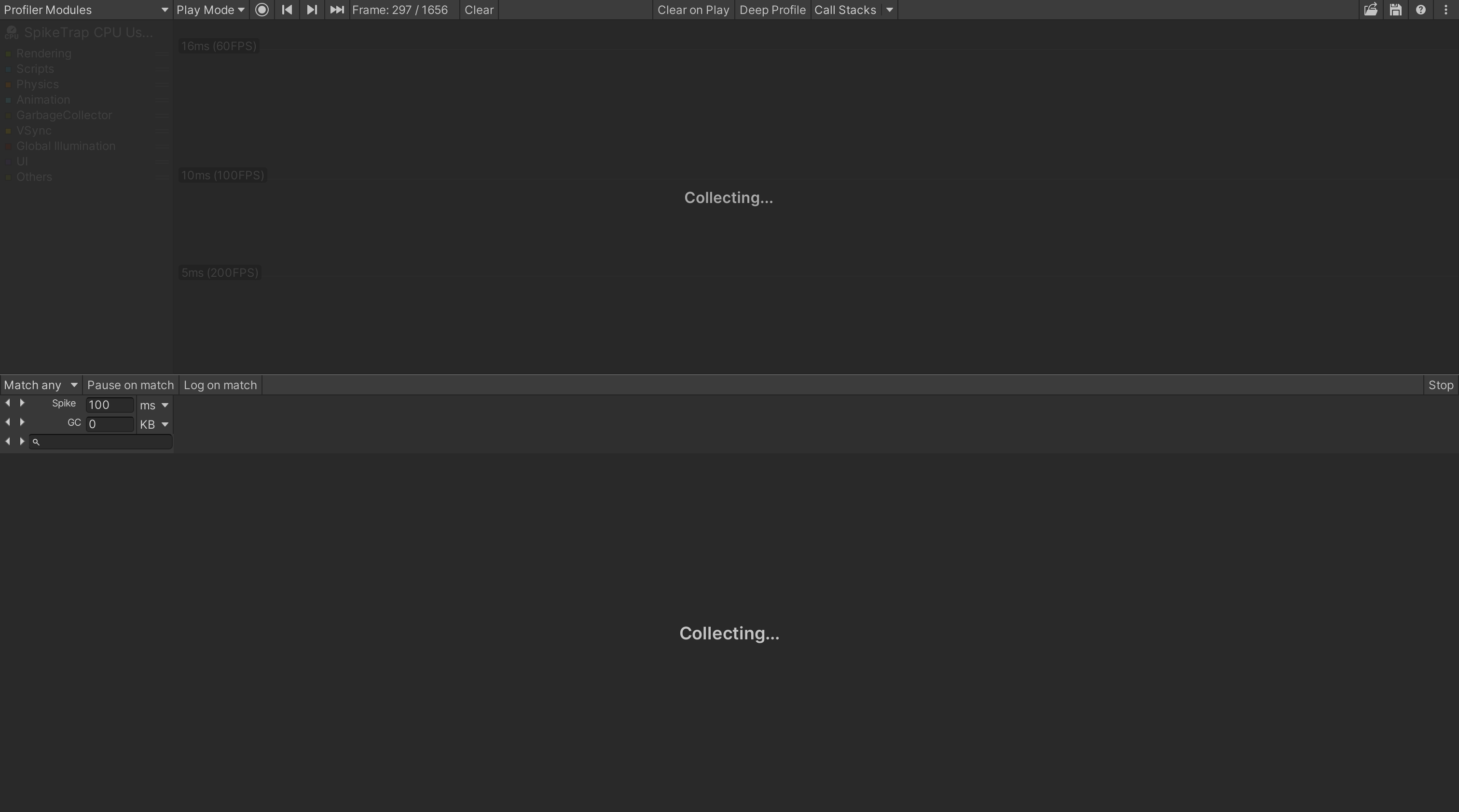
Record only frames that match active filters into a .data file:
- Set up filters (spike threshold, GC threshold, search term)
- Press Collect — filter controls stay visible so you can adjust thresholds while collecting
- Matched frames are saved to temp files as they occur
- Press Save (N) to merge collected frames into a single
.datafile, or Stop to exit without saving
Screenshot Preview
Displays per-frame screenshots captured by the ScreenshotToUnityProfiler runtime package inline in the profiler details view. Screenshots persist while scrubbing through frames without screenshot data, and clear on new recording or file load.
Enable screenshot capture at runtime:
using SpikeTrap.Runtime;

// Start capturing (default: quarter resolution)
SpikeTrapApi.InitializeScreenshotCapture();

// Or specify scale (0.5 = half resolution)
SpikeTrapApi.InitializeScreenshotCapture(0.5f);

// Custom compression
SpikeTrapApi.InitializeScreenshotCapture(0.25f, TextureCompress.JPG_BufferRGB565);

// Custom capture routine (e.g., capture a specific camera instead of screen)
SpikeTrapApi.InitializeScreenshotCapture(captureBehaviour: target =>
{
    Camera.main.targetTexture = target;
    Camera.main.Render();
    Camera.main.targetTexture = null;
});

// Stop capturing and release resources
SpikeTrapApi.DestroyScreenshotCapture();
Custom Filters
Create your own filters by extending FrameFilterBase and registering via SpikeTrapApi:
using SpikeTrap.Editor;
using UnityEngine;

public class MyFilter : FrameFilterBase
{
    public override Color HighlightColor => Color.cyan;
    public override bool IsActive => true;

    public override bool Matches(in CachedFrameData frameData)
    {
        // Must be thread-safe — called from Parallel.For
        return frameData.EffectiveTimeMs > 16f && frameData.GcAllocBytes > 1024;
    }
}

// Register (e.g., from an editor script or [InitializeOnLoad] constructor)
SpikeTrapApi.RegisterCustomFilterFactory(() => new MyFilter());
Scripting API
SpikeTrap.Editor.SpikeTrapApi and SpikeTrap.Runtime.SpikeTrapApi provide the API for profiling automation, custom filters, and screenshot capture:
using SpikeTrap.Editor;

SpikeTrapApi.StartCollecting(spikeThresholdMs: 33f);
// ... game runs, spikes are captured ...
await SpikeTrapApi.StopCollectingAndSaveAsync("/path/to/spikes.data");

FrameSummary[] spikes = SpikeTrapApi.GetSpikeFrames(33f);
foreach (var s in spikes)
    Debug.Log(s); // "Frame 296: 2038.40ms, GC 5.7KB | NavMeshManager=1953.89ms, ..."
Architecture
Pluggable Filter System
Filters implement IFrameFilter (or extend FrameFilterBase). The controller handles all native API access, caching, and matched-frame tracking.
Native API (main thread)          Managed cache              Filters (thread-safe)
ProfilerDriver.GetRawFrameDataView  -->  CachedFrameData  -->  filter.Matches()
  one call per frame per session         { EffectiveTimeMs,     pure managed,
  extracts all data in one pass            GcAllocBytes,        parallelized for
                                           UniqueMarkerIds }    large frame ranges
CachedFrameData is a readonly struct containing all filter-relevant data extracted from a single frame. Filters receive this pre-extracted data and never touch native APIs.
IFrameFilter interface:
public interface IFrameFilter : IDisposable
{
    Color HighlightColor { get; }
    bool IsActive { get; }
    bool DrawToolbarControls();
    bool Matches(in CachedFrameData frameData);
    void InvalidateCache();
}
Performance
- One native call per frame per session:
GetRawFrameDataViewis called once per frame. All filter data (CPU time, GC bytes, marker IDs) is extracted in a single sample iteration loop. - Cached frame data: Extracted data is stored in a
ConcurrentDictionary. Threshold/search changes re-evaluate cached managed data without native API calls. - Parallel matching: Full rescans above 500 frames use
Parallel.For.OnMarkerDiscoveredandMatchesare thread-safe. - Marker ID caching: Search filter resolves marker names once per unique ID. Subsequent checks are integer comparisons via
ConcurrentDictionary. - Amortized extraction: Loading large
.datafiles extracts 50 frames per editor frame to avoid blocking. - Session-aware caching: Caches use
frameStartTimeNsas session fingerprint. Same.datafile loaded multiple times shares the same cache (A→B→A reuses A's cached data).
Thread Safety
| Component | Thread-safe | Mechanism |
|---|---|---|
SearchFrameFilter.Matches |
Yes | Single volatile SearchState reference, local capture |
SearchFrameFilter.OnMarkerDiscovered |
Yes | ConcurrentDictionary.TryAdd, local state capture (internal to search filter) |
SpikeFrameFilter.Matches |
Yes | Reads only immutable CachedFrameData fields |
GcFrameFilter.Matches |
Yes | Reads only immutable CachedFrameData fields |
s_FrameDataCache |
Yes | ConcurrentDictionary |
s_MarkerNames |
Yes | ConcurrentDictionary |
CollectMatchingFrames |
Yes | Parallel.For with ConcurrentBag result collection |
| Native API extraction | Main thread only | GetRawFrameDataView, ProfilerFrameDataIterator |
Development
This repository is a Unity project. Assets/ProfilerStressTest.cs generates random CPU spikes, GC pressure, and named profiler samples (HeavyComputation, GarbageBlast, NetworkSync, SaveCheckpoint) for testing.
Tests
34 EditMode tests (assembly SpikeTrap.Tests) covering:
- Spike/GC/Search filter matching logic and edge cases
- Thread safety: concurrent
OnMarkerDiscovered, concurrentMatches,SetSearchStringrace - Multi-filter OR composition semantics
- Custom filter API usability
CachedFrameDatastruct correctness
Run via Unity Test Runner (EditMode).
License
MIT
Comments
No comments yet. Be the first!
Sign in to join the conversation
Sign In