
Unity Project
Built with Unity 2021.3.15f1 · download the source from GitHub
README
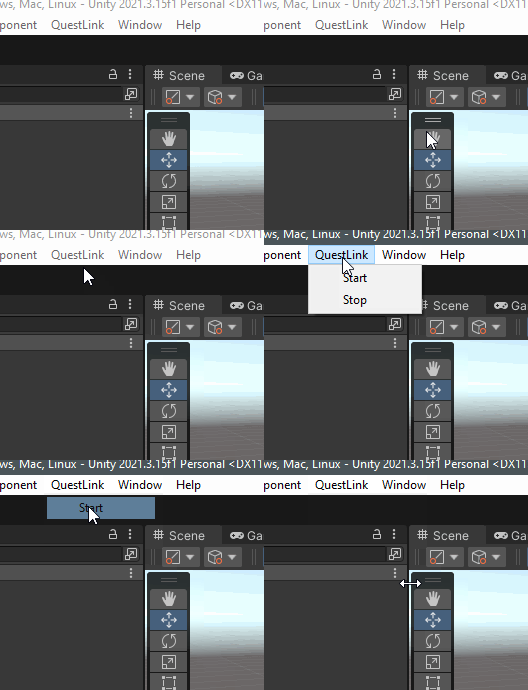
Quickly start or stop Quest Link on Meta devices via Unity
Installation
Download the latest verson of the unity package and add it to your project.
Android Debug Bridge (adb)
Ensure you have adb installed on your system and added to the environment variables path. If you do not have adb you can download it from here: https://developer.android.com/tools/releases/platform-tools. Once installed, open a terminal and type adb version, the terminal should print the current version of Android Debug Bridge, if it has been installed correctly.
PC Disconnected Message when starting
In some instances stopping QuestLink via this tool will cause an error message to display the next time you try to start QuestLink. To fix this, simply disconnect and then reconnect the Link cable and click start again. QuestLink should now boot as intended.
Comments
No comments yet. Be the first!
Sign in to join the conversation
Sign In