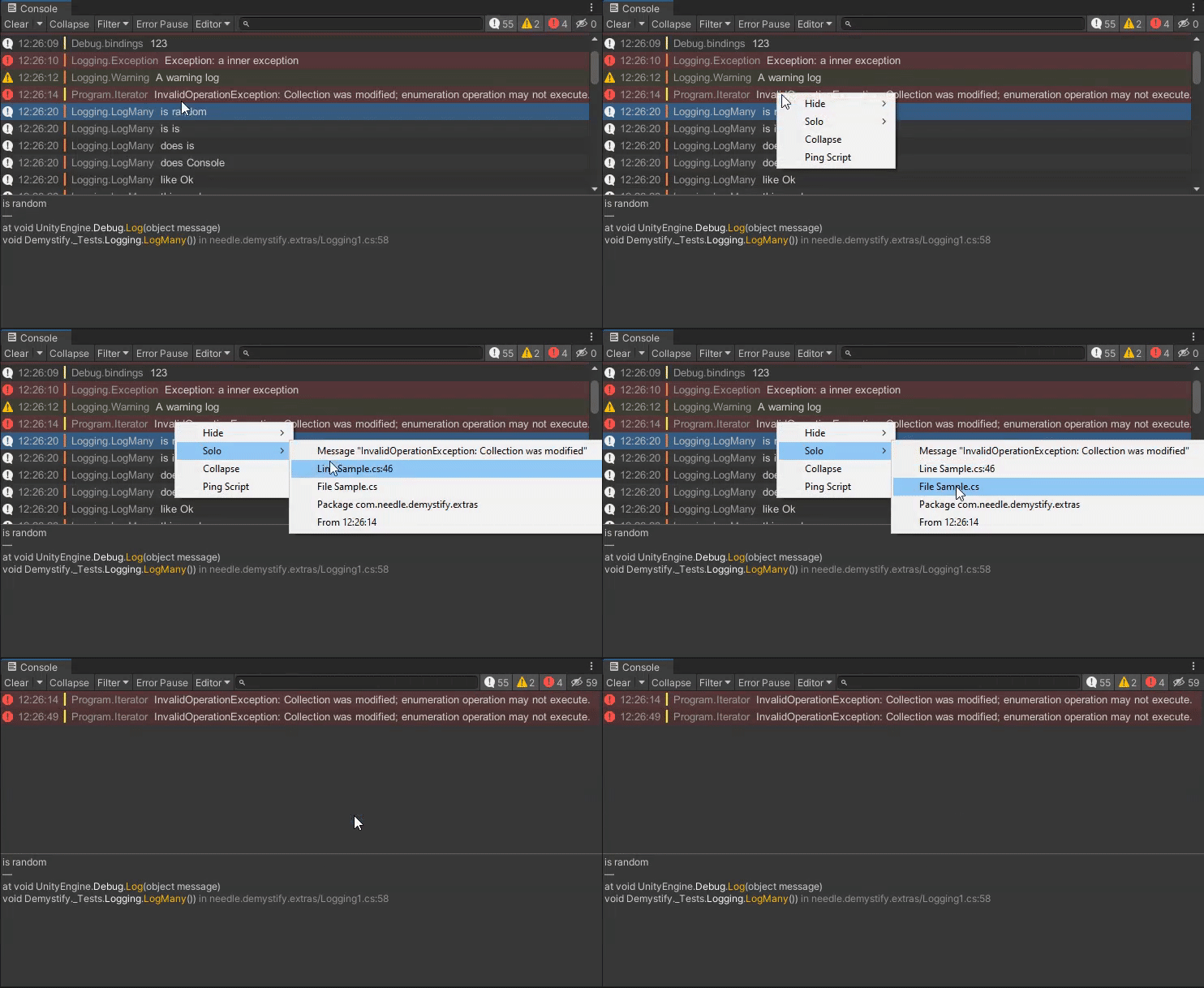

⚡ Improved Unity Console adding better log and stacktrace readability, log filtering, log hyperlinks and more
Unity Project
Built with Unity 2019.4.25f1 · download the source from GitHub
README
Rendered from GitHubNeedle Console
License
Needle Console is available on the Asset Store for commercial use (and to support development).
Feature Overview
- Improved stacktrace readability
- Syntax highlight stacktraces
- Log background colors by type (e.g. warning, error, compiler error)
- Console log prefixes (only visually in editor)
- Filter logs: Hide or Solo (e.g. by package, file, line, message)
- Collapse individual logs
- Ping script files from log
- Console hyperlinks
- Editor-only logs (extensible)
- Fixes to source code links
- Copy logs for AI: copy single, selected, or all visible logs in a structured AI-friendly format. Includes project path and Editor.log path. Supports multi-select via Ctrl+click / Shift+click.
How to Install
Add from OpenUPM | via scoped registry, recommended
This package is available on OpenUPM: https://openupm.com/packages/com.needle.console
To add it the package to your project:
- open
Edit/Project Settings/Package Manager - add a new Scoped Registry:
Name: OpenUPM URL: https://package.openupm.com/ Scope(s): com.needle - click Save
- open Package Manager
- click +
- select Add from Git URL
- paste
com.needle.console - click Add
Add from GitHub | not recommended, no updates through PackMan
You can also add it directly from GitHub on Unity 2019.4+. Note that you won't be able to receive updates through Package Manager this way, you'll have to update manually.
- open Package Manager
- click +
- select Add from Git URL
- paste
https://github.com/needle-tools/needle-console.git?path=/package - click Add
After installation, by default all logs and exceptions will be demystified in the Console.
Syntax highlighting will also be applied, and can be configured to your liking.
Settings can be configured under Edit > Preferences > Needle > Console.
How To Use 💡
Please open the Package Readme for more information.
Supported Versions
Unity 2019.4 until 6000
Contact ✒️
🌵 needle — tools for unity • @NeedleTools • @marcel_wiessler • @hybridherbst

Versions 0
No versions tracked yet.
Dependencies 0
No dependencies.
Changelog 0 releases
No changelog entries yet. Run the admin Changelog & Version Scanner to pull from the repository's CHANGELOG.md.
Comments
No comments yet. Be the first!
Sign in to join the conversation
Sign In